This site uses cookies to enhance your user experience. By clicking any link on this site you are giving your consent to our cookie policy. Read more
Reject
Accept All
Snapseed

Snapseed

verified Verified App

Developer: Google LLC

  • category

    Category: Photography

  • price

    Price: free

  • age rating

    Age Rating: Everyone

  • rating

    Rating: 4.0

  • download

    Downloads: 100,000,000+

  • version

    Version: /

Screenshot 1
Screenshot 2
Screenshot 3
Screenshot 4
Screenshot 5
Screenshot 6
Screenshot 7
Screenshot 8
Screenshot 9
Screenshot 10

Features & Highlights

Double Exposure

The double exposure feature lets you blend two images into a single masterpiece, creating stunning visuals that capture your imagination. With adjustable opacity and blending modes, you have full control over how the images interact, resulting in unique artistic compositions.

Filters & Effects

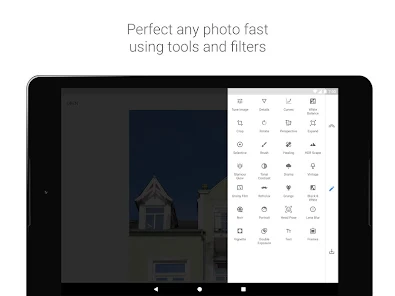
Snapseed boasts a wide array of filters and effects that can transform your photos with just a tap. From vintage styles to modern aesthetics, these customizable options let you express your creativity and enhance your images to suit your personal style.

Healing Tool

The healing tool in Snapseed is a game-changer for photo retouching. It enables you to effortlessly remove unwanted elements or imperfections from your images, ensuring a polished and professional look without needing advanced editing skills.

Selective Adjustments

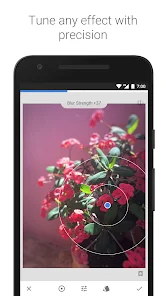
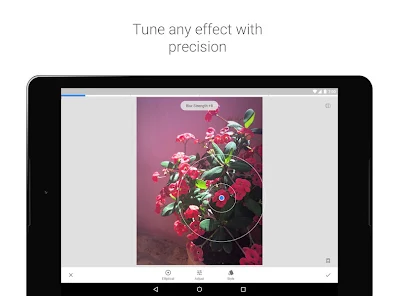
Snapseed's selective adjustments allow users to fine-tune specific areas of their photos with precision. You can easily enhance brightness, contrast, and saturation in targeted regions, making it simple to draw attention to the focal points of your images while keeping the rest intact.

Pros & Cons

Pros
  • User-friendly interface for quick editing
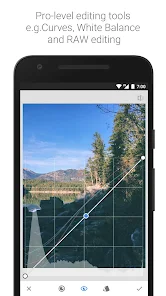
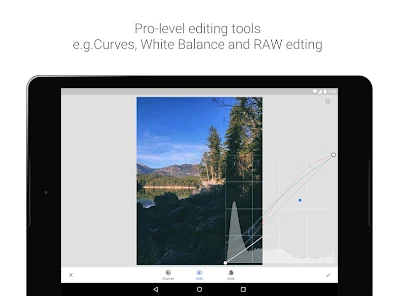
  • Powerful tools for professional-grade enhancements
  • Wide variety of filters for creative expression
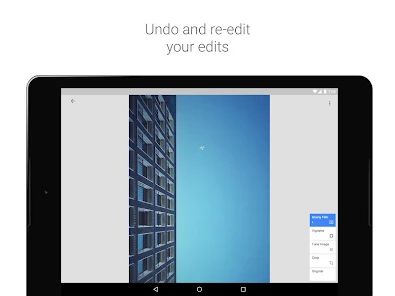
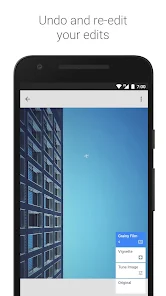
  • Non-destructive editing preserves original images
  • Supports various file formats for flexibility
Cons
  • Limited advanced editing tools compared to desktop software
  • User interface can be confusing for beginners
  • No support for batch processing of images
  • Lacks comprehensive tutorials within the app

Real Experience Using Snapseed

Application Scenarios

Snapseed is an incredibly versatile photo-editing app suitable for a wide range of scenarios. Whether you’re a casual user wanting to enhance your vacation photos, a budding photographer looking to refine your skills, or a professional seeking advanced editing tools, Snapseed has something to offer. Users can easily apply filters to social media images, adjust the lighting for landscape photography, or even retouch portraits for a polished finish. The app allows for both quick edits and in-depth adjustments, catering to anyone from beginners to experienced photo editors. Additionally, its intuitive interface makes it easy to navigate through various features, enabling users to achieve their desired results efficiently.

User Experience

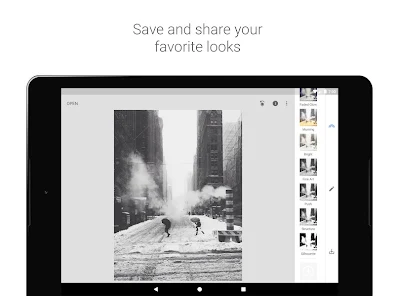
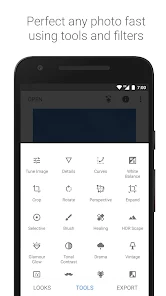
The user experience with Snapseed is seamless and enjoyable. The app boasts a clean, user-friendly interface that is easy to navigate, making it accessible for users of all ages. The editing tools are thoughtfully organized, allowing users to find the features they need without feeling overwhelmed. Snapseed offers a variety of editing options including basic adjustments like brightness and contrast, as well as advanced features such as selective adjustments and healing tools. The ability to create and save custom filters enhances the overall experience, enabling users to maintain a consistent style across their images. Additionally, Snapseed performs exceptionally well on both iOS and Android devices, ensuring a smooth experience regardless of the platform.

Pricing

One of the standout features of Snapseed is that it is completely free to download and use. Unlike many other photo-editing applications that require subscriptions or in-app purchases to unlock premium features, Snapseed provides a comprehensive suite of editing tools at no cost. This makes it an incredibly attractive option for those who are looking to enhance their photography skills without breaking the bank. Users can enjoy all functionalities without any hidden fees, making Snapseed a valuable asset for photographers and casual users alike.

Updates & Support

Snapseed is regularly updated, with improvements and new features being added consistently to enhance user experience. Google, the developer behind Snapseed, ensures that the app remains relevant by incorporating user feedback and adapting to new technological advancements. The support offered is robust, with an extensive help center and community forums where users can share tips and seek assistance. For those who prefer visual learning, there are numerous tutorials available online to help users master the app’s features. Overall, Snapseed not only delivers a powerful editing experience but also maintains a commitment to continuous improvement and user support.

verified Security & Privacy Review

Snapseed prioritizes user privacy and data security through its robust practices. The app does not require unnecessary permissions, limiting access to only what is essential for its functionality. Users must grant access to their photo library, but Snapseed does not collect location data or personal information beyond what is necessary for editing images. Data security is enhanced through the app's commitment to not storing user photos or editing history on its servers. All editing is done locally on the device, ensuring that users retain full control over their images. Snapseed also employs encryption protocols to protect any data that may be transmitted during updates or feature enhancements. While Snapseed does not sell user data to third parties, it may share non-personal aggregated usage data to improve app performance. Users should review the privacy policy for detailed information on data handling practices. Overall, Snapseed demonstrates a commitment to maintaining user privacy and security while providing a powerful photo editing experience.

Reviews

4.0

“Intuitive interface makes editing a breeze”

“Powerful tools for professional-quality photos”

“Great filters enhance creativity”

“Occasional bugs, but updates improve performance”

“Best free photo editing app available”

Editor's Choice