This site uses cookies to enhance your user experience. By clicking any link on this site you are giving your consent to our cookie policy. Read more
Reject
Accept All
Video Editor & Maker - InShot

Video Editor & Maker - InShot

verified Verified App

Developer: InShot Video Editor

  • category

    Category: Photography

  • price

    Price: free

  • age rating

    Age Rating: Everyone

  • rating

    Rating: 4.8

  • download

    Downloads: 500,000,000+

  • version

    Version: 2.184.1522

Screenshot 1
Screenshot 2
Screenshot 3
Screenshot 4
Screenshot 5
Screenshot 6
Screenshot 7
Screenshot 8
Screenshot 9
Screenshot 10
Screenshot 11
Screenshot 12
Screenshot 13
Screenshot 14
Screenshot 15

Features & Highlights

Filters & Effects

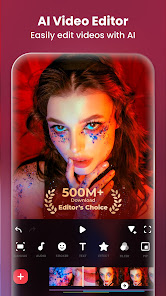
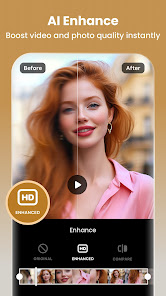
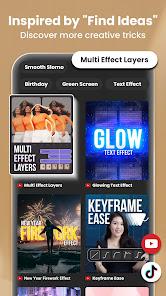
With a wide range of filters and effects at your fingertips, InShot allows you to transform the look of your videos effortlessly. Experiment with various styles to set the mood, enhance colors, or create stunning visual narratives that resonate with your audience.

Music & Sound Effects

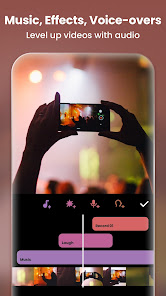
Elevate your videos with a library of royalty-free music and sound effects available within InShot. You can easily add your favorite tracks, adjust volume levels, and even sync audio to match your video perfectly, enhancing the overall viewing experience.

Text & Stickers

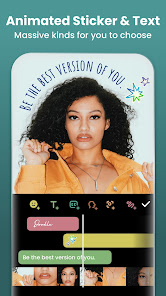
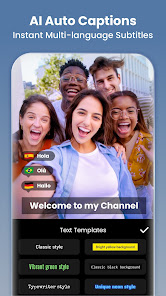
Get creative with InShot's extensive collection of customizable text options and fun stickers. You can add captions, titles, and emojis to your videos, making them more relatable and entertaining while expressing your unique style and personality.

Video Trimming & Splitting

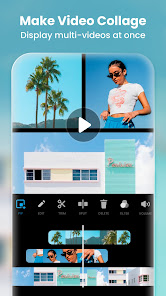
InShot makes it super easy to trim and split your videos, allowing you to remove unwanted sections and focus on the best parts. This feature is perfect for creating engaging content that flows seamlessly, ensuring your audience stays captivated from start to finish.

Pros & Cons

Pros
  • User-friendly interface for easy navigation and editing
  • Wide range of filters and effects for creative videos
  • Supports multiple aspect ratios for various platforms
  • Allows seamless music integration for enhanced storytelling
  • Quick export options for fast sharing on social media
Cons
  • Limited advanced editing features available
  • Watermark appears on free version
  • Performance can be slow on older devices
  • Export quality may be compromised at times

Real Experience Using Video Editor & Maker - InShot

Application Scenarios

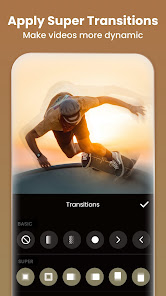
InShot is a versatile video editing app suitable for various scenarios, making it an essential tool for both amateur and professional creators. Whether you are looking to edit vlogs for YouTube, create engaging content for social media platforms like Instagram and TikTok, or compile family videos for special occasions, InShot offers an array of features to meet your needs. The app allows users to trim and merge clips seamlessly, add music and sound effects, and apply filters and effects to enhance the visual appeal. Its user-friendly interface is particularly beneficial for first-time editors, as it simplifies complex editing tasks into manageable steps.

User Experience

The user experience on InShot is generally positive, characterized by an intuitive layout and responsive performance. Users appreciate the drag-and-drop functionality, which makes editing quick and easy. The timeline feature allows for precise editing, enabling creators to fine-tune their videos effortlessly. Additionally, the app supports various aspect ratios, making it ideal for different social media formats. However, some users have reported occasional glitches, especially when handling larger video files. Despite these minor setbacks, the overall feedback highlights InShot's effectiveness and convenience, with many users praising its accessibility and comprehensive toolset.

Pricing

InShot operates on a freemium model, allowing users to access a wide range of features for free, albeit with some limitations. The free version includes basic editing tools, but users may encounter watermarks on their exported videos. For those seeking an ad-free experience and access to premium features, InShot offers a subscription plan that is competitively priced. Users can choose between monthly or yearly subscriptions, with the latter providing better value for long-term users. The pricing structure is transparent, making it easy for users to decide if the investment is worth the enhanced capabilities.

Updates & Support

InShot is committed to continuous improvement, regularly rolling out updates that introduce new features and enhance existing ones. Users can expect improvements in performance and bug fixes, ensuring a smoother editing experience. The app also boasts a responsive customer support system, with a help center that addresses common queries and issues. Users can reach out via email for more complex concerns, and the community forums provide additional support and tips from fellow users. Overall, InShot's dedication to updates and user assistance contributes to its reputation as a reliable video editing solution.

verified Security & Privacy Review

The security and privacy practices of the Video Editor & Maker - InShot app are essential for users to understand before downloading. InShot requests access to various device permissions, including storage, camera, and microphone. These permissions are necessary for the app to function effectively, enabling users to edit videos and photos seamlessly. However, it is crucial for users to be aware of the extent of data that may be collected. InShot’s privacy policy indicates that it may collect user data, including device information and usage statistics, to enhance user experience and improve app performance. Users should review the policy to understand how their data is utilized and shared. Furthermore, the app offers options to limit data sharing, allowing users to customize their privacy settings according to their preferences. To ensure data security, InShot employs standard encryption methods to protect user information. Nonetheless, users are encouraged to remain vigilant about the permissions they grant and to regularly review the app’s settings to maintain control over their personal data.

Reviews

4.8

“User-friendly interface, great for quick edits”

“Powerful features for professional-looking videos”

“Amazing filters and effects, love the options”

“Export quality is fantastic, no watermarks”

“Perfect for social media content creation”

Editor's Choice