This site uses cookies to enhance your user experience. By clicking any link on this site you are giving your consent to our cookie policy. Read more
Reject
Accept All

Advertiser and Editorial Disclosures

Geni Art

Geni Art

verified Verified App

Developer: LeafMotion Software

  • category

    Category: Photography

  • price

    Price: free

  • age rating

    Age Rating: Everyone

  • rating

    Rating: 4.7

  • download

    Downloads: 1,000,000+

  • version

    Version: 1.1.4

Screenshot 1
Screenshot 2
Screenshot 3
Screenshot 4
Screenshot 5
Screenshot 6
Screenshot 7
Screenshot 8
Screenshot 9
Screenshot 10
Screenshot 11
Screenshot 12
Screenshot 13
Screenshot 14
Screenshot 15
Screenshot 16
Screenshot 17
Screenshot 18

Features & Highlights

AI-Powered Artwork

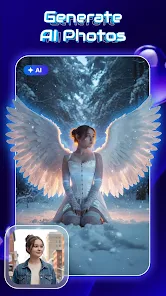
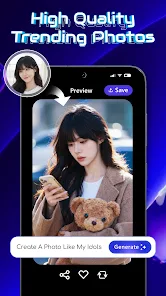
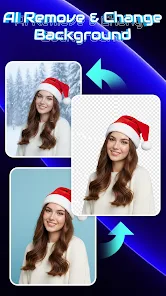
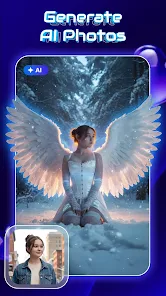
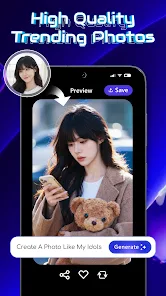
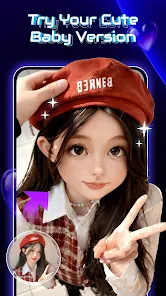
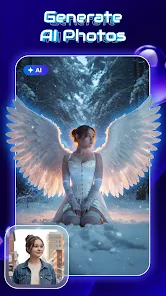
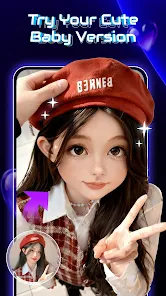
Geni Art leverages advanced artificial intelligence to transform your ideas into stunning artwork. Whether you're looking for a unique piece or a creative interpretation of your vision, the AI adapts to your preferences, ensuring a personalized artistic experience that feels truly one-of-a-kind.

Collaboration Features

Geni Art encourages collaboration by allowing users to share their creations and work together in real-time. This feature not only enhances the creative process but also builds a community of artists who can inspire and support each other, making art a more social and engaging endeavor.

Diverse Art Styles

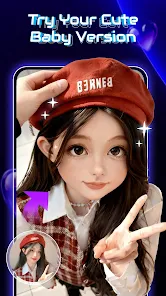
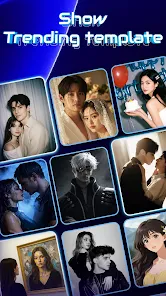
With Geni Art, you can explore a wide range of art styles, from classic to contemporary. This versatility enables users to experiment and find the perfect aesthetic for their artwork, making it an ideal platform for those seeking to express their unique vision through various artistic forms.

User-Friendly Interface

Navigating Geni Art is a breeze, thanks to its intuitive design that caters to both beginners and seasoned artists. The straightforward layout allows users to easily access tools, manage projects, and explore various styles without feeling overwhelmed, fostering creativity and inspiration.

Pros & Cons

Pros
  • Geni Art fosters creativity with intuitive design tools.
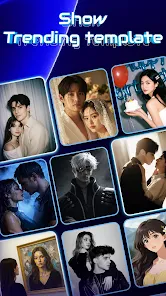
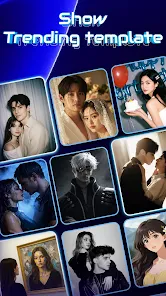
  • It offers a vast library of customizable templates.
  • Users can easily collaborate on artistic projects in real-time.
  • The platform supports various file formats for versatile usage.
  • Geni Art provides regular updates with new features and enhancements.
Cons
  • Limited customization options may restrict unique artistic expressions.
  • High subscription costs can deter potential users from accessing features.
  • Dependence on internet connectivity can hinder creative flow and accessibility.
  • Occasional technical glitches may disrupt the user experience and output quality.

Real Experience Using Geni Art

Real Experience Application Scenarios

Geni Art is designed for a variety of creative applications, making it an excellent tool for artists, designers, and anyone looking to explore their artistic side. Whether you are a professional illustrator seeking to enhance your portfolio or a hobbyist wanting to generate unique artwork, Geni Art provides a versatile platform. Users can create stunning digital paintings, illustrations, and designs using an extensive range of brushes, tools, and effects. Additionally, the app is perfect for social media enthusiasts who want to create eye-catching visuals for their profiles or posts. From generating artwork for personal projects to crafting promotional materials for businesses, Geni Art caters to a wide audience.

User Experience

The user experience in Geni Art is intuitive and engaging, making it accessible for users of all skill levels. The interface is clean and well-organized, allowing users to navigate through its features effortlessly. Onboarding tutorials guide new users through the basics, ensuring they can quickly get started on their creative endeavors. The app’s performance is smooth, with minimal lag even when working on complex projects. Users appreciate the customizable workspace, which allows them to arrange tools and palettes according to their preferences. Furthermore, the ability to save and share creations directly from the app adds to the overall convenience, enhancing the creative process.

Pricing

Geni Art offers a flexible pricing model that caters to different user needs. The app is available as a free download, providing access to a limited set of features and tools, making it a great entry point for beginners. For more advanced functionalities, users can opt for a subscription plan that unlocks premium features, including additional brushes, higher resolution outputs, and exclusive content. The pricing is competitive compared to similar applications on the market, and users often find the investment worthwhile given the quality of the tools and the rich creative possibilities that Geni Art offers.

Updates & Support

The development team behind Geni Art is committed to providing regular updates, enhancing the app’s functionality and fixing any bugs that may arise. Users can expect periodic new features and improvements that keep the app fresh and relevant. Customer support is readily available, with multiple channels for users to reach out for assistance, including email support and a dedicated forum where users can share tips and ask questions. The active community surrounding Geni Art further enriches the experience, as users can connect, share their creations, and learn from one another. This commitment to continuous improvement and community engagement makes Geni Art a reliable choice for creative individuals.

verified Security & Privacy Review

Security & Privacy Review Geni Art demonstrates a strong commitment to user security and privacy. The app employs advanced encryption protocols to safeguard user data during transmission and storage, ensuring that personal information remains confidential. Additionally, Geni Art adheres to industry-standard practices for data protection, minimizing the risk of unauthorized access. In terms of permissions, Geni Art requires users to grant access to specific features, such as camera and storage. However, the app clearly outlines the necessity of these permissions, allowing users to make informed decisions about their data sharing. Users can also customize their privacy settings, giving them control over how their information is utilized. Furthermore, Geni Art has a transparent privacy policy that details its data handling practices. The app does not sell user data to third parties and is committed to using information solely for enhancing user experience. Overall, Geni Art prioritizes security and privacy, making it a reliable choice for users concerned about their personal data.

Reviews

4.7

“Incredible creativity boost, love the art styles available!”

“User-friendly interface makes creating art a breeze.”

“Occasional bugs, but overall a fun app.”

“Art generation is impressive but lacks some customization options.”

“Great for beginners, but experienced artists may find it limiting.”

FAQ

1

Does Geni Art collect my personal data?

Geni Art prioritizes user privacy and collects minimal personal data necessary for functionality, such as user preferences and app usage statistics, in accordance with its privacy policy.

2

Does Geni Art offer a free trial or free version?

Yes, Geni Art offers a free version with limited features, as well as a trial period for premium features, allowing users to explore the app before committing to a subscription.

3

Does Geni Art require an internet connection?

While Geni Art can function offline for certain features, a stable internet connection is recommended for accessing the full range of tools and sharing your artwork.

4

How can I contact support or send feedback for Geni Art?

Users can contact Geni Art support through the in-app help section or by visiting the official website, where they can submit feedback or ask questions directly to the support team.

5

How do I manage or cancel my Geni Art subscription?

You can manage or cancel your Geni Art subscription through the app settings or the app store where you purchased the subscription, following the provided instructions for subscription management.

How to use Geni Art

1

How can I contact customer service for the Geni Art app?

You can reach customer service through the app's support section or by visiting the official website for contact details.

2

How do I log in to the Geni Art app?

Open the app, enter your registered email and password, then tap 'Log In' to access your account.

3

Is there an activation process for the Geni Art app?

Yes, after downloading, you may need to activate your account via a confirmation email sent to your registered email address.

4

What is the customer number for Geni Art app support?

The customer number is typically found in the app's settings or on the official website under the support section.

Editor's Choice