This site uses cookies to enhance your user experience. By clicking any link on this site you are giving your consent to our cookie policy. Read more
Reject
Accept All
YouCam Makeup - Selfie Editor

YouCam Makeup - Selfie Editor

verified Verified App

Developer: Perfect Mobile Corp.

  • category

    Category: Photography

  • price

    Price: free

  • age rating

    Age Rating: Everyone

  • rating

    Rating: 4.1

  • download

    Downloads: 100,000,000+

  • version

    Version: /

Screenshot 1
Screenshot 2
Screenshot 3
Screenshot 4
Screenshot 5
Screenshot 6
Screenshot 7

Features & Highlights

Photo Editing Features

Beyond makeup application, YouCam Makeup includes robust photo editing features to enhance your selfies. Adjust lighting, apply filters, and refine details with precision to create stunning images that reflect your personality, making every photo a true representation of your unique style.

Real-Time Try-On

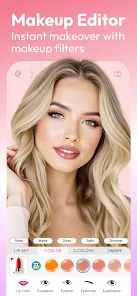
With its innovative real-time try-on feature, YouCam Makeup lets you test various beauty products instantly using your smartphone camera. This interactive experience makes it fun to explore different styles and combinations, ensuring you feel confident in your choices before applying makeup in real life.

Skin Smoothing Effects

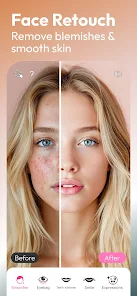
Achieve flawless skin with YouCam Makeup's advanced skin smoothing effects. The app intelligently enhances your complexion by reducing blemishes and imperfections, giving you a natural and polished look. You can easily customize the intensity to match your desired level of smoothness for selfies or special occasions.

Virtual Makeup Tools

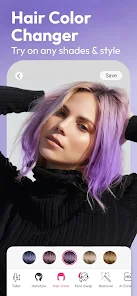
YouCam Makeup offers an extensive range of virtual makeup tools, allowing users to experiment with different looks without any commitment. From lipsticks to eyeshadows, you can apply and adjust shades in real-time, making it easy to find your perfect style before going out.

Pros & Cons

Pros
  • Real-time makeup application for stunning selfies
  • Diverse filters enhance your photos creatively
  • Skin smoothing features for flawless portraits
  • Easy-to-use interface for quick edits
  • Wide range of beauty tools for customization
Cons
  • Limited features in the free version
  • Can be slow on older devices
  • Excessive ads disrupt the user experience
  • Requires an internet connection for full functionality

Real Experience Using YouCam Makeup - Selfie Editor

Application Scenarios

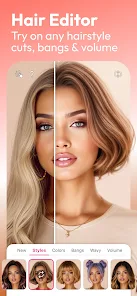
YouCam Makeup is an all-in-one beauty app that caters to a variety of scenarios where users want to enhance their selfies or explore new makeup looks. Whether you are preparing for a special occasion, such as a wedding or a party, or simply looking to experiment with your daily makeup routine, this app provides an extensive range of tools to meet your needs. Users can easily try out different lipstick shades, eyeshadow palettes, and even hairstyles without any commitment. Additionally, the app is perfect for social media enthusiasts who want to present their best selves on platforms like Instagram or TikTok, allowing them to create stunning visuals with just a few taps. The augmented reality (AR) technology embedded in the app makes it easy to visualize how different products will look in real-time, enhancing the overall experience.

User Experience

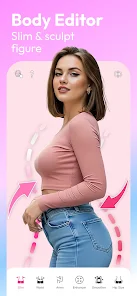
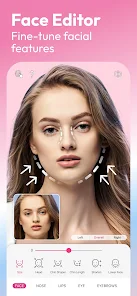
The user experience of YouCam Makeup is designed to be intuitive and engaging. Upon launching the app, users are greeted with a sleek interface that is easy to navigate. The app offers a variety of features, including makeup application, skin smoothing, and facial reshaping, all of which are just a swipe away. Users can either take a new selfie or upload an existing one to begin their transformation. The makeup tools are highly customizable, allowing users to adjust the intensity of each effect to achieve a natural or dramatic look based on their preferences. Furthermore, the app includes tutorials and tips, making it accessible for beginners while still offering advanced options for seasoned makeup aficionados. Overall, the seamless integration of features ensures that users feel empowered to express their creativity.

Pricing

YouCam Makeup operates on a freemium model, providing users with a basic version that includes a selection of free features. However, for those seeking a more comprehensive experience, the app offers a premium subscription. This subscription unlocks a wider array of makeup products, advanced editing tools, and exclusive content. The pricing is competitive compared to other similar apps in the market, and users can choose between monthly or annual plans, making it flexible based on individual usage. Additionally, promotional discounts are often available, enabling users to enjoy premium features at a lower cost.

Updates & Support

The developers of YouCam Makeup are committed to continuously improving the app, regularly releasing updates that introduce new features, makeup trends, and bug fixes. Users can easily access the latest updates through their app store, ensuring they always have the best experience possible. The app also provides robust customer support, with a dedicated help center that addresses common questions and issues. Users can reach out for assistance via email or through the app’s feedback feature, and the responsive support team is known for its timely resolution of queries. This commitment to user satisfaction enhances the overall experience and helps build a loyal user base.

verified Security & Privacy Review

The YouCam Makeup app emphasizes user privacy and data security, implementing several measures to protect personal information. The app requires various permissions, including access to the camera and storage, which are essential for its core functionality of editing selfies. Users should be aware that granting these permissions allows the app to access photos and videos stored on their devices. YouCam Makeup adheres to a privacy policy that outlines how user data is collected, used, and shared. The app primarily processes user data to enhance the user experience, such as providing personalized makeup recommendations and filters. However, it does not sell user data to third parties, which is a significant advantage in terms of privacy protection. Users can manage their privacy settings within the app, allowing them to control what information is shared. It's important for users to review these settings regularly to ensure their data remains protected. Overall, YouCam Makeup takes user privacy seriously, offering a balance between functionality and data security.

Reviews

4.1

“Fun filters, great for enhancing selfies!”

“Easy to use and very intuitive.”

“Love the realistic makeup options available.”

“Perfect for quick touch-ups and edits.”

“Fantastic app for beauty enthusiasts!”

Editor's Choice