This site uses cookies to enhance your user experience. By clicking any link on this site you are giving your consent to our cookie policy. Read more
Reject
Accept All

Advertiser and Editorial Disclosures

Planning Center Services

Planning Center Services

verified

Planning Center

4.2
Rating
1,000,000+ Downloads
6.7.5 Version
  • category

    Category: Productivity

  • price

    Price: free

  • age rating

    Age Rating: Everyone

  • rating

    Rating: 4.2

  • available on

    Available on: /

  • updated on

    Updated on: Jun 25, 2026

Screenshot 1
Screenshot 2
Screenshot 3
Screenshot 4
Screenshot 5
Screenshot 6
Screenshot 7
Screenshot 8
Screenshot 9
Screenshot 10
Screenshot 11
Screenshot 12

Features & Highlights

Detailed Reporting Insights

Gain valuable insights into your services with comprehensive reporting features that track attendance, volunteer hours, and song usage. These analytics help you understand trends and make informed decisions to enhance your ministry's effectiveness and engagement.

Powerful Communication Tools

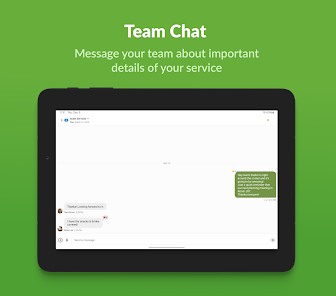
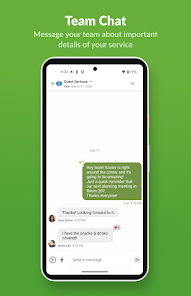
Stay connected with your team through integrated communication features that facilitate announcements, group messages, and reminders. This ensures that everyone is on the same page, reducing miscommunication and enhancing collaboration for a more cohesive planning experience.

Scheduling Made Easy

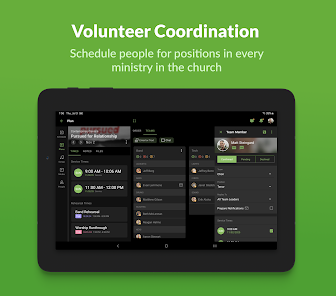
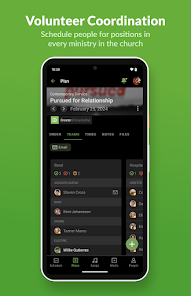
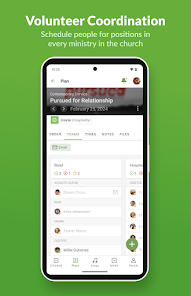
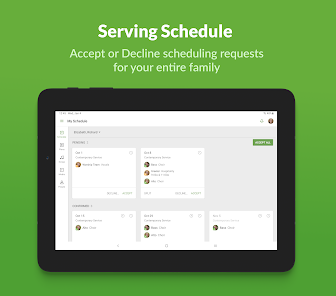
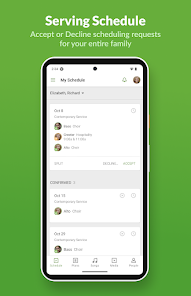
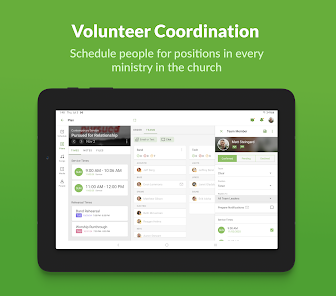
Planning Center Services offers a user-friendly scheduling tool that allows you to effortlessly manage your team's availability and assignments. With drag-and-drop functionality, you can quickly create and adjust schedules, ensuring everyone knows their role for upcoming events without any confusion.

Seamless Song Management

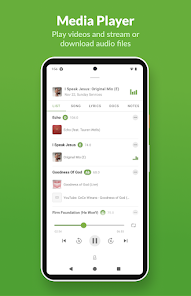
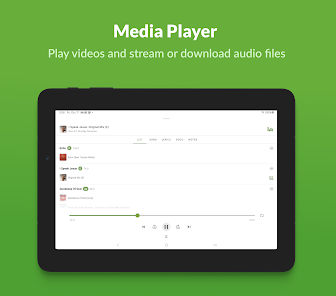
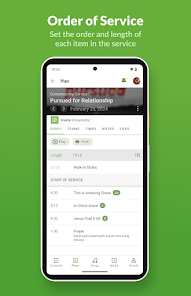
With an extensive library of songs, Planning Center Services simplifies the process of planning worship sets. You can easily search for songs, create setlists, and share them with your team, making it a breeze to prepare for services and events without the hassle.

Pros & Cons

Pros
  • Streamlines scheduling for worship teams and volunteers.
  • Enhances communication with built-in messaging features.
  • Offers easy access to service plans and resources.
  • Facilitates seamless song selection and organization.
  • Improves attendance tracking for better engagement insights.
Cons
  • Limited customization options for specific needs
  • High learning curve for new users
  • Reliance on internet connectivity can disrupt access
  • Pricing may be prohibitive for small organizations

Real Experience Using Planning Center Services

Application Scenarios

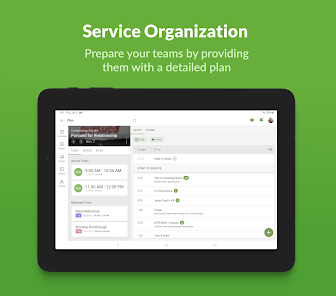
Planning Center Services is designed to streamline the management of church services and activities, making it an ideal tool for church leaders and administrators. One common scenario where the app shines is during service planning. Users can schedule volunteers, organize worship teams, and manage service orders all in one place. Moreover, it’s beneficial for event management, allowing users to create events, manage RSVPs, and keep track of attendance. The app can also be used for communication purposes, enabling leaders to send messages or reminders to volunteers and staff. Whether it’s for a Sunday service, a special event, or regular meetings, Planning Center Services provides a comprehensive platform that meets various administrative needs.

User Experience

The user experience with Planning Center Services is generally positive, characterized by its intuitive interface and user-friendly design. Navigating through the app is straightforward, with a clean layout that allows users to quickly locate the features they need. Users appreciate the customizable options available, enabling them to tailor the app to their specific church requirements. The ability to integrate with other Planning Center applications adds to its appeal, allowing for seamless data sharing and management. Furthermore, the mobile version of the app is well-optimized, making it convenient for users to manage tasks on the go. While some users have noted a learning curve when first using the app, the comprehensive support resources available help ease this transition.

Pricing

Planning Center Services operates on a subscription-based pricing model, which can be a concern for some potential users. The pricing is tiered based on the features and number of active users, making it flexible for different church sizes and needs. The basic plan starts at a reasonable rate, allowing small churches to access essential features without a significant financial commitment. As the needs grow, users can upgrade to higher-tier plans that offer advanced functionalities, such as additional reporting tools and integrations. While some may find the cost can add up, especially when considering multiple Planning Center applications, many users feel that the value provided justifies the expense, especially for larger congregations.

Updates & Support

Planning Center Services is committed to continuous improvement, offering regular updates that enhance functionality and address user feedback. The development team actively listens to its user community, implementing features that meet the evolving needs of churches. Additionally, the support provided by Planning Center is commendable. Users have access to a comprehensive knowledge base, tutorials, and responsive customer service. Whether through email or chat support, users can quickly get assistance with any issues they encounter. This commitment to support and updates ensures that churches can rely on the app for their administrative needs without worrying about stagnation or outdated features.

verified Security & Privacy Review

The Planning Center Services app places a strong emphasis on data security and user privacy. It employs industry-standard encryption protocols to safeguard sensitive information during transmission and at rest. This ensures that user data remains protected from unauthorized access and breaches. In terms of permissions, the app requires only essential access to function effectively. Users are informed about the specific data the app will utilize, allowing for informed consent. The app does not collect unnecessary personal information, adhering to the principle of data minimization. Planning Center Services commits to transparency in its privacy practices. Users have access to a comprehensive privacy policy that outlines data collection, usage, and sharing practices. The app allows users to manage their privacy settings easily, providing options to control the visibility of their data within the platform. Overall, Planning Center Services demonstrates a responsible approach to user data handling, prioritizing security and user privacy while delivering its services effectively.

User Reviews

  • Caleb Riley
    2026/05/24

    For how many churches use this app, you would think they would update it more often. It's good.. it could be way better. the calenders don't sync well, and it'd be really nice to add a practice feature where you can select the songs you want played like a Playlist and it'll just play through them while showing any music you've selected for the song while you practice. This app has alot of potential but it kills the flow of practice and you guys are lazzyyyyy!

  • Valerie S
    2026/04/24

    So initially, I only rated this app at 2 stars b/c I was having issues with accessing files. As it turns out, there were certain permissions that hadn't been turned on. The only thing at this point I would suggest would be some sort of a file recognition so that you don't download the same file multiple times.

  • Melody Kraut
    2026/05/04

    I really like this app, but all of a sudden when I go to open a pdf of a song it doesn't open, but it says it's downloading but the files arenot in my downloads folder. I even searched my folders and still can't find the files. It used to open up in Adobe and add to my downloads folder. Where do I find the files it downloaded? Is this possibly a glitch?

  • Grant Bewick
    2025/10/23

    The app is far less reliable than the web interface. I had added people to sound and media teams using the app. sent out emails but the emails did not actually send out, and the people never got the notification that they were added to the team. additionally, when I have new people, even after giving them the appropriate tags I cannot add them to any teams until I add them using the web interface. if the reliability is this bad on the app, it's pretty useless to me except for checking schedules.

  • Tamara Ham
    2021/10/08

    Sometimes there are internet and connection issues, but over all, we have been using this app for about 4 years and are pleased with it. Great for keeping the entire team on track, knowing what songs we're doing and who is playing what instrument, who's on vocals and able to schedule more than just a couple weeks at a time. Loading songs is not always convenient.... Sometimes we have to type them in by hand.

Review Source: Google Play store public user reviews.

FAQ

1

Does Planning Center Services collect my personal data?

Yes, Planning Center Services collects personal data to provide its services, but it adheres to privacy policies and regulations to protect user information.

2

Does Planning Center Services offer a free trial or free version?

Planning Center Services offers a free trial for new users to explore its features, but it does not have a free version; a subscription is required for ongoing use.

3

Does Planning Center Services require an internet connection?

Yes, Planning Center Services is a cloud-based application, which means it requires an internet connection to access its features and functionalities.

4

How can I contact support or send feedback for Planning Center Services?

You can contact support or send feedback through the help section of the Planning Center Services website, where you can find resources, submit a request, or access community forums.

5

How do I manage or cancel my Planning Center Services subscription?

You can manage or cancel your Planning Center Services subscription by logging into your account, navigating to the billing section, and following the provided instructions.

How to use Planning Center Services

1

How do I activate my Planning Center Services account?

After signing up, check your email for an activation link. Click it to activate your account. If you don't see it, check your spam folder.

2

How do I contact Customer Service for Planning Center Services?

You can reach Customer Service by emailing support

3

How do I log in to Planning Center Services?

Go to the Planning Center Services website and enter your email and password. If you forget your password, use the 'Forgot Password?' link.

4

What is the Customer Number for Planning Center Services?

Your Customer Number is typically found in your account settings or billing information within the app.

What's New

Improved:- Plan Titles are now included on SignUp Sheets- Chat improvements- Under the hood improvements

Editor's Choice