This site uses cookies to enhance your user experience. By clicking any link on this site you are giving your consent to our cookie policy. Read more
Reject
Accept All
Pixel Camera

Pixel Camera

verified Verified App

Developer: Google LLC

  • category

    Category: Photography

  • price

    Price: free

  • age rating

    Age Rating: Everyone

  • rating

    Rating: 2.9

  • download

    Downloads: 1+

  • version

    Version: /

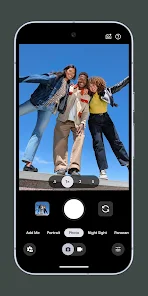
Screenshot 1
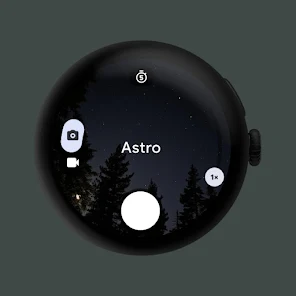
Screenshot 2
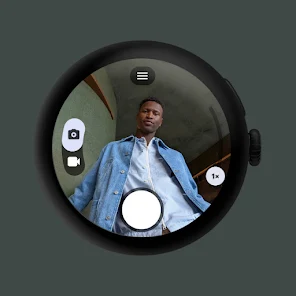
Screenshot 3
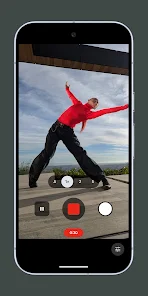
Screenshot 4
Screenshot 5
Screenshot 6
Screenshot 7
Screenshot 8
Screenshot 9
Screenshot 10
Screenshot 11
Screenshot 12

Features & Highlights

Magic Eraser

Say goodbye to unwanted distractions in your photos with the Magic Eraser feature. This intuitive tool allows you to effortlessly remove objects or people from your images, ensuring your memories are captured just the way you envisioned them, without any interruptions in the background.

Motion Mode

Bring your photos to life with the Motion Mode feature, which adds a dynamic touch to your images. Whether you're capturing a moving subject or creating a sense of motion in a still scene, this tool helps you create stunning visuals that convey excitement and energy.

Night Sight

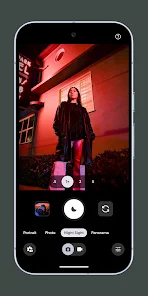
Capture stunning photos in low-light conditions with the Night Sight mode. This feature intelligently enhances your images, bringing out details and colors that are often lost in darkness, allowing you to take breathtaking night shots that truly shine.

Real Tone

Celebrate the beauty of diverse skin tones with the Real Tone feature. Designed to accurately capture and represent a wide range of skin colors, this feature ensures that every subject looks their best, showcasing true-to-life shades and enhancing the overall authenticity of your photographs.

Pros & Cons

Pros
  • Exceptional low-light performance for stunning night shots
  • Intelligent software enhances photos with automatic adjustments
  • Real-time editing options for immediate photo improvement
  • Cinematic video capabilities for professional-quality recordings
  • User-friendly interface makes photography accessible for everyone
Cons
  • Limited zoom capabilities compared to competitors
  • Low-light performance can be inconsistent
  • Software processing sometimes oversaturates images
  • Slow autofocus in certain situations

Real Experience Using Pixel Camera

Application Scenarios

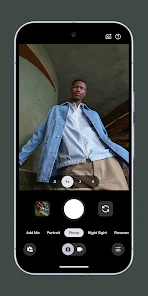
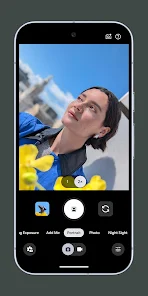
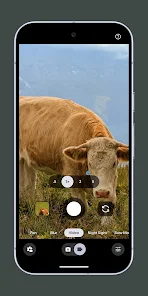
Pixel Camera excels in a variety of shooting environments, making it a versatile tool for both amateur and professional photographers. Whether you are capturing vibrant landscapes during a hike, snapping candid moments at a family gathering, or documenting your culinary creations for social media, this app rises to the occasion. Its user-friendly interface allows for quick adjustments, enabling you to modify settings like exposure and focus on the fly. One of the standout features is its low-light performance, which makes it an ideal companion for nighttime photography or indoor events. Additionally, the app supports various aspect ratios and resolutions, catering to different social media platforms and personal preferences.

User Experience

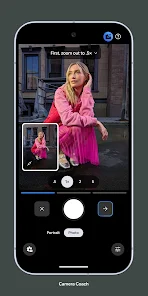
The user experience with Pixel Camera is generally positive, thanks to its intuitive design and responsive functionality. The app launches quickly and provides easy access to essential features like filters, editing tools, and shooting modes. Users appreciate the seamless transition between photo and video modes, allowing for spontaneous creativity. The editing toolkit is robust, offering advanced options such as selective adjustments and color grading, which cater to those looking to enhance their images post-capture. However, some users have reported occasional lag when processing high-resolution images, particularly on older devices. Overall, the app strikes a balance between ease of use and advanced features, making it suitable for a wide range of users.

Pricing

Pixel Camera employs a freemium model, providing a solid base of features for free users while offering premium options for those seeking more advanced functionality. The free version includes essential tools and filters, which are sufficient for casual users. For those looking to unlock the full potential of the app, the premium subscription is available at a competitive price. This subscription grants access to exclusive filters, additional editing tools, and the removal of ads, enhancing the overall user experience. Many users find the investment worthwhile, particularly if they frequently engage in photography or content creation.

Updates & Support

The developers behind Pixel Camera are committed to regular updates, continuously refining the app based on user feedback and technological advancements. Recent updates have introduced new features such as AI-driven enhancements and improved image stabilization, which have been well-received by the community. Customer support is readily available through in-app resources, including FAQs and a troubleshooting guide. Additionally, users can reach out via email or social media for personalized assistance. This level of support, combined with ongoing improvements, demonstrates the developers' dedication to ensuring a satisfying user experience.

verified Security & Privacy Review

Pixel Camera places a strong emphasis on user security and privacy. The app requires minimal permissions, primarily limited to camera and storage access, ensuring users maintain control over their personal data. During installation, users are clearly informed about these permissions, allowing for informed consent. The app employs advanced encryption techniques for any data that may be stored or transmitted, providing an additional layer of protection against unauthorized access. Pixel Camera does not collect unnecessary personal information, adhering to a strict policy of data minimization. Users can enjoy the app features without worrying about invasive data practices. Furthermore, the developers have implemented robust privacy policies, ensuring transparency about data handling practices. Regular updates are provided to address any security vulnerabilities, enhancing overall user trust. The app also allows users to manage their data preferences easily, including options to delete stored images or data associated with their accounts. Overall, Pixel Camera demonstrates a commitment to safeguarding user privacy while delivering a powerful photography experience.

Reviews

2.9

“Amazing low-light performance, captures stunning night shots!”

“User-friendly interface makes photography a breeze.”

“Excellent portrait mode with beautiful background blur.”

“Quick focus and sharp details in every photo.”

“Consistent updates improve features and overall experience.”

Editor's Choice