This site uses cookies to enhance your user experience. By clicking any link on this site you are giving your consent to our cookie policy. Read more
Reject
Accept All
Photo Scan App by Photomyne

Photo Scan App by Photomyne

verified Verified App

Developer: Photomyne Ltd.

  • category

    Category: Photography

  • price

    Price: free

  • age rating

    Age Rating: Everyone

  • rating

    Rating: 4.2

  • download

    Downloads: 5,000,000+

  • version

    Version: 26.2.2.2602200L

Screenshot 1
Screenshot 2
Screenshot 3
Screenshot 4
Screenshot 5
Screenshot 6
Screenshot 7
Screenshot 8
Screenshot 9
Screenshot 10
Screenshot 11
Screenshot 12
Screenshot 13
Screenshot 14
Screenshot 15
Screenshot 16
Screenshot 17
Screenshot 18
Screenshot 19
Screenshot 20

Features & Highlights

Batch Scanning

Say goodbye to tedious one-by-one scanning! The app allows you to scan multiple photos at once, saving you time and effort. Just lay out your pictures, and the app will handle the rest, organizing them seamlessly for easy access later.

Cloud Backup

Never worry about losing your precious memories again with the built-in cloud backup feature. The app automatically saves your scanned photos to the cloud, providing peace of mind and easy access from any device whenever you need it.

Edit and Enhance

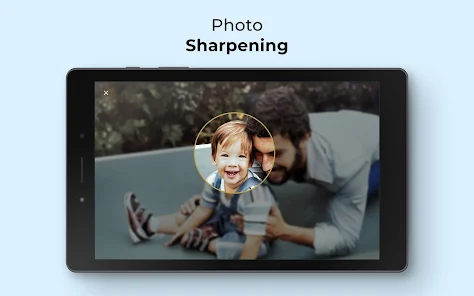
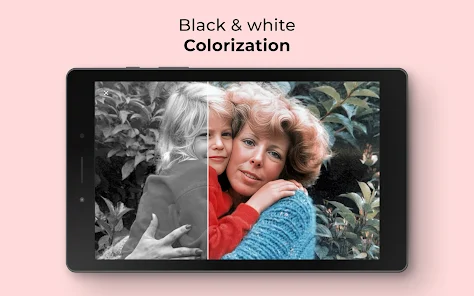
Once your photos are scanned, the app offers a variety of editing tools to enhance your images. You can crop, adjust colors, and apply filters, ensuring that every photo looks its best before sharing with friends and family.

Smart Scanning

With advanced image recognition technology, the Photo Scan App by Photomyne automatically detects and captures your photos with precision. This feature ensures that even the tiniest details are preserved, allowing you to relive your memories in stunning clarity and color.

Pros & Cons

Pros
  • Effortlessly digitize your printed photos in seconds.
  • Preserve cherished memories with high-quality scans.
  • Easily organize and share your photo collections.
  • Enhance images with built-in editing tools.
  • Access your photos anytime, anywhere on your device.
Cons
  • Limited editing features for scanned images
  • Subscription model can be costly over time
  • Occasional inaccuracies in photo recognition
  • Requires good lighting for optimal results

Real Experience Using Photo Scan App by Photomyne

Application Scenarios

The Photo Scan App by Photomyne is tailored for individuals looking to preserve their cherished memories in the form of photographs. One of the most common scenarios involves users digitizing old family photos, which may be fading or deteriorating with time. This app shines during family gatherings or special events where users can quickly capture and share memorable moments with loved ones. Additionally, students and educators can benefit from scanning images from textbooks or historical resources, making it easier to compile information for projects or presentations. Photographers may also use the app to digitize their earlier works or to create a digital portfolio that showcases their progress over time.

User Experience

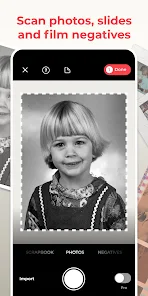
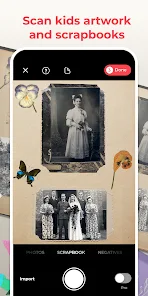
The user experience of the Photo Scan App is designed to be seamless and intuitive. Upon launching the app, users are greeted with a clean interface that makes navigation effortless. The scanning process is straightforward; users simply align the photo within the frame, and the app automatically captures and enhances the image. Users appreciate the real-time feedback as they scan, allowing them to adjust their technique for the best results. The app provides various editing features, such as cropping, filters, and color adjustments, ensuring that scanned images can be personalized to the user's liking. Furthermore, the ability to organize photos into albums and share them directly to social media platforms adds to the overall convenience and enrichment of the user experience.

Pricing

The Photo Scan App by Photomyne offers a free version with basic functionality, which is suitable for casual users. However, for those who seek to unlock the full potential of the app, a subscription model is available. The premium subscription not only removes ads but also provides access to advanced features such as unlimited scanning, enhanced editing tools, and cloud storage options. Pricing is competitive, with monthly and yearly plans designed to cater to different budgets. Users often find the investment worthwhile, especially when considering the value of preserving precious memories in a digital format.

Updates & Support

Photomyne is committed to continuous improvement, regularly rolling out updates that enhance functionality and user experience. Users can expect new features, bug fixes, and performance improvements, which reflect the developers' responsiveness to user feedback. The app also provides comprehensive support options, including an FAQ section, tutorial videos, and direct customer service channels. This robust support system ensures that users can quickly resolve any issues and make the most out of their scanning experience. Overall, the combination of regular updates and reliable support reinforces the app's commitment to user satisfaction.

verified Security & Privacy Review

The Photo Scan App by Photomyne prioritizes user security and privacy through robust data handling practices. The app requires access to the device's camera and storage, which is essential for capturing and saving scanned images. Users are encouraged to review the permissions requested during installation to ensure they align with their privacy preferences. Photomyne utilizes encryption to protect user data, both in transit and at rest, safeguarding sensitive information from unauthorized access. The app's privacy policy outlines how user data is collected, used, and shared, providing transparency regarding data practices. Users have the option to control their data, including the ability to delete their accounts and any stored content at any time. While the app does offer cloud storage features, users should be aware of the implications of storing personal data online. Overall, Photomyne demonstrates a commitment to user privacy, but it is recommended that users familiarize themselves with the app's privacy settings to enhance their security experience.

Reviews

4.2

“Easy to use and great scanning quality!”

“Perfect for digitizing old photos quickly.”

“User-friendly interface makes scanning a breeze.”

“Love the automatic cropping feature!”

“Great for preserving family memories digitally.”

Editor's Choice