Home
Home  Apps
Apps  Games
Games  Windows
  Topics
  Terms of Service
  Cookies & Privacy Policy
  About us
 Easy ODT Viewing
OpenDocument Reader allows you to effortlessly view ODT files without any hassle. With a user-friendly interface, you can quickly navigate through documents, making it ideal for both casual and professional use.

Stefl und Taschauer OG
 4.4
4.4 
Category: Productivity

Price: free

Age Rating: Everyone

Rating: 4.4

Available on: /

Updated on: May 31, 2026
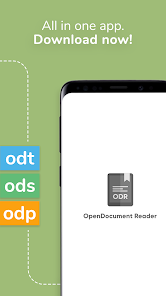
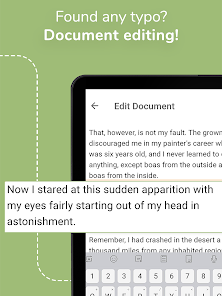
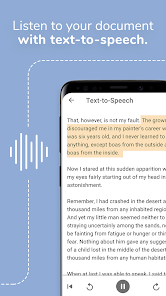
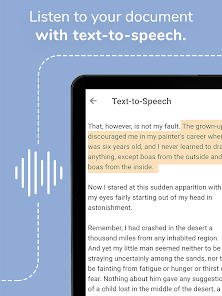
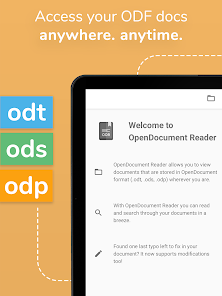
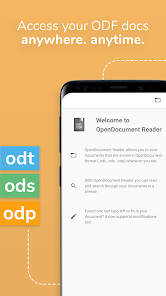
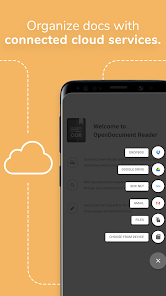
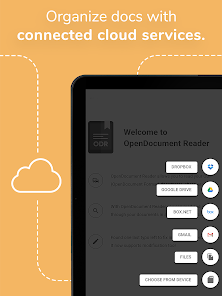
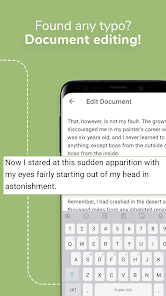
OpenDocument Reader allows you to effortlessly view ODT files without any hassle. With a user-friendly interface, you can quickly navigate through documents, making it ideal for both casual and professional use.
This app supports a wide range of OpenDocument formats, ensuring you can open and view various types of documents seamlessly. Whether it's ODT, OTT, or other related formats, you can rest assured that your files will render perfectly.
Looking for specific content in your documents? The built-in search feature lets you locate text swiftly, so you can find what you need without flipping through pages. This saves you time and enhances your overall reading experience.
Navigating through your documents has never been easier thanks to the app's clean and intuitive design. The straightforward layout makes it simple for anyone to use, whether you're a tech-savvy user or new to document viewing.

 Easily view ODT files on multiple devices. User-friendly interface makes navigation simple. Supports various formatting for accurate document display. Lightweight app ensures quick loading times. No internet connection required for offline access.
 Limited editing features restrict document customization options. Lack of advanced formatting tools may hinder professional presentation. Compatibility issues can arise with complex ODT files from other software.
 The OpenDocument Reader is a versatile tool designed primarily for individuals who frequently work with ODT files. Whether you are a student reviewing lecture notes, a professional analyzing reports, or a casual user reading eBooks, this application proves to be quite handy. The app is particularly useful in environments where access to traditional word processing software is limited, such as in libraries, public transport, or while traveling. Users can easily open, view, and scroll through their documents without needing an internet connection, making it a convenient option for on-the-go reading. Additionally, it supports various other file formats, expanding its utility for users who might need to handle different document types in their personal or professional lives.
The user interface of OpenDocument Reader is designed with simplicity and efficiency in mind. Upon opening the app, users are greeted with an intuitive layout that allows for easy navigation. The reading experience is seamless, with features such as adjustable font sizes, customizable backgrounds, and a night mode option that enhances readability in low-light conditions. Users appreciate the smooth scrolling and quick loading times, which contribute to a pleasant reading experience. Furthermore, the app includes navigation tools such as bookmarks and a table of contents, making it easy for users to jump between sections of lengthy documents. Overall, feedback from users highlights the app's reliability and ease of use, making it a preferred choice for reading ODT files.
OpenDocument Reader adopts a freemium model, which means that the app is available for free, but offers additional features through in-app purchases. The free version provides essential functionalities that are adequate for most users, allowing them to view ODT files without any cost. However, for those seeking advanced features such as enhanced editing capabilities or ad-free usage, the premium version is available at a reasonable price. This pricing strategy ensures accessibility for a wide range of users while providing options for those who require more robust functionality.
The developers of OpenDocument Reader are committed to providing regular updates, which not only improve the app's performance but also introduce new features based on user feedback. Users can expect periodic enhancements that address any bugs and introduce new functionalities, ensuring the app remains relevant in a rapidly evolving digital landscape. Customer support is readily available through multiple channels, including email and a dedicated FAQ section within the app. This proactive approach to user support helps to foster a community of satisfied users who feel heard and valued. Overall, the combination of regular updates and responsive support enhances the overall experience of using OpenDocument Reader.
Security & Privacy Review
 Google Play
  App Store


Why do some people people rate crappy aps so highly. This app is a dog. Its almost impossible to use. They are desperately trying to monetize it and its just horrible. I have a large Android Note 8 and I can hardly see the document with all the incessant popups, ads, support popups etc. If the developers read this. Have a look at your product. Try to use it. You'll see what I mean.
I've been using libre for years on my PC and just re-downloaded the app to edit and sign an official application and the download file option does not work. Opening the edited file from one drive removes all previously applied text to the appropriate boxes. I see no option to create a signature and apply it, which was one of its greatest features and only reason I would recommend this over any other pdf editor. I have no idea when you changed but you guys messed up a good product
Great app for reading my Libre Office odt docs, including password protected ones. A few minor additions would be nice, e.g., when choosing to search for text within a document or entering a password it would be nice to have the keyboard open automatically without having to click in the search box. But this is a minor time saving suggestion that wouldn't stop me from using this great app. Good to get feedback from the developer!
can't create a new file, doesn't copy bullets to clipboard
Works very well. Shows all alterations to a text as well (e.g. italics or bold) and stays open if you put the phone out of your hand without locking it. If you close a text at one point and open it up again, it starts right where you left. I'm extremely happy and the few ads that come up don't bother me at all. 10/10.
Review Source: Google Play store public user reviews.
Yes, users can submit suggestions or feedback directly through the app or by contacting customer support, helping improve the app's features and functionality.
OpenDocument Reader - view ODT prioritizes user privacy and does not collect personal data without consent, focusing solely on document viewing.
Yes, OpenDocument Reader - view ODT allows users to access and view their documents offline once they have been downloaded to the device.
Users can cancel their subscription through the app store where they purchased it, following the cancellation process outlined in the respective store's settings.
The subscription cost for OpenDocument Reader - view ODT varies, but it typically includes options for monthly or yearly plans that provide enhanced features.
Yes, you can access your account from multiple devices by logging in with your Customer Number and password.
Customer Numbers are unique and cannot be changed. If you need assistance, please contact Customer Service.
You can reach Customer Service via the support section in the app or by visiting our website's contact page.
To log in, open the app, enter your registered email and password, then click the 'Log In' button.
To reset your password, click on the 'Forgot Password?' link on the login page and follow the instructions sent to your registered email.
Improve display of PDFs