This site uses cookies to enhance your user experience. By clicking any link on this site you are giving your consent to our cookie policy. Read more
Reject
Accept All
OP Auto Clicker - Auto Tap

OP Auto Clicker - Auto Tap

verified Verified App

Developer: mouse tool

  • category

    Category: Tools

  • price

    Price: free

  • age rating

    Age Rating: Everyone

  • rating

    Rating: 3.8

  • download

    Downloads: 5,000,000+

  • version

    Version: 2.0.0

Screenshot 1
Screenshot 2
Screenshot 3
Screenshot 4
Screenshot 5
Screenshot 6
Screenshot 7
Screenshot 8
Screenshot 9
Screenshot 10
Screenshot 11
Screenshot 12
Screenshot 13
Screenshot 14
Screenshot 15

Features & Highlights

Auto Tap Customization

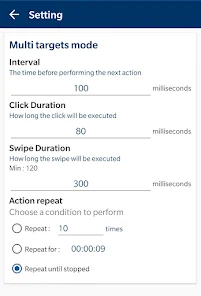
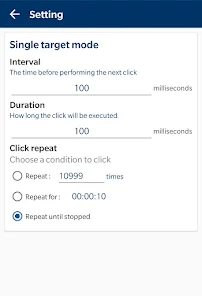
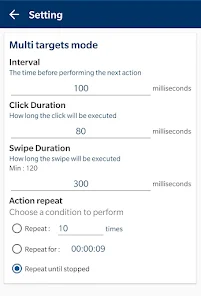
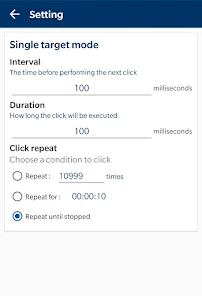
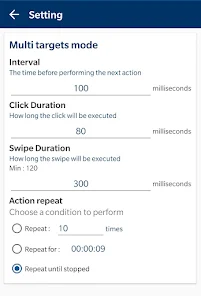
OP Auto Clicker - Auto Tap allows users to customize their tapping speed and duration, making it perfect for various applications. Whether you need rapid taps for gaming or slower taps for data entry, this app provides flexibility to meet your specific requirements with ease.

Multiple Tap Modes

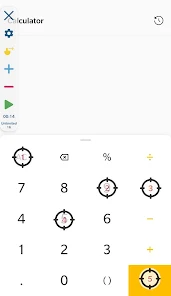
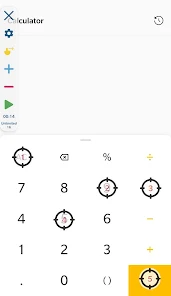
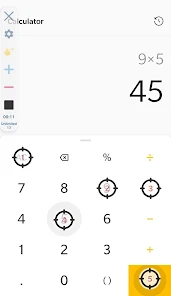
With multiple tap modes available, users can choose between single tap, double tap, or even long press options. This versatility ensures that you can automate any action seamlessly, whether in games or apps, enhancing your overall user experience significantly.

No Root Required

One of the standout features of OP Auto Clicker is that it doesn't require root access, making it accessible to a wider audience. This means you can enjoy the benefits of auto-tapping without compromising your device's security or voiding warranties.

User-Friendly Interface

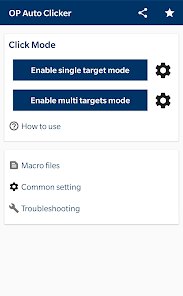
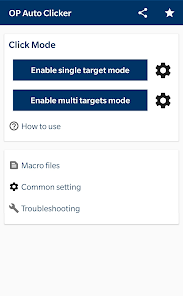
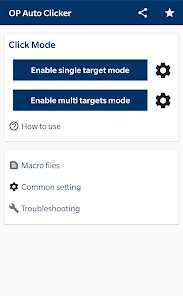
The app boasts a straightforward and intuitive interface that makes setting up auto-taps a breeze. Even if you're not tech-savvy, you'll find it easy to navigate through the options and configure the settings to suit your needs without any hassle.

Pros & Cons

Pros
  • Fast and efficient tapping for repetitive tasks
  • Customizable settings for personalized usage
  • User-friendly interface for easy navigation
  • Saves time and effort on manual clicking
  • Compatible with various apps and games
Cons
  • Lacks advanced customization options for clicking patterns
  • May cause unintended clicks affecting app performance
  • Risk of account bans in online games
  • User interface can be confusing for beginners

Real Experience Using OP Auto Clicker - Auto Tap

Application Scenarios

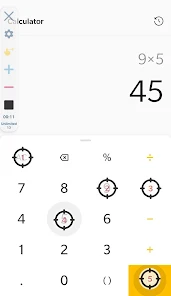
OP Auto Clicker is designed to simplify repetitive tasks on your mobile device, making it an invaluable tool for a variety of scenarios. Gamers often use it to automate clicks in mobile games, enabling them to progress without the need for constant manual input. This is particularly useful in clicker games or resource management games where time and efficiency are crucial. Additionally, users can benefit from OP Auto Clicker when filling out online forms, participating in surveys, or managing social media accounts by automating tedious tasks such as liking posts or following users. The app is also beneficial for developers and testers who need to simulate user input for app testing, making it versatile across different user needs.

User Experience

The user experience with OP Auto Clicker is designed to be intuitive, even for those who may not be tech-savvy. The interface is clean and straightforward, allowing for easy navigation and setup of auto-clicking parameters. Users can customize the click frequency and duration, ensuring that the app meets their specific requirements. The ability to create multiple profiles for different tasks adds to its versatility. Furthermore, the app operates smoothly in the background, allowing users to continue using their device without interruption. However, some users have reported occasional glitches or crashes, particularly on older devices, which can detract from the overall experience. Still, the app’s functionality largely outweighs these minor issues, making it a reliable tool for automation.

Pricing

OP Auto Clicker is available for free, which is a significant advantage for users looking for automation solutions without the burden of upfront costs. The app does not impose any hidden fees or subscriptions, making it accessible to a wide audience. While there are ads present within the app, they are not overly intrusive and do not hinder the user experience. For those who prefer an ad-free experience, a one-time purchase option is available, providing an alternative for users who wish to support the developers while enjoying uninterrupted functionality.

Updates & Support

The developers of OP Auto Clicker are proactive in providing regular updates, which enhance the app’s functionality and address user feedback. These updates often include bug fixes, new features, and improvements to existing functionalities, ensuring that the app remains relevant and effective. The support system is also commendable, with a dedicated FAQ section and contact options for users experiencing issues. The responsive customer service contributes to a positive user experience, as users feel supported and valued. Overall, the ongoing commitment to updates and user support solidifies OP Auto Clicker’s reputation as a reliable and efficient automation tool.

verified Security & Privacy Review

When it comes to security and privacy, OP Auto Clicker - Auto Tap implements several measures to protect user data. The app does not require any personal information to function, allowing users to utilize its features without compromising their privacy. However, it does request certain permissions, such as access to device accessibility services, which are essential for its auto-clicking functionality. Users should be aware that granting these permissions can pose potential risks, as they allow the app to interact with other applications on the device. OP Auto Clicker has a transparent privacy policy that outlines its data handling practices, though users are encouraged to review the permissions requested carefully. The app does not collect sensitive personal data or share user information with third parties, enhancing its credibility in terms of privacy. Overall, while OP Auto Clicker - Auto Tap provides a useful service, users should remain vigilant about the permissions they grant and regularly assess their device's security settings to ensure optimal protection.

Reviews

3.8

“Easy to use and very effective for gaming!”

“Reliable auto-clicking, saves so much time.”

“User-friendly interface and great customization options.”

“Perfect for repetitive tasks, highly recommend!”

“Totally improved my productivity, love this app!”

Editor's Choice