This site uses cookies to enhance your user experience. By clicking any link on this site you are giving your consent to our cookie policy. Read more
Reject
Accept All
Network Guru: Speed Indicator

Network Guru: Speed Indicator

verified Verified App

Developer: Paget96

  • category

    Category: Tools

  • price

    Price: free

  • age rating

    Age Rating: Everyone

  • rating

    Rating: 4.4

  • download

    Downloads: 100,000+

  • version

    Version: 1.9-beta5

Screenshot 1
Screenshot 2
Screenshot 3
Screenshot 4
Screenshot 5
Screenshot 6

Features & Highlights

Custom Alerts and Notifications

Receive timely alerts when your internet speed drops below your expected threshold. With customizable notifications, you can stay on top of your network's health and address issues before they affect your online experience.

Detailed Performance History

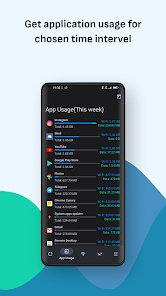
Access a comprehensive log of your internet speed over time, allowing you to track changes and identify patterns. This feature helps you pinpoint when slowdowns occur, giving you valuable insights into your network performance for better management.

Real-Time Speed Monitoring

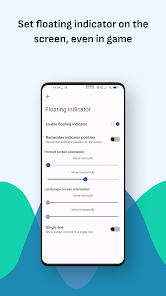
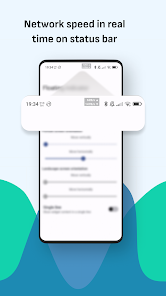
Stay updated with live speed readings that help you understand your internet performance in real time. Network Guru provides instant feedback on download and upload speeds, empowering you to make informed decisions about your connectivity and troubleshoot issues as they arise.

User-Friendly Interface

Navigate effortlessly with an intuitive design that makes it easy for anyone to check their internet speed. The clean layout and straightforward functionality ensure that both tech-savvy users and beginners can enjoy a seamless experience.

Pros & Cons

Pros
  • Real-time speed monitoring enhances network performance.
  • User-friendly interface simplifies speed tracking tasks.
  • Instant alerts for speed fluctuations improve responsiveness.
  • Customizable settings cater to individual user needs.
  • Comprehensive analytics aid in informed decision-making.
Cons
  • Inaccurate readings during peak usage times
  • Limited compatibility with older devices
  • Lacks detailed historical data analysis
  • User interface can be confusing for beginners

Real Experience Using Network Guru: Speed Indicator

Application Scenarios

Network Guru: Speed Indicator is a versatile application designed to cater to a variety of networking scenarios. Whether you are a tech-savvy user looking to optimize your home network, a gamer aiming for low latency, or a business professional needing reliable internet for video conferencing, this app is equipped to meet your needs. For instance, users can easily monitor their internet speed during peak hours to identify bandwidth hogs, or check their connection stability before an important online meeting. Additionally, the app is beneficial for travelers who want to analyze Wi-Fi connections in hotels or cafes, ensuring they select the fastest available option. With real-time data and historical analytics, it empowers users to make informed decisions about their internet usage.

User Experience

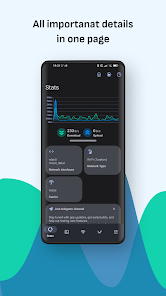
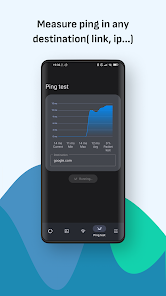
The user experience of Network Guru: Speed Indicator is notably intuitive and user-friendly. Upon launching the app, users are greeted with a clean interface that simplifies navigation. The dashboard displays key metrics, including upload and download speeds, ping, and jitter, all presented in an easy-to-read format. The app also provides visual graphs that illustrate speed trends over time, helping users understand their connectivity better. Furthermore, the one-tap testing feature eliminates complexities, allowing even non-technical users to assess their network performance without hassle. The app's ability to save test results and compare them over time adds to the overall user satisfaction, making it a reliable tool for regular monitoring.

Pricing

Network Guru: Speed Indicator offers a flexible pricing model to suit different user needs. The application is free to download with basic features, making it accessible to casual users who just need to check their internet speed occasionally. For those seeking advanced options, such as detailed analytics and ad-free experience, a premium subscription is available at a competitive price point. This premium version unlocks features like historical data storage, customizable alerts for speed drops, and enhanced technical support. The pricing strategy ensures that users can choose a plan that best fits their requirements, whether they are looking for basic functionality or comprehensive network management tools.

Updates & Support

The developers of Network Guru: Speed Indicator are committed to providing regular updates to enhance functionality and user experience. Frequent app updates ensure that users benefit from bug fixes, performance improvements, and new features based on user feedback. The support team is responsive and helpful, offering assistance via email and an in-app support feature. Additionally, users can access a comprehensive FAQ section that addresses common issues and questions, further enhancing the app's reliability. This commitment to support and continuous improvement ensures that Network Guru remains a top choice for users seeking a dependable network speed monitoring solution.

verified Security & Privacy Review

The Network Guru: Speed Indicator app takes user security and privacy seriously. It implements robust encryption protocols to protect data transmitted over networks, ensuring that sensitive information remains secure. The app does not collect unnecessary personal information, focusing solely on network performance metrics. This approach minimizes the risk of data exposure. When it comes to permissions, Network Guru requests only essential access to function effectively. Users are prompted to grant permissions related to network connectivity and device status, which are crucial for accurate speed assessments. The app does not ask for access to contacts, location, or other personal data, reinforcing its commitment to user privacy. Furthermore, Network Guru adheres to industry-standard practices for data handling. Any information gathered during app usage is anonymized and aggregated, preventing the identification of individual users. The app’s privacy policy is transparent, clearly outlining data usage and user rights. Overall, Network Guru: Speed Indicator prioritizes user security and privacy, making it a trustworthy choice for those concerned about their data while monitoring network performance.

Reviews

4.4

“Accurate speed readings, very helpful for troubleshooting issues.”

“User-friendly interface, easy to navigate.”

“Provides real-time data, extremely useful.”

“Great for monitoring network performance on the go.”

“Invaluable tool for tech enthusiasts and casual users alike.”

Editor's Choice