This site uses cookies to enhance your user experience. By clicking any link on this site you are giving your consent to our cookie policy. Read more
Reject
Accept All
MyHyundai with Bluelink

MyHyundai with Bluelink

verified Verified App

Developer: Hyundai Motor America

  • category

    Category: Productivity

  • price

    Price: free

  • age rating

    Age Rating: Everyone

  • rating

    Rating: 4.6

  • download

    Downloads: 1,000,000+

  • version

    Version: 5.3.7

Screenshot 1
Screenshot 2
Screenshot 3
Screenshot 4
Screenshot 5
Screenshot 6
Screenshot 7
Screenshot 8
Screenshot 9
Screenshot 10
Screenshot 11
Screenshot 12

Features & Highlights

Location Tracking

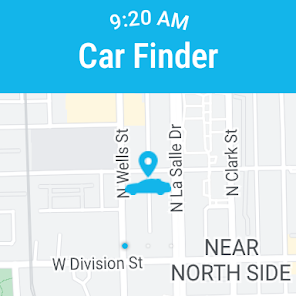
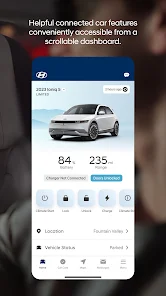
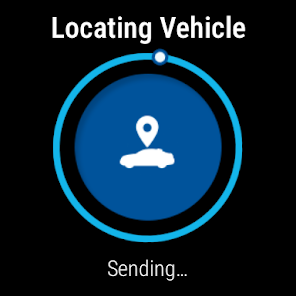
The Location Tracking feature allows you to keep an eye on your Hyundai's whereabouts at all times. Whether you're in a busy parking lot or lending your car to someone, this feature provides peace of mind by helping you locate your vehicle with just a few taps on the app.

Remote Start

With the Remote Start feature, you can start your Hyundai from anywhere using your smartphone. This is perfect for pre-conditioning your vehicle on hot or cold days, ensuring a comfortable ride as soon as you get in. Just tap the app and let the convenience unfold.

Safety Features

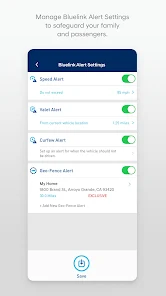
Bluelink enhances your driving experience with safety features like emergency assistance and stolen vehicle recovery. In the event of an accident or theft, you can quickly access help or track your vehicle, adding an extra layer of security and reassurance while you're on the road.

Vehicle Diagnostics

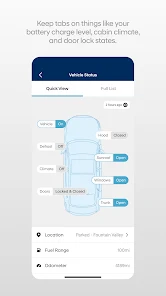
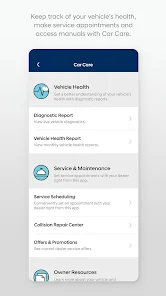
MyHyundai with Bluelink offers real-time vehicle diagnostics, giving you insights into your car’s health directly from your phone. You'll receive alerts for maintenance needs, helping you stay on top of service schedules and ensuring your vehicle runs smoothly for years to come.

Pros & Cons

Pros
  • Remote vehicle access for convenience anytime, anywhere
  • Real-time vehicle diagnostics for proactive maintenance
  • Navigation assistance with traffic updates for efficient routes
  • Stolen vehicle recovery support for peace of mind
  • Enhanced safety features for added security on the road
Cons
  • Limited compatibility with older Hyundai models
  • Subscription fees can add up over time
  • Connectivity issues in remote areas are common
  • User interface can be confusing for new users

Real Experience Using MyHyundai with Bluelink

Application Scenarios

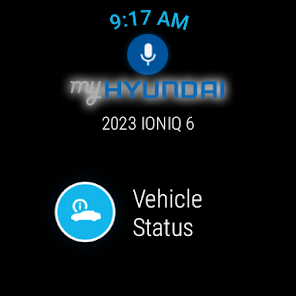
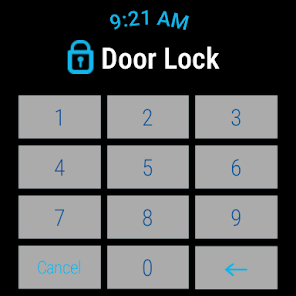
The MyHyundai with Bluelink app is designed to enhance the ownership experience for Hyundai vehicle users. This app caters to a wide range of scenarios, making it an indispensable tool for drivers. For instance, users can remotely start their vehicles, lock or unlock doors, and even locate their car in a crowded parking lot—all from the convenience of their smartphones. Additionally, the app provides access to real-time vehicle diagnostics, allowing users to monitor fuel levels, tire pressure, and maintenance schedules. This is particularly useful for those who want to stay proactive about their vehicle's health. Furthermore, the app integrates seamlessly with navigation features, enabling users to send destinations directly to their car's navigation system, thereby streamlining trip planning.

User Experience

User experience with MyHyundai with Bluelink is generally positive, thanks to its intuitive interface and seamless functionality. The app is well-organized, making it easy for users to navigate through various features. The onboarding process is straightforward, allowing new users to set up their accounts and link their vehicles without hassle. Users have reported that the responsiveness of the app is commendable, with functionalities like remote start and locking/unlocking doors working almost instantaneously. However, there have been occasional reports of connectivity issues, particularly in areas with poor cellular signal. Overall, the app provides a modern, user-friendly experience that aligns well with the expectations of tech-savvy drivers.

Pricing

MyHyundai with Bluelink is available for free to all Hyundai vehicle owners, but it's important to note that certain features may require a subscription after an initial trial period. The subscription pricing varies depending on the level of service chosen, with options for basic connectivity and advanced features such as remote start and vehicle tracking. Users generally find the pricing reasonable, especially when considering the convenience and additional functionalities the app offers. For those who frequently utilize remote features and vehicle diagnostics, the subscription can prove to be a valuable investment.

Updates & Support

The developers of MyHyundai with Bluelink are committed to providing regular updates, which often include new features and enhancements based on user feedback. This proactive approach to updates ensures that the app remains relevant and user-friendly. Customer support is also readily available through the app, offering assistance via chat, email, or phone. Users have praised the support team's responsiveness and effectiveness in resolving issues. Overall, the regular updates and reliable customer support contribute to a positive experience, making MyHyundai with Bluelink a robust tool for Hyundai owners.

verified Security & Privacy Review

The MyHyundai with Bluelink app prioritizes user security and privacy, implementing robust measures to protect personal information. The app utilizes encryption protocols during data transmission to safeguard sensitive information from unauthorized access. Users are required to create secure accounts, which includes strong password requirements, enhancing overall account security. In terms of permissions, the app requests access to location services, contacts, and device storage. Users are informed about these permissions and have the option to customize them according to their privacy preferences. The app adheres to industry standards, ensuring that data is collected only for functional purposes, such as vehicle tracking and remote services. MyHyundai with Bluelink also provides transparency in how user data is utilized. The privacy policy outlines the types of data collected, including personal and vehicle information, and explains how this data may be shared with third parties, strictly for service enhancement. Users can manage their data through the app, including the option to delete their account, thereby reinforcing user control over personal information.

Reviews

4.6

“User-friendly interface makes navigation a breeze”

“Remote start feature is a game changer”

“Excellent customer service and support”

“Real-time vehicle tracking is very helpful”

“Integration with smart home devices is fantastic”

Editor's Choice