This site uses cookies to enhance your user experience. By clicking any link on this site you are giving your consent to our cookie policy. Read more
Reject
Accept All

Advertiser and Editorial Disclosures

My Diary - Daily Diary Journal

My Diary - Daily Diary Journal

verified Verified App

Developer: Dairy App & Notes & Audio Editor & Voice Recorder

  • category

    Category: Lifestyle

  • price

    Price: free

  • age rating

    Age Rating: Everyone

  • rating

    Rating: 4.8

  • download

    Downloads: 50,000,000+

  • version

    Version: 1.04.09.0121

Screenshot 1
Screenshot 2
Screenshot 3
Screenshot 4
Screenshot 5
Screenshot 6
Screenshot 7
Screenshot 8
Screenshot 9
Screenshot 10
Screenshot 11
Screenshot 12
Screenshot 13
Screenshot 14
Screenshot 15
Screenshot 16

Features & Highlights

Customizable Themes

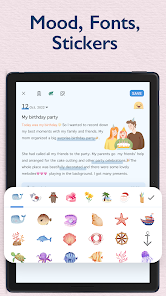
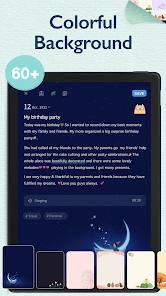
Personalize your journaling experience with a variety of themes and color palettes. My Diary allows you to change the look and feel of your diary to match your mood, ensuring a unique and enjoyable writing environment that reflects your personality.

Daily Prompts & Reminders

Stay inspired with daily writing prompts and reminders that encourage you to maintain your journaling habit. My Diary helps you cultivate mindfulness and creativity by nudging you to explore new topics and reflect on your day, making it easier to build a consistent journaling routine.

Secure Private Access

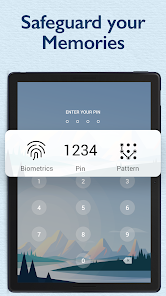
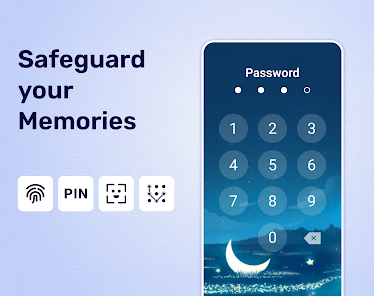
Your thoughts are safe with My Diary's top-notch security features. With password protection and encryption, you can write freely without worrying about prying eyes, making it an ideal space for personal reflections and secrets.

User-Friendly Interface

My Diary boasts a sleek and intuitive interface that makes journaling a breeze. With easy navigation and visually appealing layouts, users can quickly jot down their thoughts and feelings without any distractions, making it perfect for both beginners and seasoned journalers.

Pros & Cons

Pros
  • Capture your thoughts effortlessly with an intuitive and user-friendly interface.
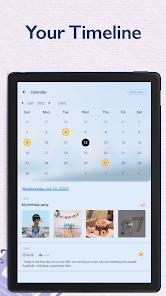
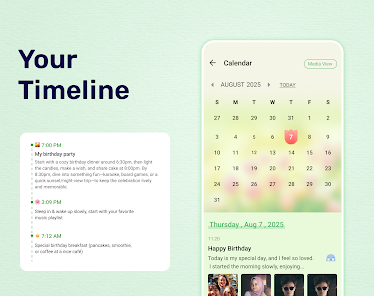
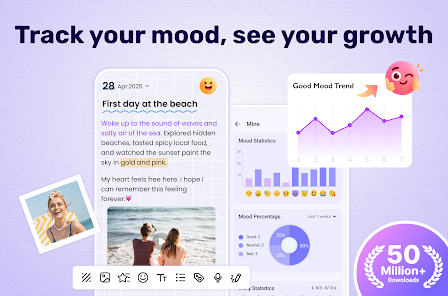
  • Enhance self-reflection by tracking your daily emotions and experiences over time.
  • Keep your entries secure with advanced privacy features and password protection.
  • Easily organize your memories with tags and customizable categories for quick access.
  • Inspire creativity with prompts and themes to spark your writing every day.
Cons
  • Limited customization options may hinder personal expression.
  • Sync issues can lead to lost entries and frustration.
  • The app's interface may feel cluttered and confusing for new users.

Real Experience Using My Diary - Daily Diary Journal

Application Scenarios

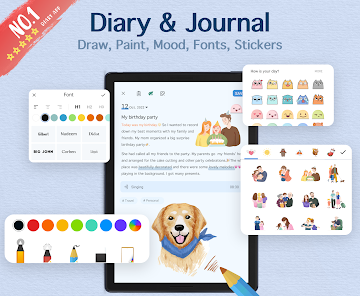
My Diary - Daily Diary Journal is an ideal app for various scenarios where users seek to document their thoughts, experiences, and daily events. Whether you want to capture fleeting moments, reflect on your day, or set personal goals, this app serves as a versatile platform. It is particularly useful for students who wish to keep track of their academic journey, professionals documenting their career milestones, or anyone looking to maintain emotional well-being through journaling. The app also supports multimedia entries, allowing users to incorporate photos, voice notes, and sketches, making it a great choice for creative individuals who prefer visual storytelling.

User Experience

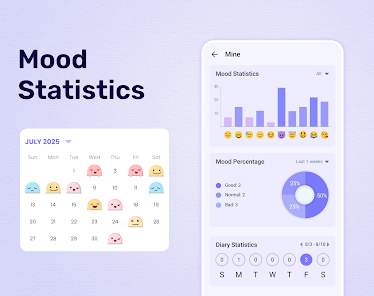
The user experience of My Diary is designed to be intuitive and user-friendly, ensuring that journaling becomes a seamless part of your daily routine. Upon opening the app, users are greeted with a clean interface that feels inviting and easy to navigate. The customizable themes and fonts allow users to personalize their diary, making it unique to their style. The app's features, such as reminders for daily entries and mood tracking, enhance the journaling experience. Additionally, the robust search functionality enables users to easily locate past entries, making it simple to revisit memories. The privacy features, including password protection and fingerprint access, offer peace of mind, ensuring that personal thoughts remain secure.

Pricing

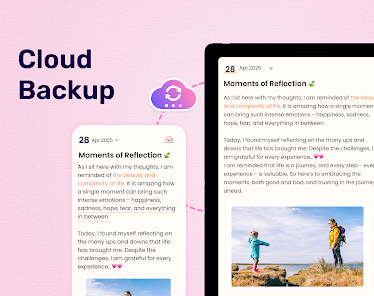
My Diary - Daily Diary Journal operates on a freemium model, which means that users can access basic features at no cost while premium functionalities are available through a subscription. The free version includes essential journaling tools, but users who want an ad-free experience and advanced features such as cloud backup, data encryption, and additional customization options may consider the premium subscription. The pricing is competitive compared to other journaling apps, offering good value for those who are serious about maintaining a digital diary. Regular discounts and promotions make it more accessible for new users to try out the premium features.

Updates & Support

The development team behind My Diary is committed to providing regular updates that enhance functionality and user experience. Frequent updates often introduce new features, fix bugs, and improve app performance. The support system is robust, with a dedicated help center providing FAQs and troubleshooting tips. Users can also contact customer support directly for more personalized assistance. Feedback from users is actively encouraged, leading to community-driven improvements that reflect the needs and preferences of the user base. Overall, the ongoing commitment to updates and user support ensures that My Diary remains a reliable and evolving journaling tool.

verified Security & Privacy Review

The "My Diary - Daily Diary Journal" app prioritizes user security and privacy, employing robust measures to protect personal entries and sensitive information. The app utilizes strong encryption methods to secure data at rest and during transmission, ensuring that users' diary entries remain confidential and inaccessible to unauthorized individuals. In terms of permissions, the app requests access to essential features such as storage for saving entries and notifications for reminders. However, it maintains a minimalistic approach by not seeking unnecessary permissions, thereby reducing potential privacy risks. Users are informed about the data collected, which is primarily for enhancing app functionality, and can opt out of sharing non-essential data. The app also emphasizes user control over data management. Users can easily export or delete their entries, providing transparency in handling personal information. Regular updates are rolled out to address security vulnerabilities, ensuring the app remains compliant with the latest privacy standards. Overall, "My Diary" demonstrates a strong commitment to safeguarding user data and maintaining privacy throughout the journaling experience.

Reviews

4.8

“User-friendly interface makes journaling enjoyable and easy.”

“Great features for tracking moods and memories.”

“Love the customization options for entries and layouts.”

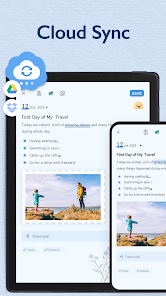
“Syncing across devices is seamless and reliable.”

“Inspiring prompts help overcome writer's block.”

FAQ

1

Can I submit suggestions or feedback to My Diary - Daily Diary Journal?

Yes, users can submit suggestions or feedback directly through the app's settings or support section, where there is usually an option to reach out to the development team.

2

Does My Diary - Daily Diary Journal collect my personal data?

The app prioritizes user privacy and does not collect personal data unless explicitly provided by the user for specific features or services.

3

Does My Diary - Daily Diary Journal support offline use?

Yes, My Diary - Daily Diary Journal allows users to write and access their entries offline, ensuring that you can journal anytime, anywhere without needing an internet connection.

4

How do I cancel my My Diary - Daily Diary Journal subscription?

You can cancel your subscription through your device's app store settings, where you can manage your subscriptions and follow the prompts to cancel.

5

How much does a subscription to My Diary - Daily Diary Journal cost?

The subscription pricing may vary by region, but typically it offers monthly and yearly plans that unlock additional features and enhancements within the app.

How to use My Diary - Daily Diary Journal

1

Can I change my customer number?

Unfortunately, customer numbers cannot be changed once assigned. Please contact customer service for further assistance.

2

How can I contact customer service for My Diary?

You can reach customer service by emailing support

3

How can I update my customer number?

Customer numbers are assigned automatically and cannot be updated. For any concerns, please contact customer service.

4

How do I activate my account after signing up?

To activate your account, check your email for the activation link and click on it to complete the process.

5

How do I log in on a different device?

To log in on a different device, simply download the app and enter your existing login credentials.

Editor's Choice