This site uses cookies to enhance your user experience. By clicking any link on this site you are giving your consent to our cookie policy. Read more
Reject
Accept All

Advertiser and Editorial Disclosures

Multi Stopwatch and Timer Plus

Multi Stopwatch and Timer Plus

verified Verified App

Developer: Landocs Apps

  • category

    Category: Tools

  • price

    Price: free

  • age rating

    Age Rating: Everyone

  • rating

    Rating: 3.7

  • download

    Downloads: 10,000,000+

  • version

    Version: 1.79

Screenshot 1
Screenshot 2
Screenshot 3
Screenshot 4
Screenshot 5
Screenshot 6
Screenshot 7
Screenshot 8
Screenshot 9
Screenshot 10
Screenshot 11
Screenshot 12
Screenshot 13
Screenshot 14
Screenshot 15

Features & Highlights

Background Functionality

Keep your timers and stopwatches running in the background while you use other apps or lock your screen. This feature ensures you don't miss an important countdown or timing session, allowing multitasking without losing track of time. It's perfect for busy lives where every second counts.

Customizable Timers

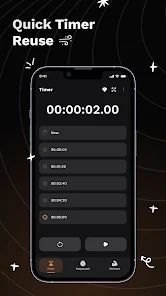
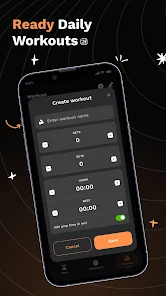
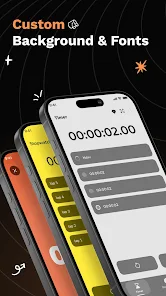
Set personalized timers with various durations to suit your needs, whether for cooking, workouts, or reminders. The app allows you to save your favorite timer settings for quick access, ensuring you can focus on what matters without interruption. It's all about convenience and flexibility in your daily routine.

Multiple Stopwatches

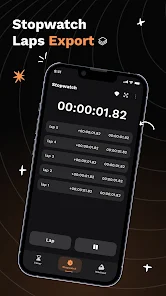
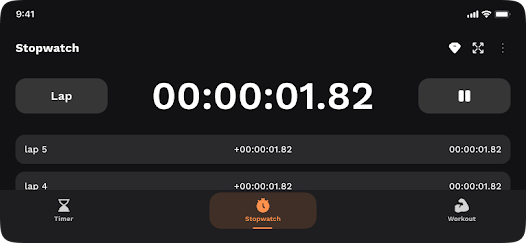
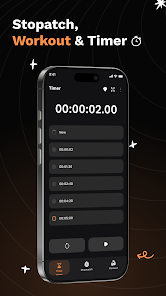
Easily manage multiple tasks at once with the ability to run several stopwatches simultaneously. Each stopwatch can be customized and labeled, making it perfect for tracking different activities or events without any confusion. Stay organized and efficient, no matter how busy your schedule gets.

User-Friendly Interface

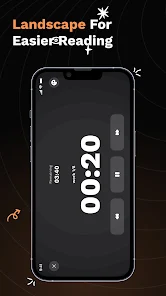
Enjoy a sleek and intuitive design that makes navigation a breeze, even for first-time users. The layout is designed for quick access to all features, ensuring you can start timing or tracking with just a few taps. Experience a smooth and engaging user experience with every session.

Pros & Cons

Pros
  • Easy to use interface for quick setup and monitoring.
  • Track multiple timers simultaneously for enhanced productivity.
  • Customize timer labels for better organization and clarity.
  • Receive alerts and notifications for timely task management.
  • Ideal for workouts, cooking, and project management efficiency.
Cons
  • Limited customization options for timers can reduce user flexibility.
  • User interface may feel cluttered and overwhelming for some.
  • Occasional synchronization issues can disrupt timing accuracy.

Real Experience Using Multi Stopwatch and Timer Plus

Application Scenarios

The Multi Stopwatch and Timer Plus app shines in various real-world scenarios, making it an invaluable tool for users across different activities. Whether you are an athlete timing your laps, a chef juggling multiple dishes, or a student managing study sessions, this app caters to your needs. Fitness enthusiasts can benefit from its ability to track different workout intervals and rest periods seamlessly. In a culinary setting, the app helps to ensure that each dish is cooked to perfection, with precise timing for each step. For educators and students alike, the app serves as a reliable timer for exams, quizzes, or timed presentations, promoting better time management. The versatility of the app allows users to set multiple timers simultaneously, making it perfect for multitasking in any environment.

User Experience

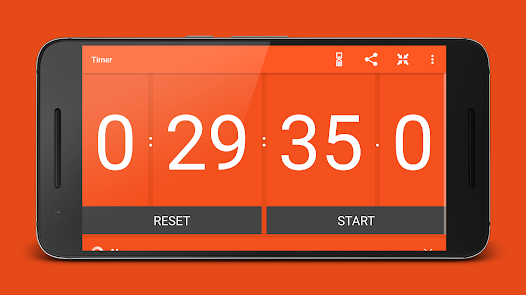
The user experience of Multi Stopwatch and Timer Plus is designed to be intuitive and efficient. Upon opening the app, users are greeted with a clean interface that displays all active timers and stopwatches clearly. The straightforward navigation allows users to set up timers with just a few taps, which is especially beneficial when time is of the essence. The app also features customizable alerts and notifications, ensuring that users never miss an important cue. The visual and auditory feedback provided when timers reach their end is both satisfying and effective. Users have reported a smooth performance with minimal lag, even when running multiple timers simultaneously. Overall, the user experience is enhanced by thoughtful design choices that prioritize functionality and ease of use.

Pricing

Updates & Support The developers of Multi Stopwatch and Timer Plus are dedicated to providing regular updates and robust customer support. Users can expect periodic enhancements that not only introduce new features but also address any bugs or performance issues. The update process is streamlined, ensuring that users receive the latest version without hassle. Additionally, customer support is readily available through various channels, including email and in-app messaging, making it easy for users to get assistance when needed. The commitment to continuous improvement and responsive support contributes to a positive overall experience, fostering a loyal user base.

verified Security & Privacy Review

Security & Privacy Review Multi Stopwatch and Timer Plus prioritizes user privacy and data security by implementing strict measures to protect personal information. The app does not require unnecessary permissions, ensuring that users can utilize its features without compromising their data. Permissions are limited to what is essential for functionality, such as access to the device's clock and notifications. User data handling is straightforward, as the app does not collect or store personal information on external servers. This means that all timers and stopwatches are managed locally, enhancing user control over their data. Additionally, the app does not engage in data sharing with third parties, reinforcing its commitment to user privacy. For users concerned about data security, Multi Stopwatch and Timer Plus employs industry-standard encryption practices to safeguard any sensitive information that may be temporarily saved during use. Regular updates ensure that the app remains secure against potential vulnerabilities, providing users with peace of mind while utilizing its features.

Reviews

3.7

“User-friendly interface and easy to navigate!”

“Multiple timers are a game changer for multitasking.”

“Great for workouts and cooking, highly recommend!”

“Syncing across devices is seamless and efficient.”

“Solid app, but could use more customization options.”

FAQ

1

Can I submit suggestions or feedback to Multi Stopwatch and Timer Plus?

Yes, users can submit suggestions or feedback through the app's support section or via the official website to help improve future updates.

2

Does Multi Stopwatch and Timer Plus collect my personal data?

The app is designed with user privacy in mind and does not collect personal data unless explicitly provided for specific functionalities.

3

Does Multi Stopwatch and Timer Plus support offline use?

Yes, Multi Stopwatch and Timer Plus can be used offline, allowing users to track time without an internet connection.

4

How do I cancel my Multi Stopwatch and Timer Plus subscription?

You can cancel your subscription through the settings of your app store account, following the prompts for managing subscriptions.

5

How much does a subscription to Multi Stopwatch and Timer Plus cost?

The subscription cost for Multi Stopwatch and Timer Plus varies based on the selected plan, typically offering monthly and yearly options at competitive prices.

How to use Multi Stopwatch and Timer Plus

1

Can I access customer service from the app?

Yes, you can access customer service directly from the app under the Support section. We're always ready to assist you!

2

Can I change my account details after logging in?

Yes, you can update your account details in the settings section after logging in.

3

How can I contact customer service for Multi Stopwatch and Timer Plus?

You can reach our customer service via email or through the support section in the app. We’re here to help!

4

How do I activate my account for Multi Stopwatch and Timer Plus?

To activate your account, follow the link in your registration email or log in to the app and complete the setup process.

5

How do I find customer support hours?

Our customer support hours are listed on our website and within the app. We’re here to help during those times!

Editor's Choice