This site uses cookies to enhance your user experience. By clicking any link on this site you are giving your consent to our cookie policy. Read more
Reject
Accept All
monday.com - Work Management

monday.com - Work Management

verified Verified App

Developer: monday.com

  • category

    Category: Productivity

  • price

    Price: free

  • age rating

    Age Rating: Everyone

  • rating

    Rating: 4.7

  • download

    Downloads: 1,000,000+

  • version

    Version: 5.49.1

Screenshot 1
Screenshot 2
Screenshot 3
Screenshot 4
Screenshot 5
Screenshot 6
Screenshot 7
Screenshot 8
Screenshot 9
Screenshot 10
Screenshot 11
Screenshot 12

Features & Highlights

Custom Workflows

With monday.com, you can create custom workflows tailored to your team's unique processes. This feature allows you to automate repetitive tasks and streamline collaboration, significantly improving efficiency and ensuring everyone stays aligned on project goals. Say goodbye to manual tracking and hello to a more organized way of working together.

Integrations Galore

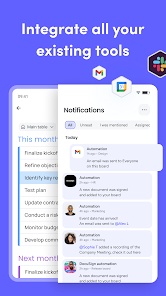
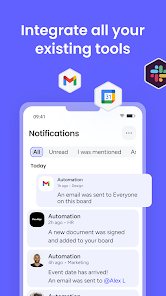
monday.com seamlessly integrates with a variety of popular tools, including Slack, Google Drive, and Microsoft Teams. This means you can centralize your workflows and enhance productivity without juggling multiple platforms. The ability to connect with your favorite apps makes collaboration smoother and more efficient, keeping your team focused on what matters most.

Time Tracking Features

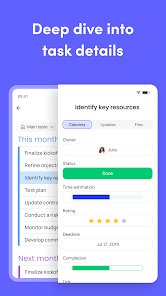
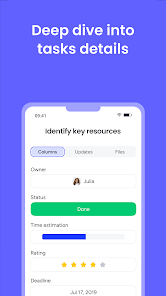
The built-in time tracking features in monday.com allow teams to monitor how much time is spent on different tasks and projects. This insight helps with resource allocation and can improve overall project management. By understanding where time is being spent, teams can make data-driven decisions to enhance productivity and meet deadlines.

Visual Project Tracking

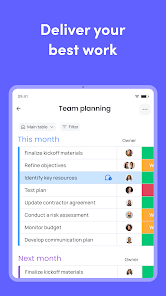
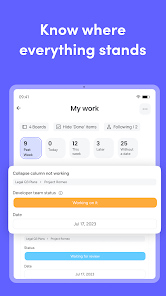
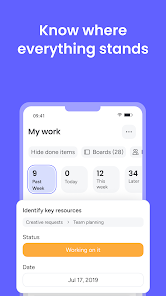
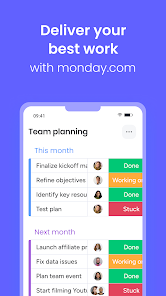
The visual project tracking tools in monday.com make it easy to see the status of your projects at a glance. With colorful dashboards and customizable views, you can monitor progress, identify bottlenecks, and adjust timelines as needed. This clarity helps teams stay on the same page and motivates everyone to stay on track.

Pros & Cons

Pros
  • Customizable workflows for diverse team needs
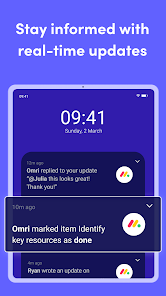
  • Real-time collaboration enhances team communication
  • Visual project tracking for better clarity
  • Automation features save time on repetitive tasks
  • Integrations with popular tools streamline processes
Cons
  • Steep learning curve for new users
  • Limited customization options available
  • High pricing for advanced features
  • Mobile app lacks full functionality

Real Experience Using monday.com - Work Management

Application Scenarios

monday.com is designed to be a versatile work management tool suitable for various application scenarios across different industries. Whether you are managing a marketing campaign, overseeing product development, or coordinating a remote team's projects, monday.com provides customizable workflows that adapt to your needs. Teams can utilize it for project tracking, task assignments, and even employee onboarding processes. The visual boards allow users to track progress at a glance, making it easy to identify bottlenecks and streamline operations. Additionally, the app's integration capabilities with other tools enhance its functionality, allowing teams to centralize their workflows seamlessly and improve collaboration.

User Experience

The user experience on monday.com is generally positive, characterized by its intuitive interface and ease of use. New users appreciate the onboarding process, which guides them through the setup and customization of their workflows. The drag-and-drop feature simplifies task management, enabling users to move tasks between different stages effortlessly. Moreover, the ability to customize columns and views helps teams tailor the platform to their specific workflows. Some users have noted that while the platform has a wealth of features, it can be overwhelming at first. However, the extensive library of templates and examples helps mitigate this learning curve. Overall, users find the platform visually appealing and functional, making it an effective tool for enhancing team productivity.

Pricing

monday.com offers a tiered pricing structure that caters to teams of various sizes and needs. The pricing plans range from a basic tier for smaller teams to a more comprehensive plan for larger organizations requiring advanced features. Each tier provides different functionalities, such as automation, integrations, and reporting capabilities. While the pricing may seem higher compared to some competitors, users often feel that the investment is justified given the platform's versatility and robust feature set. Additionally, monday.com frequently offers promotional discounts and trials, giving potential users the opportunity to explore the platform before making a long-term commitment.

Updates & Support

monday.com is committed to continuous improvement, regularly rolling out updates that enhance functionality and address user feedback. The platform's development team actively listens to its user community, implementing new features and tools that respond to evolving work management needs. In terms of support, monday.com offers a variety of resources, including a comprehensive knowledge base, video tutorials, and a responsive customer support team. Users can access support through chat, email, or by submitting tickets, ensuring that help is readily available when needed. This commitment to updates and support helps maintain user satisfaction and promotes effective use of the platform.

verified Security & Privacy Review

monday.com takes data security and user privacy seriously, implementing robust measures to protect sensitive information. The platform employs industry-standard encryption protocols, ensuring that data is securely transmitted and stored. All user data is encrypted at rest and in transit, minimizing the risk of unauthorized access. User privacy practices are transparent, with a clear privacy policy outlining how data is collected, used, and shared. monday.com commits to not selling user data to third parties, reinforcing its dedication to user trust. The app allows users to customize their privacy settings, providing control over data sharing and permissions. Additionally, monday.com adheres to international compliance standards, including GDPR and CCPA, ensuring that users' rights are respected and upheld. The platform offers features for data export and deletion, empowering users to manage their information effectively. Overall, monday.com demonstrates a strong commitment to maintaining security and privacy, making it a reliable choice for teams looking to manage their work while safeguarding their data.

Reviews

4.7

“User-friendly interface for seamless project management.”

“Customizable workflows enhance team collaboration.”

“Great for tracking progress and meeting deadlines.”

“Integrates well with other productivity tools.”

“Excellent customer support and resources available.”

Editor's Choice