This site uses cookies to enhance your user experience. By clicking any link on this site you are giving your consent to our cookie policy. Read more
Reject
Accept All
Mobile Scanner App - Scan PDF

Mobile Scanner App - Scan PDF

verified Verified App

Developer: Glority Global Group Ltd.

  • category

    Category: Productivity

  • price

    Price: free

  • age rating

    Age Rating: Everyone

  • rating

    Rating: 4.6

  • download

    Downloads: 10,000,000+

  • version

    Version: 2.13.1

Screenshot 1
Screenshot 2
Screenshot 3
Screenshot 4
Screenshot 5
Screenshot 6
Screenshot 7
Screenshot 8

Features & Highlights

High-Quality PDF Conversion

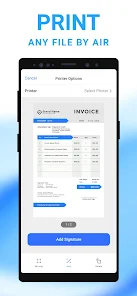
With just a tap, you can convert your scans into high-quality PDFs that are easy to share and store. The app optimizes image quality, ensuring clarity and legibility, making it perfect for both personal and professional use.

Integrated Cloud Storage

Easily save and access your scanned documents with integrated cloud storage options. This feature allows you to back up your files securely and access them from any device, ensuring that your important documents are always within reach.

Smart Document Detection

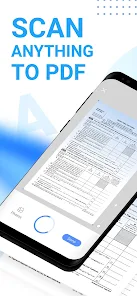
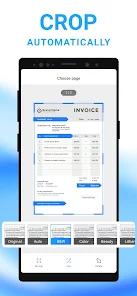
The Mobile Scanner App uses advanced algorithms to automatically detect document edges, ensuring that your scans are perfectly framed and professional-looking. This feature saves you time and hassle, allowing for quick and efficient scanning of various document types, from receipts to full pages.

User-Friendly Interface

Designed with simplicity in mind, the Mobile Scanner App features an intuitive interface that makes scanning a breeze for users of all skill levels. You'll appreciate the straightforward navigation that helps you quickly scan, edit, and share your documents without any confusion.

Pros & Cons

Pros
  • Convenient scanning directly from your smartphone
  • High-quality PDF output for professional use
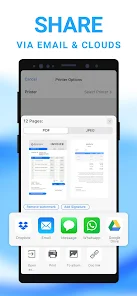
  • Easy sharing via email or cloud services
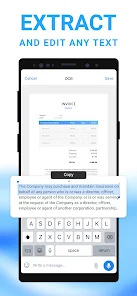
  • Optical character recognition for text extraction
  • User-friendly interface for quick navigation
Cons
  • Limited editing features for scanned documents
  • May require internet for some functions
  • Can consume significant device storage space
  • Quality may vary with different lighting conditions

Real Experience Using Mobile Scanner App - Scan PDF

Application Scenarios

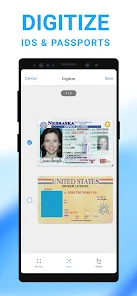
The Mobile Scanner App - Scan PDF proves to be an invaluable tool in a variety of real-world scenarios. For professionals on the go, this app is perfect for quickly digitizing important documents during business trips or client meetings. Users can effortlessly scan contracts, receipts, and notes, transforming them into high-quality PDFs that can be shared via email or cloud services. Students can benefit from the app by scanning lecture notes, textbook pages, and assignments, making it easier to organize and access study materials anytime, anywhere. Additionally, small business owners can utilize the app to keep track of invoices and financial documents, ensuring that their paperwork is both organized and easily retrievable. The app’s versatility makes it suitable for anyone needing a reliable scanning solution, whether at the office, home, or on the move.

User Experience

The user experience of the Mobile Scanner App - Scan PDF is designed with simplicity and efficiency in mind. Upon launching the app, users are greeted by a clean and intuitive interface that allows for quick navigation. The scanning process is remarkably straightforward; users simply point their device's camera at the document, and the app automatically detects edges and captures the image. The built-in editing tools enable users to crop, rotate, and enhance scans, ensuring optimal clarity. Furthermore, the app supports multiple scanning modes, including black-and-white and color, catering to different document types. Users have reported high satisfaction with the speed and accuracy of the scans, and the option to save documents directly to cloud storage adds a layer of convenience. Overall, the user experience is seamless, making document scanning an effortless task.

Pricing

The Mobile Scanner App - Scan PDF is available for free, offering a range of essential features that cater to the average user’s needs. However, for those seeking additional functionalities, such as advanced editing tools, unlimited cloud storage integration, or ad-free usage, a premium subscription is available. The premium pricing model is competitive, providing good value for users who rely heavily on scanning documents for personal or professional use. Several subscription tiers are offered, allowing users to choose a plan that best fits their requirements, whether it's a monthly or yearly payment option. Overall, the pricing structure is designed to accommodate a wide range of users, from casual scanners to professionals requiring robust scanning capabilities.

Updates & Support

The developers of the Mobile Scanner App - Scan PDF are committed to maintaining and improving the app through regular updates. Users can expect enhancements in performance, new features, and bug fixes to ensure a smooth scanning experience. Feedback from users is actively sought, and the development team is responsive to suggestions, frequently implementing changes based on user input. Customer support is readily available through multiple channels, including email and in-app messaging, ensuring that users can get assistance when they encounter issues or have questions. The combination of proactive updates and dedicated support makes the app a reliable choice for those needing a mobile scanning solution.

verified Security & Privacy Review

The Mobile Scanner App - Scan PDF prioritizes user security and privacy through several robust measures. The app employs end-to-end encryption for documents scanned and stored within the application, ensuring that sensitive information remains protected from unauthorized access. User data is not shared with third parties, and the app adheres to strict privacy policies to maintain confidentiality. When it comes to permissions, the app requests access to the device's camera and storage, which are essential for its core functionality. Users are informed about these permissions and can choose to grant or deny access based on their preferences. The app does not collect unnecessary information, limiting data handling to what is essential for scanning and saving documents. Moreover, the Mobile Scanner App regularly updates its security protocols to address potential vulnerabilities. Users are encouraged to utilize the app's features responsibly and remain informed about updates to privacy policies, ensuring a secure scanning experience. Overall, the app demonstrates a strong commitment to safeguarding user data while providing an efficient scanning solution.

Reviews

4.6

“Easy to use and very efficient for scanning.”

“High-quality scans, perfect for my documents.”

“User-friendly interface makes scanning a breeze.”

“Fast processing and great PDF output.”

“Love the automatic edge detection feature!”

Editor's Choice