This site uses cookies to enhance your user experience. By clicking any link on this site you are giving your consent to our cookie policy. Read more
Reject
Accept All
Miracast - Wifi Display

Miracast - Wifi Display

verified Verified App

Developer: The Tree Team

  • category

    Category: Tools

  • price

    Price: free

  • age rating

    Age Rating: Everyone

  • rating

    Rating: 3.2

  • download

    Downloads: 10,000,000+

  • version

    Version: 2.5

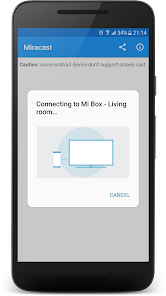
Screenshot 1
Screenshot 2
Screenshot 3
Screenshot 4
Screenshot 5
Screenshot 6
Screenshot 7

Features & Highlights

High-Quality Streaming

Experience stunning visuals with Miracast's high-quality streaming capabilities. The app supports full HD resolution, making your media content come to life on the big screen, perfect for movie nights or gaming sessions without compromising on clarity or detail.

Multi-Device Compatibility

Miracast - Wifi Display is designed to work with a wide range of devices, including smartphones, tablets, and laptops. This versatility means you can easily connect different gadgets to your display, making it an ideal solution for both personal and professional use.

Seamless Screen Mirroring

Miracast - Wifi Display allows you to effortlessly mirror your device's screen to a compatible TV or monitor. Whether you're sharing photos, watching videos, or giving presentations, this feature ensures a smooth and real-time display without the hassle of cables or complicated setups.

User-Friendly Interface

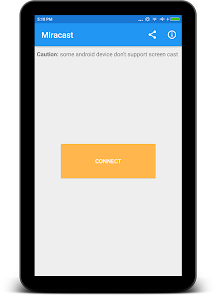
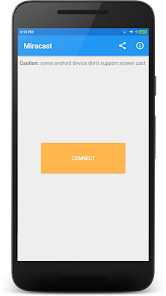
The app features a clean and intuitive interface that simplifies the connection process. Even if you're not tech-savvy, you can easily navigate through the options and start streaming in no time, ensuring that everyone can enjoy its powerful capabilities.

Pros & Cons

Pros
  • Wirelessly stream content from devices to displays
  • Supports a wide range of devices for compatibility
  • Easy setup without additional hardware required
  • High-quality video and audio transmission capabilities
  • Allows for screen mirroring and sharing effortlessly
Cons
  • Limited device compatibility with older hardware
  • Connection drops can occur during streaming sessions
  • Higher latency compared to wired connections
  • No support for advanced audio formats

Real Experience Using Miracast - Wifi Display

Application Scenarios

The Miracast - Wifi Display app is designed to enhance your viewing experience by allowing you to mirror your mobile device’s screen onto larger displays wirelessly. Whether you’re sharing a presentation at work, streaming movies during a family gathering, or gaming with friends on a big screen, this app provides a seamless way to project your content. It is particularly useful for educational settings, where teachers can display their lessons directly from their devices without cumbersome cables. Additionally, it serves as a fantastic tool for digital nomads who need to connect to various screens in cafes or co-working spaces.

User Experience

User experience with the Miracast app is generally positive, as it boasts an intuitive interface that makes it easy for users of all tech backgrounds to navigate. The setup process is straightforward, often requiring just a few taps to initiate the connection between devices. Users have reported smooth mirroring capabilities, with minimal lag and high-quality display output. The app supports a range of resolutions, allowing for flexibility depending on the capabilities of the receiving device. However, some users have experienced occasional connectivity issues, which can be frustrating. Overall, the app’s performance is reliable, and it integrates well with most devices, making it a favored choice among users seeking a wireless display solution.

Pricing

The Miracast - Wifi Display app operates on a freemium model. Users can download the app for free and access basic functionalities, which are sufficient for casual use. However, for those who require advanced features such as enhanced resolution support or additional streaming options, there is a premium version available. The pricing for the premium version is competitive compared to similar apps in the market, offering value for the features provided. Regular promotions and discounts are often available, making it accessible for users looking to upgrade without breaking the bank.

Updates & Support

The developers of Miracast - Wifi Display are committed to improving the app continuously, with regular updates that address bugs and introduce new features. Users can expect timely enhancements that keep pace with evolving technology and device compatibility. Customer support is responsive, with a dedicated help center that offers troubleshooting tips and user guides. Feedback from users is actively solicited, showing the developers’ commitment to refining the app based on real-world experiences. Overall, the combination of ongoing updates and reliable support enhances the overall user satisfaction and trust in the app.

verified Security & Privacy Review

The "Miracast - Wifi Display" app prioritizes user privacy and security through its data handling practices. The app requires minimal permissions, primarily accessing local network features to facilitate seamless screen mirroring. This limited permission model helps mitigate potential risks associated with unauthorized data access. User data is not collected or stored by the app, ensuring that personal information remains private. The app operates locally within the user's network, meaning that data transfer occurs directly between devices without routing through external servers. This approach enhances security by reducing exposure to potential vulnerabilities associated with third-party data handling. However, users should remain vigilant about their network security, as the app relies on Wi-Fi connections. Ensuring a secure Wi-Fi environment with strong passwords can further safeguard against unauthorized access. Overall, "Miracast - Wifi Display" demonstrates a solid commitment to privacy and security, making it a trustworthy option for users seeking to mirror their devices without compromising their personal information.

Reviews

3.2

“Easy setup and excellent streaming quality!”

“Reliable connection with minimal lag.”

“User-friendly interface, great for beginners.”

“Supports multiple devices seamlessly.”

“Perfect for presentations and media sharing.”

Editor's Choice