This site uses cookies to enhance your user experience. By clicking any link on this site you are giving your consent to our cookie policy. Read more
Reject
Accept All
Microsoft Translator

Microsoft Translator

verified Verified App

Developer: Microsoft Corporation

  • category

    Category: Productivity

  • price

    Price: free

  • age rating

    Age Rating: Everyone

  • rating

    Rating: 4.3

  • download

    Downloads: 50,000,000+

  • version

    Version: 25.10.2.8 g1db5cfa4 1db5cfa4 (2530202)

Screenshot 1
Screenshot 2
Screenshot 3
Screenshot 4
Screenshot 5
Screenshot 6
Screenshot 7
Screenshot 8
Screenshot 9
Screenshot 10
Screenshot 11
Screenshot 12
Screenshot 13
Screenshot 14
Screenshot 15
Screenshot 16
Screenshot 17
Screenshot 18

Features & Highlights

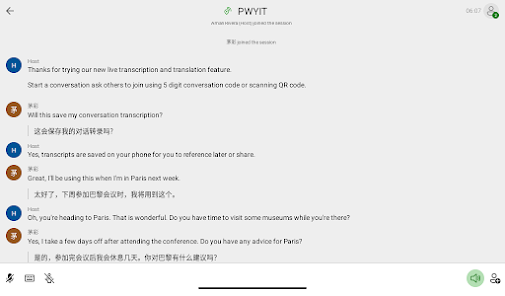
Conversation Mode

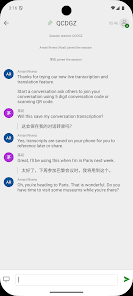
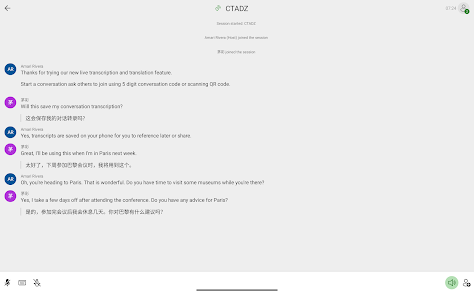
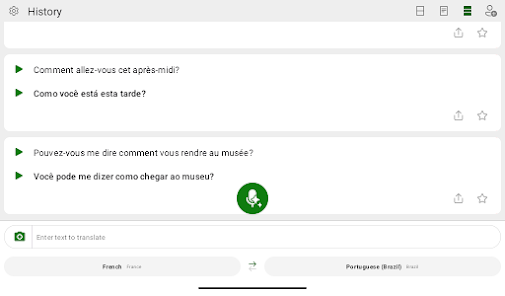
Microsoft Translator's conversation mode allows multiple users to communicate in different languages seamlessly. By connecting devices, participants can engage in natural conversations, with the app translating speech in real-time, thus enhancing collaboration and understanding in multilingual settings.

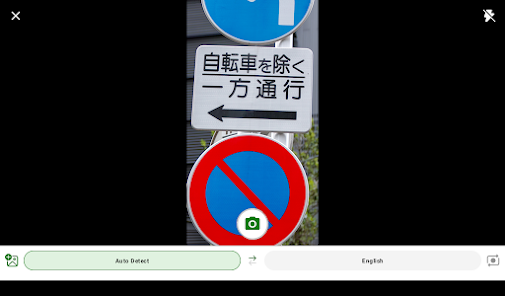
Image Translation

The app's image translation feature lets users simply point their camera at text in images, and it instantly translates it on the screen. This functionality is perfect for translating signs, menus, or any printed material, making travel and exploration easier and more enjoyable.

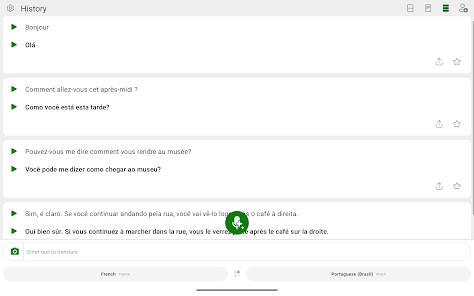
Speech Translation

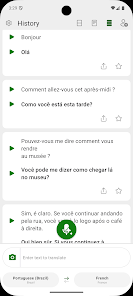
With its advanced speech translation feature, Microsoft Translator can convert spoken words into another language in real-time. This is particularly useful for conversations or meetings, enabling users to engage in discussions without the limitations of language differences.

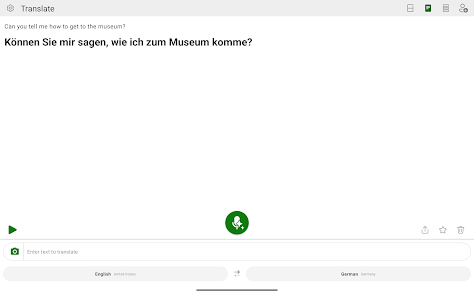
Text Translation

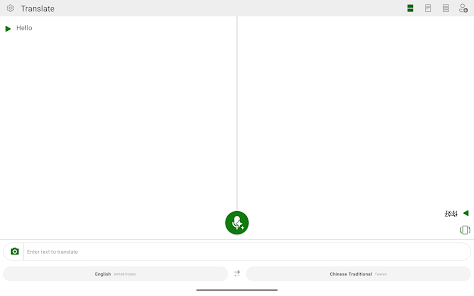
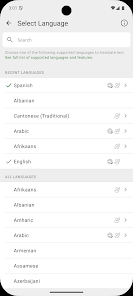
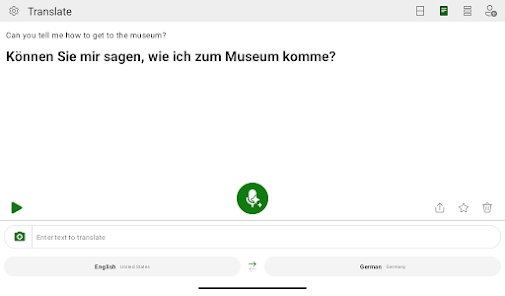
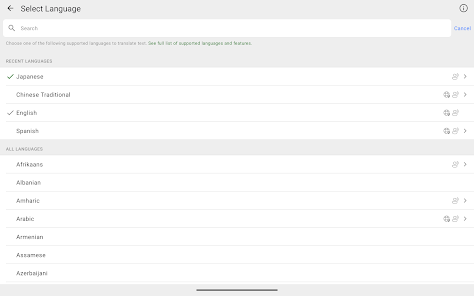
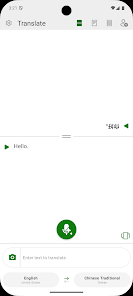
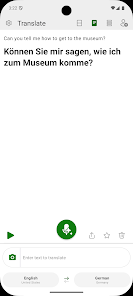
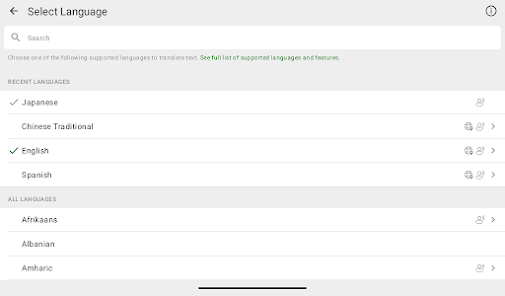
Microsoft Translator offers seamless text translation for over 70 languages, allowing users to communicate effectively across language barriers. Whether you're sending a message or translating a document, the app ensures accuracy and context, making it a reliable tool for personal and professional use.

Pros & Cons

Pros
  • Supports a wide range of languages for global communication
  • Real-time translation enhances conversational experiences
  • User-friendly interface makes translation simple and intuitive
  • Text, speech, and image translation for versatile use
  • Offline mode ensures accessibility without internet connectivity
Cons
  • Limited contextual understanding in translations
  • Struggles with idiomatic expressions and slang
  • May produce awkward or unnatural phrasing
  • Dependent on internet connectivity for full functionality

Real Experience Using Microsoft Translator

Application Scenarios

Microsoft Translator excels in a variety of real-world situations, making it an invaluable tool for travelers, students, and professionals alike. When traveling abroad, users can rely on the app to translate signs, menus, and conversations in real-time, bridging language barriers with ease. The app's text translation feature is particularly useful for quick translations of written content, ensuring that users can navigate unfamiliar environments without feeling lost. In educational settings, students can use Microsoft Translator to assist with language learning, enabling them to practice vocabulary and pronunciation. Additionally, businesses can leverage the app for multilingual communications, enhancing collaboration in diverse teams or during international meetings.

User Experience

The user experience with Microsoft Translator is generally smooth and intuitive. The interface is clean and user-friendly, allowing users to quickly access translation features without unnecessary clutter. The app supports a wide range of languages, making it versatile for various users. Real-time translation capabilities are impressive, especially for conversations where the voice translation feature shines. Users can engage in back-and-forth discussions without significant delays, making it feel almost natural. Additionally, the app offers offline translation options, which are essential for users in areas with limited internet connectivity. However, some users may find the accuracy of translations varies depending on the complexity of the text or the languages involved. Overall, the app provides a reliable and efficient translation experience that meets the needs of its users.

Pricing

Microsoft Translator is available for free, which is a significant advantage over many competing translation apps that may require a subscription or one-time payment. Users can access a wide range of features without any financial commitment, making it accessible for individuals and businesses alike. While the free version is robust, Microsoft does offer premium services through its Azure Cognitive Services for enterprises that require advanced features, such as customized translations or integration into existing applications. This flexibility allows users to choose a plan that fits their specific needs without feeling pressured to pay for features they may not use.

Updates & Support

Microsoft is committed to continuously improving the Translator app, regularly releasing updates that enhance functionality and user experience. These updates often include new language support, improved translation algorithms, and bug fixes that ensure the app runs smoothly. The support offered by Microsoft is commendable, with extensive resources available online, including FAQs, user forums, and troubleshooting guides. Users can also reach out to Microsoft’s customer service for any specific issues, receiving assistance in a timely manner. Overall, the combination of regular updates and strong support makes Microsoft Translator a reliable choice for anyone in need of translation services.

verified Security & Privacy Review

Microsoft Translator demonstrates a strong commitment to user security and privacy. The app employs encryption protocols to protect user data during transmission, ensuring that translations and personal information are safeguarded from unauthorized access. Additionally, Microsoft adheres to robust privacy policies that comply with global standards, including GDPR, which reinforces their dedication to user rights and transparency. When it comes to permissions, Microsoft Translator requests access primarily to the device's microphone and camera for voice and image translation features. Users are informed about these permissions and can manage them according to their preferences. The app does not share user data with third parties without explicit consent, and personal data is only retained as long as necessary for service improvement and user experience enhancement. Overall, Microsoft Translator prioritizes user privacy and data security, offering a reliable platform for translations while ensuring that users’ personal information remains confidential and protected.

Reviews

4.3

“Accurate translations in real-time.”

“User-friendly interface, easy to navigate.”

“Great for travel, helps with communication.”

“Voice translation feature is impressive and useful.”

“Offline mode is a lifesaver in remote areas.”

Editor's Choice