This site uses cookies to enhance your user experience. By clicking any link on this site you are giving your consent to our cookie policy. Read more
Reject
Accept All
Microsoft OneNote: Save Notes

Microsoft OneNote: Save Notes

verified Verified App

Developer: Microsoft Corporation

  • category

    Category: Productivity

  • price

    Price: free

  • age rating

    Age Rating: Everyone

  • rating

    Rating: 4.6

  • download

    Downloads: 500,000,000+

  • version

    Version: 16.0.19127.20320

Screenshot 1
Screenshot 2
Screenshot 3
Screenshot 4
Screenshot 5
Screenshot 6

Features & Highlights

Collaboration Tools

OneNote's collaboration features enable real-time sharing and editing among team members, making it ideal for group projects and brainstorming sessions. You can easily invite others to contribute, comment, and revise notes, fostering a seamless collaborative environment that enhances productivity.

Handwriting Support

OneNote excels with its handwriting support, allowing users to write notes using a stylus or finger on touch-enabled devices. This feature mimics traditional note-taking while providing the advantage of digital organization, making it easy to convert handwritten notes into text when necessary.

Multimedia Integration

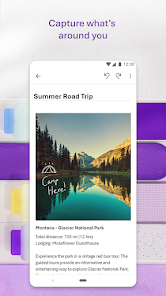
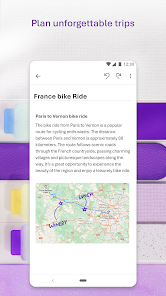
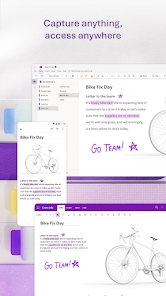
OneNote allows you to enrich your notes by integrating multimedia elements like images, audio recordings, and videos. This capability enhances your note-taking experience, enabling you to capture ideas and information in various formats, which can be particularly useful for visual learners and creative projects.

Organize Your Notes

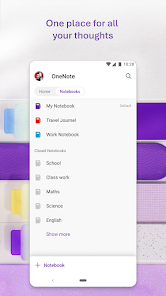
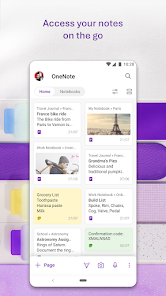
With Microsoft OneNote, you can easily organize your notes into notebooks, sections, and pages, making it simple to find what you need when you need it. This hierarchical structure allows for efficient navigation and quick access to your important information, whether for work or personal use.

Pros & Cons

Pros
  • Organize notes in customizable notebooks and sections
  • Sync across devices for access anywhere, anytime
  • Collaborate seamlessly with others in real-time
  • Easily integrate multimedia like images and audio
  • Powerful search function helps find notes quickly
Cons
  • Limited formatting options for text
  • Sync issues across devices can occur
  • No built-in task management features
  • Search functionality can be slow

Real Experience Using Microsoft OneNote: Save Notes

Application Scenarios

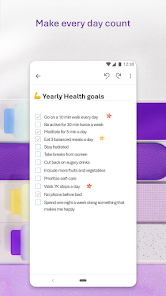
Microsoft OneNote is a versatile note-taking application that caters to a wide range of users. Students can utilize it for organizing lecture notes, creating to-do lists, and collaborating on group projects. The ability to insert multimedia elements such as images, audio recordings, and hyperlinks allows for a richer learning experience. Professionals benefit from OneNote’s capacity to keep meeting notes, track project progress, and share ideas with colleagues seamlessly. Additionally, families can use the app for planning events, managing household chores, or maintaining a shared recipe collection. Whether you are brainstorming ideas, drafting reports, or storing research materials, OneNote adapts to various application scenarios effortlessly.

User Experience

The user experience in Microsoft OneNote is intuitive and straightforward, making it accessible for both tech-savvy individuals and those less familiar with digital tools. The interface is clean and organized, with a familiar ribbon layout that is easy to navigate. Users can create notebooks, sections, and pages with just a few clicks, allowing for a structured approach to note management. The search function is powerful, enabling users to find specific notes, tags, or even handwritten content quickly. Synchronization across devices is seamless, ensuring that notes are accessible on desktops, tablets, and smartphones. One drawback is that some users may find the learning curve steep when exploring advanced features, but the comprehensive tutorials and community forums provide ample support.

Pricing

Microsoft OneNote is available for free, which is a significant advantage for users wanting to access note-taking tools without financial commitment. The free version includes robust features suitable for most users, including cloud storage via OneDrive. For those seeking additional functionality, such as increased storage or enhanced collaboration tools, a Microsoft 365 subscription is available, which starts at a reasonable monthly or annual fee. This subscription not only unlocks premium features in OneNote but also includes access to other Microsoft applications like Word, Excel, and PowerPoint, making it a worthwhile investment for many users.

Updates & Support

Microsoft continually updates OneNote, introducing new features and enhancements based on user feedback. The app receives regular updates that improve performance, security, and overall user experience, ensuring that it remains competitive in the note-taking market. The support system is robust, offering a comprehensive FAQ section, user guides, and community forums where users can seek assistance and share tips. Moreover, Microsoft’s commitment to customer support includes dedicated help channels for troubleshooting and technical issues, ensuring that users can maximize their experience with OneNote.

verified Security & Privacy Review

Microsoft OneNote prioritizes security and privacy, implementing robust measures to safeguard user data. The app uses encryption to protect notes both at rest and in transit, ensuring that sensitive information remains secure from unauthorized access. Users have the option to password-protect individual sections, adding an additional layer of security for critical notes. In terms of privacy practices, Microsoft adheres to stringent data protection regulations, including GDPR and CCPA. The company provides transparent information about data collection and usage, allowing users to manage their privacy settings effectively. OneNote's data handling policies are designed to minimize the collection of personal information while offering features that enhance user experience. Regarding permissions, OneNote requires access to user storage for saving and syncing notes. However, users can control app permissions through their device settings, granting access only to necessary features. Overall, Microsoft OneNote demonstrates a commitment to securing user information and maintaining privacy standards, making it a reliable choice for note-taking needs.

Reviews

4.6

“Great for organizing thoughts and notes efficiently”

“User-friendly interface and seamless syncing”

“Amazing for collaborative projects and sharing notes”

“Powerful features for students and professionals alike”

“Versatile tool for both personal and work use”

Editor's Choice