This site uses cookies to enhance your user experience. By clicking any link on this site you are giving your consent to our cookie policy. Read more
Reject
Accept All
Microsoft Lens - PDF Scanner

Microsoft Lens - PDF Scanner

verified Verified App

Developer: Microsoft Corporation

  • category

    Category: Productivity

  • price

    Price: free

  • age rating

    Age Rating: Everyone

  • rating

    Rating: 4.8

  • download

    Downloads: 50,000,000+

  • version

    Version: 16.0.19628.20008

Screenshot 1
Screenshot 2
Screenshot 3
Screenshot 4
Screenshot 5
Screenshot 6
Screenshot 7
Screenshot 8
Screenshot 9

Features & Highlights

Cloud Integration

Seamlessly integrate with cloud services like OneDrive, OneNote, and SharePoint to save and share your scanned documents. This ensures that your files are always backed up and can be accessed from anywhere, making collaboration effortless and efficient with your team or family.

Scan And Convert

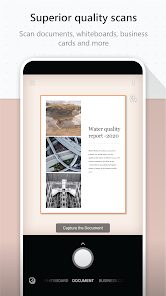
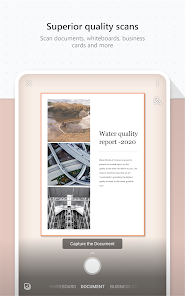
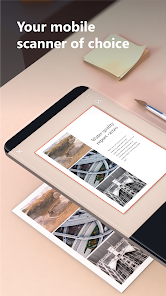
Microsoft Lens allows you to quickly scan documents, receipts, and whiteboards, converting them into high-quality PDFs. The app intelligently crops and enhances the scanned images, ensuring that your documents look professional and are easy to read, saving you time and effort in the process.

Text Recognition

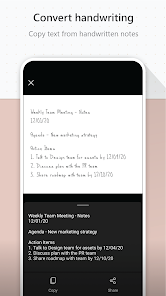
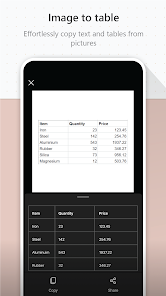
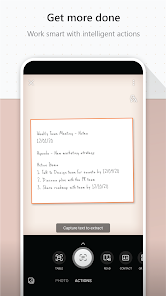
With built-in OCR (Optical Character Recognition) technology, Microsoft Lens can extract text from images, making it easy to edit and share. This feature is especially useful for digitizing notes or important documents, allowing you to keep your information organized and accessible.

User-Friendly Interface

Microsoft Lens boasts an intuitive interface that simplifies the scanning process for users of all skill levels. With straightforward controls and helpful prompts, you can quickly navigate the app, making document management a breeze whether you're at home or on the go.

Pros & Cons

Pros
  • Scans documents quickly and efficiently with high accuracy.
  • Easy sharing via email or cloud storage options.
  • User-friendly interface for seamless navigation and use.
  • Enhances images with automatic cropping and adjustments.
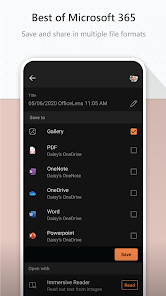
  • Supports multiple file formats for versatile usage.
Cons
  • Limited editing features for scanned documents
  • May struggle with low-light conditions
  • Requires constant internet for some features
  • Sometimes misinterprets complex layouts

Real Experience Using Microsoft Lens - PDF Scanner

Application Scenarios

Microsoft Lens - PDF Scanner is an incredibly versatile tool that caters to a wide range of scenarios. Whether you are a student trying to digitize notes from a whiteboard, a business professional needing to capture documents on the go, or a parent wanting to keep a digital archive of your children's artwork, this app is designed to meet your needs. It excels in environments such as classrooms, offices, and homes, allowing users to easily scan receipts, contracts, and even multi-page documents. The ability to convert images into PDFs, Word documents, or PowerPoint slides makes Microsoft Lens a valuable asset for anyone looking to streamline their document management process. Additionally, its integration with Microsoft OneNote and OneDrive facilitates seamless storage and sharing, enhancing productivity across different tasks.

User Experience

The user experience with Microsoft Lens is remarkably intuitive. Upon launching the app, users are greeted with a clean interface that makes navigation straightforward. The scanning functionality is efficient, with the app automatically detecting edges and enhancing image quality, which significantly reduces the hassle of manual adjustments. Users can choose from various modes, including Document, Whiteboard, and Business Card, each tailored for specific scanning needs. The app provides instant previews, allowing users to quickly review and make edits before finalizing their scans. The OCR (Optical Character Recognition) feature is particularly impressive, enabling users to extract text from images with high accuracy. Overall, the fluidity of the scanning process, combined with the ability to share and export files directly from the app, contributes to a satisfying user experience.

Pricing

Microsoft Lens - PDF Scanner is available as a free application, which makes it accessible to a broad audience. Users can take advantage of its extensive features without the need for a subscription or one-time payment. This free model is particularly appealing for students and small business owners who may be working with limited budgets. While there are no hidden fees or premium features locked behind a paywall, users do have the option to integrate the app with other Microsoft services, such as Office 365, which may involve additional costs if they choose to subscribe to those services. Overall, the free pricing model ensures that Microsoft Lens remains a competitive option in the document scanning app market.

Updates & Support

Microsoft Lens is regularly updated to improve functionality and enhance user experience. The development team is committed to addressing user feedback and implementing new features that align with modern scanning needs. Updates often include performance improvements, bug fixes, and feature enhancements, ensuring that the app remains relevant and efficient. Support is readily available through Microsoft's extensive online resources, including FAQs, user forums, and dedicated customer support channels. Users can easily find help for common issues or seek assistance for more complex queries. This robust support system, combined with regular updates, reinforces Microsoft Lens's reputation as a reliable and user-friendly scanning solution.

verified Security & Privacy Review

Microsoft Lens - PDF Scanner takes user security and privacy seriously, implementing robust measures to protect sensitive information. The app encrypts data both in transit and at rest, ensuring that documents scanned and stored are safeguarded against unauthorized access. Microsoft’s commitment to user privacy is evident in its transparent data handling practices, as outlined in their privacy policy. Users are informed about the types of data collected, which primarily includes scans and metadata necessary for functionality. Importantly, the app does not share personal data with third parties without user consent, promoting a trustworthy environment for document management. Permissions requested by Microsoft Lens are limited to those essential for its operation, such as camera access for scanning and storage permissions for saving files. Users maintain control over their data, with options to delete scans and manage permissions easily. Overall, Microsoft Lens - PDF Scanner offers a secure platform for users to digitize documents, backed by Microsoft's extensive experience in data protection and compliance with global privacy standards.

Reviews

4.8

“Easy to use and highly efficient scanner!”

“Great for digitizing documents quickly.”

“User-friendly interface with excellent image quality.”

“Perfect for students and professionals alike.”

“Highly reliable for scanning receipts and notes.”

Editor's Choice