This site uses cookies to enhance your user experience. By clicking any link on this site you are giving your consent to our cookie policy. Read more
Reject
Accept All

Advertiser and Editorial Disclosures

McAfee Security: Antivirus VPN

McAfee Security: Antivirus VPN

verified Verified App

Developer: McAfee LLC

  • category

    Category: Tools

  • price

    Price: free

  • age rating

    Age Rating: Everyone

  • rating

    Rating: 4.8

  • download

    Downloads: 50,000,000+

  • version

    Version: 9.11.0.644

Screenshot 1
Screenshot 2
Screenshot 3
Screenshot 4
Screenshot 5
Screenshot 6
Screenshot 7
Screenshot 8
Screenshot 9
Screenshot 10
Screenshot 11
Screenshot 12
Screenshot 13
Screenshot 14
Screenshot 15
Screenshot 16
Screenshot 17
Screenshot 18
Screenshot 19
Screenshot 20
Screenshot 21

Features & Highlights

Easy-to-Use Interface

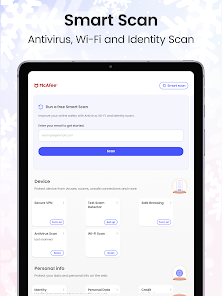
The user-friendly interface of McAfee Security makes it simple for anyone to navigate through its features and settings. Even if you're not tech-savvy, you'll find it easy to manage your device's security, customize settings, and access essential tools for a safer online experience.

Integrated VPN

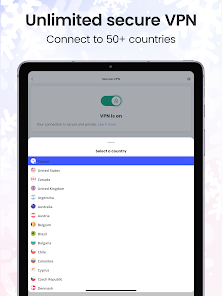
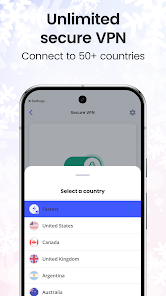
With the integrated VPN feature, McAfee Security encrypts your internet connection, allowing you to browse safely and anonymously. Whether you're using public Wi-Fi or just want extra privacy, this feature helps protect your sensitive information from prying eyes and potential hackers.

Multi-Device Protection

McAfee Security provides comprehensive protection across multiple devices, including smartphones, tablets, and PCs. This feature allows you to manage security for all your devices from a single account, ensuring your entire digital ecosystem is secured against threats, no matter where you are.

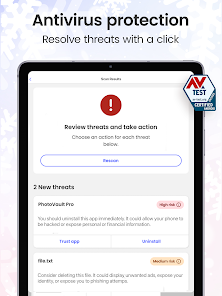
Real-Time Threat Protection

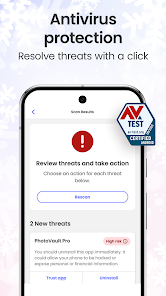
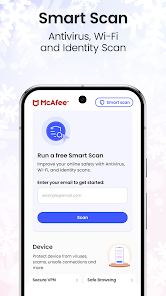
McAfee Security offers robust real-time threat protection, scanning your device continuously to identify and neutralize potential threats before they can cause harm. This proactive approach ensures that your data remains safe from evolving malware and cyber attacks, keeping your online activities secure at all times.

Pros & Cons

Pros
  • Comprehensive malware protection keeps your devices safe from threats.
  • Built-in VPN ensures secure browsing and protects your online privacy.
  • User-friendly interface makes managing security effortless for all users.
  • Real-time scanning detects and neutralizes threats before they cause harm.
  • Multi-device support secures all your devices under one subscription.
Cons
  • McAfee Security can slow down device performance during scans.
  • The VPN may have limited server locations for optimal speed.
  • Customer support can be slow to respond to urgent issues.

verified Security & Privacy Review

The McAfee Security: Antivirus VPN app boasts robust security features designed to protect user data and privacy. It employs advanced encryption protocols to secure internet connections, ensuring that sensitive information remains confidential even on public Wi-Fi networks. The app's antivirus functionality actively scans for malware and threats, providing real-time protection against potential security breaches. In terms of privacy practices, McAfee is transparent about its data handling policies. Users are informed about the types of data collected, which primarily include usage statistics and device information to enhance app performance. Importantly, McAfee does not sell personal data to third parties, reinforcing its commitment to user privacy. The app requires certain permissions to function effectively, including access to network connections and device storage. While these permissions are standard for security apps, users are encouraged to review and manage them according to their comfort level. Overall, McAfee Security: Antivirus VPN prioritizes data security and user privacy, making it a reliable choice for those seeking comprehensive protection in a digital landscape fraught with risks.

Reviews

4.8

“Great protection with easy-to-use interface!”

“Effective VPN, but can be slow.”

“Customer support is responsive and helpful.”

“Frequent updates keep security strong.”

“Battery drain issues on mobile devices.”

Compare APP

FAQ

1

Can I submit suggestions or feedback to McAfee Security: Antivirus VPN?

Yes, McAfee encourages users to submit suggestions or feedback through their official website or support channels to help improve the app and user experience.

2

Does McAfee Security: Antivirus VPN collect my personal data?

McAfee Security: Antivirus VPN has a strict privacy policy and does not collect personal data for marketing purposes, although it may collect some usage data to improve the service.

3

Does McAfee Security: Antivirus VPN support offline use?

McAfee Security: Antivirus VPN primarily functions online, particularly its VPN features; however, some antivirus functions may still provide protection when offline.

4

How do I cancel my McAfee Security: Antivirus VPN subscription?

To cancel your McAfee Security: Antivirus VPN subscription, you can log into your account on the McAfee website and follow the cancellation instructions in the subscription management section.

5

How much does a subscription to McAfee Security: Antivirus VPN cost?

The cost of a subscription to McAfee Security: Antivirus VPN may vary based on promotions and the selected plan, typically starting from a monthly fee with options for annual subscriptions that reduce the monthly cost.

How to use McAfee Security: Antivirus VPN

1

Can I change my customer number?

No, customer numbers are unique identifiers and cannot be changed. If you have issues, please contact customer service for help.

2

Can I use my customer number to get support?

Yes, providing your customer number when contacting support can help expedite your service request.

3

How can I contact customer service for McAfee Security?

You can reach McAfee customer service by visiting their official website and using the support options available there.

4

How do I log in to my McAfee account?

To log in, visit the McAfee website and click on the "Log In" button at the top right, then enter your email and password.

5

How do I log in to the VPN feature of McAfee?

To access the VPN, log in to your McAfee account and navigate to the VPN section in the dashboard.

Editor's Choice