This site uses cookies to enhance your user experience. By clicking any link on this site you are giving your consent to our cookie policy. Read more
Reject
Accept All

Advertiser and Editorial Disclosures

Lorex Cloud

Lorex Cloud

verified

LOREX TECHNOLOGY INC.

2.0
Rating
500,000+ Downloads
1.3.6 Version
  • category

    Category: Tools

  • price

    Price: free

  • age rating

    Age Rating: Everyone

  • rating

    Rating: 2.0

  • available on

    Available on: /

  • updated on

    Updated on: Jun 10, 2025

Screenshot 1
Screenshot 2
Screenshot 3
Screenshot 4
Screenshot 5
Screenshot 6
Screenshot 7
Screenshot 8
Screenshot 9
Screenshot 10
Screenshot 11
Screenshot 12

Features & Highlights

Cloud Storage Options

Enjoy the convenience of cloud storage for your security footage. Lorex Cloud offers flexible storage solutions, allowing you to save and access your recordings securely online. This ensures that you won't lose crucial data even if your local storage is compromised.

Customizable Alerts

Receive tailored notifications based on your preferences with Lorex Cloud's customizable alerts. Whether it's motion detection or camera tampering, you can set up alerts that suit your needs, ensuring you are always informed about critical events happening around your property.

Real-Time Monitoring

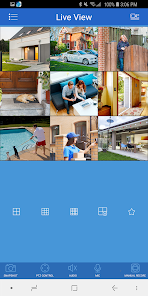
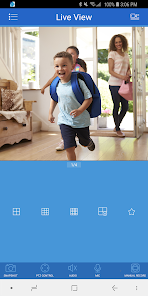
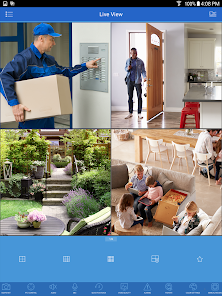
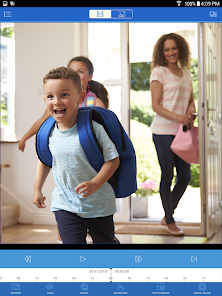
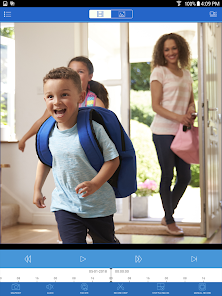
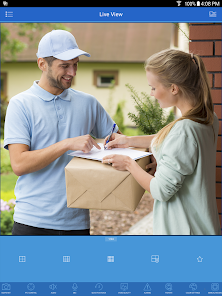
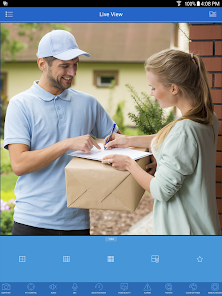
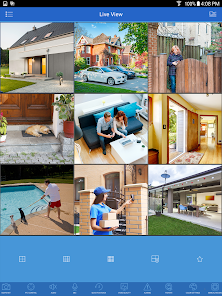
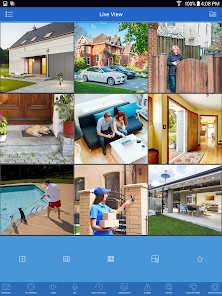
Stay connected with your security system anytime, anywhere. Lorex Cloud allows you to stream live video feeds directly from your cameras, giving you peace of mind whether you're at home or on the go. With minimal latency, you can quickly respond to any potential threats as they arise.

User-Friendly Interface

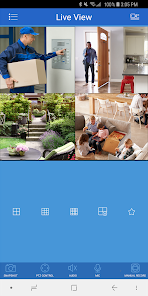
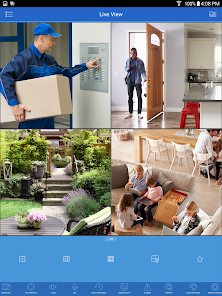
Lorex Cloud features an intuitive interface that makes navigating your security system a breeze. Whether you're setting up cameras or reviewing footage, the app is designed for ease of use, ensuring that both tech-savvy users and novices can manage their security effortlessly.

Pros & Cons

Pros
  • Access your security footage from anywhere, anytime.
  • Effortless setup with user-friendly mobile app.
  • Reliable cloud storage ensures data safety and security.
  • Easy sharing of footage with family or authorities.
  • Receive instant alerts for suspicious activities.
Cons
  • Limited storage options for recorded footage
  • Frequent connectivity issues can disrupt access
  • Subscription fees can add up over time
  • User interface may be confusing for some

Real Experience Using Lorex Cloud

Application Scenarios

Lorex Cloud is designed to cater to a variety of surveillance needs, making it a versatile choice for both residential and commercial users. Homeowners can use the app to monitor their properties in real-time, ensuring peace of mind whether they are at home or away. With features like motion detection alerts and cloud storage access, users can easily keep track of any unusual activity. For businesses, Lorex Cloud provides a comprehensive solution for monitoring premises, managing multiple cameras simultaneously, and reviewing footage as needed. Whether it's securing a storefront or monitoring employee activity, the app's robust functionality is well-suited to various scenarios.

User Experience

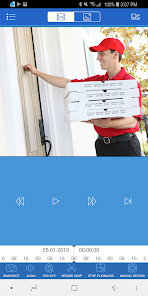
The user experience on Lorex Cloud is largely positive, with an intuitive interface that simplifies navigation. Setting up the app is straightforward, allowing users to connect their cameras quickly and begin monitoring without a steep learning curve. The app is responsive, offering real-time video feeds that are clear and reliable. One notable feature is the ability to customize notification settings, ensuring users receive alerts that matter most to them. The playback functionality is also user-friendly, allowing for easy review of recorded footage. However, some users have reported that the app can experience occasional lag, especially when multiple cameras are being streamed simultaneously. Overall, the experience is generally smooth, making it accessible for users of all technical backgrounds.

Pricing

Lorex Cloud operates on a freemium model, which allows users to access basic features without any financial commitment. However, for those seeking enhanced capabilities, such as extended cloud storage and advanced analytics, premium subscriptions are available. Pricing varies depending on the features chosen, with plans designed to accommodate different needs and budgets. While some users may find the cost of premium features a bit steep, many agree that the value provided—especially in terms of security—justifies the investment. Additionally, the ability to scale up as needed means that users can choose a pricing tier that best fits their requirements.

Updates & Support

The developers behind Lorex Cloud are committed to providing regular updates and improvements, ensuring the app remains aligned with user needs and technological advancements. Users can expect periodic feature enhancements and bug fixes that enhance overall performance. Support options are robust, with a dedicated customer service team available to assist with any inquiries or technical issues. Users can reach out via email, phone, or through the app’s help section. The responsiveness of the support team has been praised by many, contributing to a generally positive experience when resolving issues. Overall, the continuous updates and strong support system reinforce the app's reliability for users.

verified Security & Privacy Review

The Lorex Cloud app places a strong emphasis on security and privacy, ensuring that user data is handled with care. It employs end-to-end encryption for video streams and stored footage, which helps protect against unauthorized access. Users can rest assured that their surveillance data is transmitted securely over the internet, minimizing the risk of interception. In terms of permissions, the app requires access to the device's camera and microphone for live streaming and two-way audio features. Additionally, it requests location permissions to enhance functionality, such as device management and geofencing. Users have the option to customize these settings, allowing for greater control over what data is shared. Lorex Cloud adheres to strict privacy practices, with a clear privacy policy outlining how user information is collected, used, and shared. The app does not sell personal data to third parties, and users can delete their accounts and associated data at any time. Overall, Lorex Cloud demonstrates a commitment to safeguarding user privacy while providing robust security features for its surveillance solutions.

User Reviews

  • Benjamin Kearns
    2025/12/25

    Still no update to fix the problems. Almost the end of the year. Been like this for almost 6 months. The system is still useless for anything but live viewing. Worked great until this last update. Still does not send notifications of any kind at all. Why has this not been fixed!!! Will never purchase another Lorex product. So glad I have allready put up a different brand of solar cameras. About ready to take this old system down and give it to someone. Absolutely ridiculous!!!!!

  • A Google user
    2019/01/13

    The picture is very grainy. when I click on the app it always say "cannot connect" and I have to force it closed and restart before they come on. Plus while I am watching as soon as I walk out of my house I lose video and again have to force app closed and restart. when I'm not home and pull up video it only stays up for a minute or so then goes down again and again I have to force close and restart to get a few more minutes of live video.

  • A Google user
    2019/12/01

    1 star is way too kind for this junk. The old app was not the greatest but it was 3.5 stars in my opinion, so I was happy with it. This new app would be zero stars, if that was an option for me to select. Live viewing is fine but playback stops working every time (if it actually starts). And you can't select a time. You have to select a whole day. Then it crashes before I can get to the time I'm trying to view. Very disappointed.

  • Sterling DeLautre
    2025/03/21

    Have 16 - 16 channel units that have been working good for the past 6 years with just a few cameras go out. My issue isn't with the product, it's the Cloud app. Not only has it changed a couple times since I bought them, it still crashes. Need to purchase more units but would have to be on a different app. Would be nice to have an app that's backwards compatible and not all these different apps for different units.

  • Nate Clark
    2023/06/22

    I am able to view live and view recordings on my Mac laptop just fine. I've had my system installed for almost 4 years now. Suddenly I am no longer able to connect to my device in the Android app. I have reset password through the desktop app. I have scanned the QR code and also manually entered the device in the app. Neither work. No matter what I do, the android app tells me failed to connect to device. Yet on my laptop I can disconnect and reconnect just fine.

Review Source: Google Play store public user reviews.

FAQ

1

Does Lorex Cloud collect my personal data?

Lorex Cloud may collect certain personal data for account creation and service improvement, but it adheres to privacy policies that outline how this data is used and protected.

2

Does Lorex Cloud offer a free trial or free version?

Lorex Cloud does not typically offer a free trial, but it may provide basic features at no cost while advanced features may require a subscription.

3

Does Lorex Cloud require an internet connection?

Yes, Lorex Cloud requires a stable internet connection to access live feeds and recorded footage remotely.

4

How can I contact support or send feedback for Lorex Cloud?

You can contact Lorex Cloud support through the app, their official website, or by reaching out via email or phone, where customer service representatives can assist you with any inquiries or feedback.

5

How do I manage or cancel my Lorex Cloud subscription?

You can manage or cancel your Lorex Cloud subscription through the app's settings or by logging into your account on the Lorex website, where you will find options for subscription management.

How to use Lorex Cloud

1

How can I activate my Lorex Cloud account?

To activate your account, download the Lorex Cloud app, create an account, and verify your email address.

2

How can I contact Lorex customer service?

You can reach Lorex customer service by calling their support number at 1-888-425-6739 or visiting their website for live chat options.

3

How can I retrieve my Lorex account username?

If you've forgotten your username, you can recover it by selecting "Forgot Username" on the login screen and following the instructions.

4

How do I contact Lorex for technical support?

For technical support, call Lorex at 1-888-425-6739 or visit their support page for additional resources.

5

How do I log in to the Lorex Cloud app?

Open the app, enter your registered email and password, and tap "Login" to access your account.

What's New

- Device compatibility improvements- General bug fixes- If you experience issues with receiving notifications after updating, please reboot your recorder to ensure all settings have been applied

Editor's Choice