This site uses cookies to enhance your user experience. By clicking any link on this site you are giving your consent to our cookie policy. Read more
Reject
Accept All
Link to Windows

Link to Windows

verified Verified App

Developer: Microsoft Corporation

  • category

    Category: Productivity

  • price

    Price: free

  • age rating

    Age Rating: Everyone

  • rating

    Rating: 3.9

  • download

    Downloads: 1,000,000,000+

  • version

    Version: 1.25122.117.0

Screenshot 1
Screenshot 2
Screenshot 3
Screenshot 4
Screenshot 5
Screenshot 6
Screenshot 7
Screenshot 8

Pros & Cons

Pros
  • Seamless integration between phone and PC for productivity
  • Access notifications directly on your Windows desktop
  • Easily transfer files without the need for cables
  • Respond to messages instantly from your computer
  • Sync apps and photos for a unified experience
Cons
  • Limited compatibility with older devices and systems
  • Connectivity issues can disrupt functionality
  • Performance may lag on slower networks
  • Requires both devices to be on the same network

Real Experience Using Link to Windows

Application Scenarios

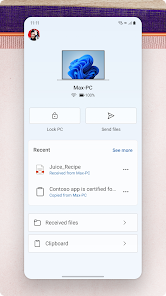
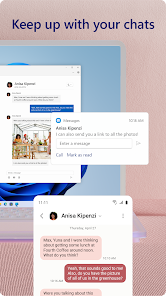
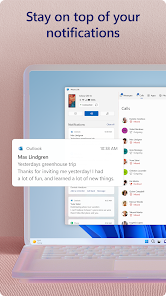
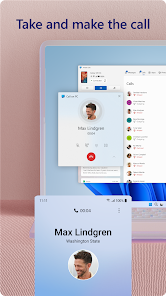
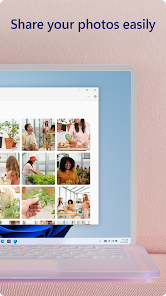
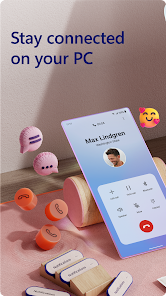
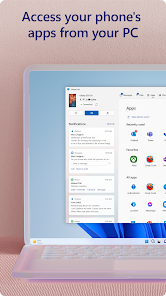
Link to Windows is designed to bridge the gap between your Android smartphone and Windows PC, enabling seamless connectivity and interaction. It is particularly beneficial for professionals who often switch between devices for work purposes. Imagine receiving a text message on your phone while you’re focused on a document on your PC; with Link to Windows, you can respond directly from your computer without having to pick up your phone. This app also allows for easy file transfers, making it convenient to drag and drop pictures or documents from your phone to your PC. Additionally, it provides notifications from your mobile device on your desktop, ensuring you never miss important updates. For those who enjoy gaming, Link to Windows enables users to access mobile games on their PC, offering a larger screen and improved controls. Overall, this app is ideal for enhancing productivity and simplifying everyday tasks across devices.

User Experience

The user experience with Link to Windows is generally positive, thanks to its intuitive interface and streamlined functionality. Setting up the app is straightforward; users can easily link their devices by scanning a QR code or entering a code. Once connected, the app operates smoothly, allowing users to manage notifications, messages, and photos without any noticeable lag. The integration feels natural, and the ability to customize what notifications and messages to receive on the PC adds a personal touch. However, some users have reported occasional connectivity issues, particularly when switching between Wi-Fi networks. Despite this, the overall feedback highlights the convenience and efficiency that Link to Windows brings to multitasking and device management.

Pricing

Link to Windows is offered as a free application, making it accessible to a wide range of users without any financial commitment. This is a significant advantage compared to other similar applications that may require a subscription or one-time purchase. The app's free availability allows users to explore its features without any risk, providing a cost-effective solution for those looking to enhance their productivity across devices. With regular updates and improvements, users can expect continued value from this free service, making it an attractive option for anyone who frequently juggles tasks between their smartphone and PC.

Updates & Support

Link to Windows is consistently updated to enhance functionality and address user feedback. Regular updates ensure that the app remains compatible with the latest versions of Windows and Android, which is crucial for maintaining a smooth user experience. Microsoft provides comprehensive support through its website, including troubleshooting guides and FAQs to assist users with common issues. Additionally, users can access community forums where they can share experiences and solutions. While some users may desire more direct customer support options, the existing resources are generally sufficient for resolving most queries. Overall, the commitment to regular updates and the availability of support make Link to Windows a reliable tool for users looking to optimize their device interaction.

verified Security & Privacy Review

Link to Windows prioritizes user security and privacy by employing robust encryption protocols to safeguard data during transmission between devices. The app requires users to grant specific permissions, including access to notifications, SMS, and contacts, which are essential for its functionality. However, users should be cautious and review these permissions to ensure they align with their privacy preferences. The app adheres to strict privacy practices, ensuring that user data is not shared with third parties without explicit consent. Microsoft, the developer, is committed to transparency and provides clear information regarding data collection and usage in its privacy policy. Users can manage their privacy settings within the app, allowing them to control what data is shared and with whom. Overall, while Link to Windows offers a convenient way to connect mobile devices to Windows PCs, users are encouraged to stay informed about the permissions they grant and regularly review their privacy settings to enhance their security and data protection.

Reviews

3.9

“Seamless integration with my Windows PC and phone”

“Very useful for quick file transfers”

“Notifications make multitasking much easier”

“Setup was simple and straightforward”

“Love accessing apps directly on my computer”

Editor's Choice