This site uses cookies to enhance your user experience. By clicking any link on this site you are giving your consent to our cookie policy. Read more
Reject
Accept All

Advertiser and Editorial Disclosures

LifePoints: Rewards App

LifePoints: Rewards App

verified Verified App

Developer: Kantar Profiles

  • category

    Category: Lifestyle

  • price

    Price: free

  • age rating

    Age Rating: Everyone

  • rating

    Rating: 4.5

  • download

    Downloads: 1,000,000+

  • version

    Version: 3.0.98

Screenshot 1
Screenshot 2
Screenshot 3
Screenshot 4
Screenshot 5
Screenshot 6

Features & Highlights

Community Engagement

Join a vibrant community of like-minded individuals who share your passion for making their voices heard. LifePoints encourages engagement through discussions and feedback, enabling you to connect with others while influencing brands and products you care about.

Diverse Rewards Options

LifePoints offers an impressive range of redemption options, allowing you to choose rewards that truly resonate with you. From popular gift cards to cash payouts, you can select how you want to enjoy your hard-earned points, making each survey feel even more rewarding.

Earn Points Easily

With LifePoints, you can effortlessly earn rewards by sharing your opinions through surveys and participating in various activities. The app makes it simple to accumulate points, turning your everyday experiences into valuable rewards that you can redeem for exciting gift cards or cash options.

User-Friendly Interface

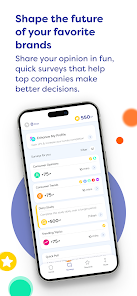
Navigating the LifePoints app is a breeze thanks to its intuitive design. Whether you're a tech novice or a seasoned user, you'll find it easy to explore surveys, track your rewards, and manage your profile—all designed to enhance your experience without any hassle.

Pros & Cons

Pros
  • Earn points for sharing your opinions through surveys and activities.
  • Enjoy a user-friendly interface for seamless navigation and participation.
  • Redeem points for exciting rewards, including gift cards and cash.
  • Participate in exclusive promotions and offers to maximize your earnings.
  • Access personalized surveys tailored to your interests and preferences.
Cons
  • Limited earning potential compared to other survey apps
  • Frequent technical issues can hinder user experience
  • Rewards can take time to accumulate and redeem

Real Experience Using LifePoints: Rewards App

Application Scenarios

The LifePoints: Rewards App is designed to cater to a variety of user needs across different scenarios. Whether you're a student looking to earn some extra pocket money, a busy professional seeking to monetize your free time, or a stay-at-home parent wanting to make the most out of everyday activities, this app provides a versatile platform to earn rewards. Users can engage in surveys, product testing, and other activities that fit seamlessly into their daily routines. The app is particularly useful during commutes or downtime, allowing users to accumulate points without requiring a significant time investment. Furthermore, the integration of gamification elements enhances user engagement, making the process of earning rewards feel more enjoyable and less like a chore.

User Experience

The user experience of the LifePoints app is generally positive, with an intuitive interface that is easy to navigate. Upon logging in, users are greeted with a clean design that presents available surveys and tasks in a straightforward manner. The app's onboarding process is also commendable, as it guides new users through the features and functionalities effectively. Users appreciate the variety of rewards available, from gift cards to PayPal cash, making it appealing for different preferences. However, some users have reported occasional glitches and slow loading times during peak hours, which can hinder the overall experience. Customer feedback is taken into account, and updates are frequently rolled out to enhance performance and fix bugs.

Pricing

One of the standout features of the LifePoints app is that it is completely free to use. Users do not need to pay any subscription fees or hidden charges to participate in earning rewards. Instead, the app operates on a point-based system where users earn points by completing surveys and tasks. These points can later be redeemed for various rewards, including gift cards from popular retailers or cash through PayPal. This pricing model makes it accessible to a wide audience, allowing anyone with an internet connection to start earning without financial barriers. The transparent nature of the reward system adds to user trust and satisfaction.

Updates & Support

The LifePoints app is regularly updated to improve functionality and enhance user experience. The development team actively listens to user feedback, ensuring that the app evolves to meet the needs of its audience. Users can expect new features, improved survey matching algorithms, and performance enhancements with each update. In terms of support, the app provides a comprehensive FAQ section and a responsive customer service team. Users can reach out via email or through the app for any issues they encounter. The promptness with which the support team addresses queries has contributed to the app's positive reputation among its user base.

verified Security & Privacy Review

The LifePoints Rewards App places a strong emphasis on user security and privacy, implementing robust measures to protect sensitive information. The app utilizes encryption protocols to safeguard user data during transmission and storage, ensuring that personal details are kept confidential. LifePoints adheres to industry standards for data protection, and its privacy policy is transparent, outlining how user data is collected, used, and shared. Users are informed about the permissions required by the app, which primarily include access to location services and device information. These permissions are essential for providing location-based rewards and personalized experiences. However, users have the option to limit permissions, enhancing their control over personal data. LifePoints aggregates user data for research purposes, but individual identities remain anonymous, reinforcing the app's commitment to user privacy. Regular updates ensure compliance with the latest data protection regulations, and users are encouraged to review privacy settings to align with their comfort levels. Overall, the LifePoints Rewards App demonstrates a responsible approach to security and privacy, fostering user trust and confidence.

Reviews

4.5

“Easy to use and rewarding experience!”

“Great way to earn gift cards.”

“Surveys are quick and fun to complete.”

“Points accumulate quickly for rewards.”

“Customer support is responsive and helpful.”

FAQ

1

Can I submit suggestions or feedback to LifePoints: Rewards App?

Yes, users can submit suggestions or feedback through the app’s support section or by contacting customer service directly.

2

Does LifePoints: Rewards App collect my personal data?

Yes, LifePoints: Rewards App collects personal data such as demographic information to tailor surveys and improve user experience, but it adheres to privacy regulations.

3

Does LifePoints: Rewards App support offline use?

LifePoints: Rewards App requires an internet connection to participate in surveys and redeem rewards, so it does not support offline use.

4

How do I cancel my LifePoints: Rewards App subscription?

Since LifePoints: Rewards App does not operate on a subscription model, there is no need to cancel a subscription. Users can simply stop using the app at any time.

5

How much does a subscription to LifePoints: Rewards App cost?

LifePoints: Rewards App does not require a subscription; it is entirely free for users to join and earn rewards.

How to use LifePoints: Rewards App

1

Can I change my Customer Number?

Unfortunately, you cannot change your Customer Number. For any issues, please contact Customer Service for assistance.

2

How can I contact Customer Service for LifePoints?

You can reach Customer Service through the app’s help section or by emailing support

3

How do I find my Customer Number in the app?

Your Customer Number can be found in your account settings under 'Profile.'

4

How do I log in to my LifePoints account?

To log in, open the app, enter your email and password, then click 'Log In.'

5

I need help activating my LifePoints account. What should I do?

To activate your account, check your email for the activation link. If you didn’t receive it, contact Customer Service for help.

Editor's Choice