This site uses cookies to enhance your user experience. By clicking any link on this site you are giving your consent to our cookie policy. Read more
Reject
Accept All
LetsView- Wireless Screen Cast

LetsView- Wireless Screen Cast

verified Verified App

Developer: WangxuTech

  • category

    Category: Tools

  • price

    Price: free

  • age rating

    Age Rating: Everyone

  • rating

    Rating: 2.6

  • download

    Downloads: 5,000,000+

  • version

    Version: 1.5.20

Screenshot 1
Screenshot 2
Screenshot 3
Screenshot 4
Screenshot 5
Screenshot 6
Screenshot 7

Features & Highlights

Multiple Device Support

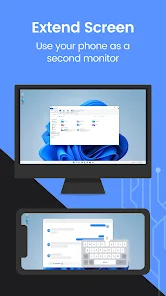
This app supports a wide range of devices, including Android, iOS, Windows, and Mac. This versatility ensures that you can connect and share content across different platforms seamlessly, making it a great choice for mixed-device households or offices.

Real-Time Screen Sharing

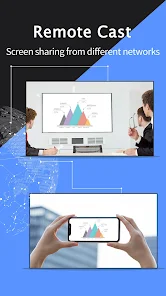
Experience real-time screen sharing with minimal lag, allowing for smooth presentations and engaging interactions. Whether you're collaborating on a project or sharing photos with friends, LetsView ensures that your content is displayed instantly and without interruptions.

User-Friendly Interface

LetsView boasts a clean and intuitive interface that makes it easy for anyone to start casting their screen. You don't need to be tech-savvy to navigate the app, ensuring a stress-free experience for users of all ages.

Wireless Mirroring

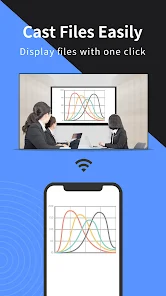
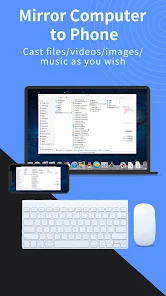
LetsView allows you to effortlessly mirror your device's screen to a larger display, making it perfect for presentations, movie nights, or gaming. With just a few taps, you can enjoy your content on a bigger screen without the hassle of tangled wires.

Pros & Cons

Pros
  • Easy setup with no cables required
  • Supports multiple devices for versatile use
  • High-definition streaming for clear visuals
  • Real-time casting for seamless presentations
  • User-friendly interface for effortless navigation
Cons
  • Limited compatibility with certain devices and platforms
  • Occasional lag during screen mirroring sessions
  • Requires a stable Wi-Fi connection for optimal performance
  • User interface can be confusing for beginners

Real Experience Using LetsView- Wireless Screen Cast

Application Scenarios

LetsView - Wireless Screen Cast is a versatile application designed to cater to a variety of screen mirroring needs. Whether you're a student wishing to display a presentation on a larger screen, a gamer eager to share your gameplay with friends, or a business professional conducting a virtual meeting, LetsView has got you covered. The app supports multiple platforms, including Android, iOS, Windows, and Mac, ensuring that users can connect their devices seamlessly. You can use it for educational purposes, streaming movies and videos, or even for sharing photos during family gatherings. The application is particularly beneficial in environments like classrooms or conference rooms, where displaying content on a larger screen can enhance engagement and interaction.

User Experience

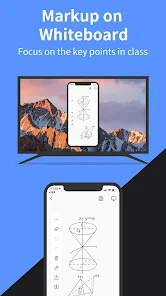
The user experience with LetsView is generally smooth and intuitive. The app's interface is user-friendly, allowing users to connect with just a few taps. Once the devices are connected, the mirroring process is straightforward, with minimal lag and high-quality resolution. Users have reported the ability to stream content without significant buffering, making it ideal for watching videos or playing games. Additionally, the app offers features such as screen recording and annotation tools, which further enhance its usability. However, some users have encountered occasional connectivity issues, particularly when multiple devices are connected to the same network. Overall, the app provides an efficient screen mirroring solution that meets the needs of various users.

Pricing

LetsView is available as a free application, making it accessible to a broad audience. The free version provides a robust array of features, including screen mirroring, recording, and annotation tools. However, like many free apps, it does come with advertisements, which some users may find intrusive. For those who prefer an ad-free experience, the app offers a premium version at a reasonable subscription price. The pricing is competitive compared to similar applications in the market, providing good value for those who utilize the app frequently. Overall, the pricing structure caters to both casual users and those who require advanced features.

Updates & Support

LetsView is regularly updated to enhance performance and introduce new features. The development team is responsive to user feedback, which leads to continuous improvements in the app's functionality. Users can easily access support through the app’s help section, which offers FAQs and troubleshooting tips. Additionally, the app often rolls out updates that address bugs and connectivity issues, ensuring a smoother user experience. While some users may wish for quicker response times from customer support, the overall commitment to enhancing the app is evident. With consistent updates and a focus on user satisfaction, LetsView remains a reliable choice for wireless screen casting.

verified Security & Privacy Review

LetsView - Wireless Screen Cast prioritizes user security and privacy through its design and operational practices. The app requires minimal permissions to function, primarily access to local network connections, which are essential for screen casting. This approach minimizes the potential vulnerabilities associated with overreaching permissions. The app does not require any personal information to use, which enhances user privacy. Users can cast their screens without creating an account or sharing sensitive data, thus reducing the risk of data breaches. Furthermore, the app employs encryption protocols during the screen casting process to safeguard the transmitted data from unauthorized access. However, users should be cautious when connecting to public Wi-Fi networks, as these can expose their devices to potential threats. LetsView advises using secure and trusted networks for optimal safety. Overall, while LetsView takes significant steps to protect user data and privacy, maintaining awareness of network security remains essential for users to fully benefit from the app's features.

Reviews

2.6

“Easy setup and smooth casting experience!”

“Great for streaming videos wirelessly.”

“Lag-free performance with excellent picture quality.”

“User-friendly interface, highly recommend!”

“Perfect for presentations and sharing content.”

Editor's Choice