This site uses cookies to enhance your user experience. By clicking any link on this site you are giving your consent to our cookie policy. Read more
Reject
Accept All

Advertiser and Editorial Disclosures

LaView

LaView

verified

LaView Eagle-Eye Technology Inc.

3.1
Rating
500,000+ Downloads
3.0.3 Version
  • category

    Category: Tools

  • price

    Price: free

  • age rating

    Age Rating: Everyone

  • rating

    Rating: 3.1

  • available on

    Available on: /

  • updated on

    Updated on: Nov 10, 2025

Screenshot 1
Screenshot 2
Screenshot 3
Screenshot 4
Screenshot 5
Screenshot 6

Features & Highlights

Live Video Streaming

LaView offers seamless live video streaming capabilities, allowing users to monitor their surroundings in real-time from anywhere. This feature ensures that you stay connected and informed, providing peace of mind whether you're at home or on the go.

Motion Detection Alerts

With advanced motion detection technology, LaView sends instant alerts to your smartphone whenever activity is detected. This ensures that you can respond quickly to potential security threats, making it easier to keep your home safe and secure.

Multi-Camera Support

LaView supports multiple camera connections, enabling you to monitor various areas of your property simultaneously. This flexibility allows you to customize your security setup according to your needs, ensuring comprehensive coverage for your peace of mind.

Two-Way Audio

LaView's two-way audio feature allows for clear communication through your security cameras, letting you interact with visitors or pets remotely. This adds an extra layer of convenience and security, making it easier to manage your home from afar.

Pros & Cons

Pros
  • High-quality video clarity for detailed monitoring
  • User-friendly interface for easy navigation
  • Remote access for convenient surveillance anytime
  • Robust security features protect your data
  • Flexible installation options for various needs
Cons
  • Limited customer support options available
  • Software updates can be infrequent
  • Installation may be difficult for some users
  • Image quality may not meet expectations

Real Experience Using LaView

Application Scenarios

LaView is an innovative app designed to enhance the way users interact with their surroundings through augmented reality (AR) and smart technology. One of the most compelling application scenarios is home security. Users can set up their smart cameras and monitor their property in real time via the app. Additionally, it can be utilized in retail environments where businesses can create engaging AR experiences for customers, allowing them to visualize products in real life before making a purchase. Educational institutions can also benefit from LaView by incorporating interactive learning modules, enabling students to engage with content in a more immersive way. Whether for personal use or business applications, LaView proves to be adaptable and functional across various scenarios.

User Experience

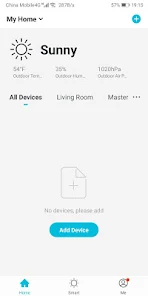
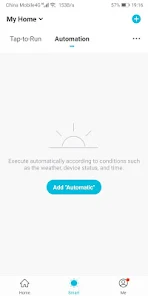
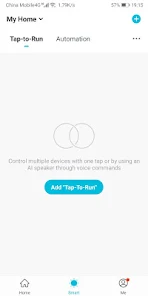
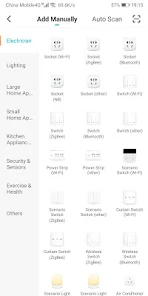
The user experience of LaView is notable for its intuitive design and seamless navigation. Upon opening the app, users are greeted with a clean interface that prioritizes ease of use. The onboarding process is straightforward, guiding users through the initial setup with clear instructions. The AR features are particularly impressive, allowing for quick and precise overlays in real-world settings. Users report minimal lag when accessing camera feeds and other functionalities, making the app feel responsive and reliable. The ability to customize notifications and settings adds a layer of personalization that enhances user satisfaction. Overall, the blend of functionality and user-friendly design makes LaView an appealing choice for both tech-savvy individuals and those less familiar with smart technology.

Pricing

LaView offers a competitive pricing structure that caters to a variety of users. The app is free to download, providing access to basic features that are perfect for casual users. For those looking for more advanced functionalities, such as enhanced security features or additional AR tools, LaView offers a subscription model. Users can choose between monthly and yearly plans, with the latter providing a discount for long-term commitment. Furthermore, LaView occasionally runs promotions, allowing new users to explore premium features at a reduced rate. This flexible pricing strategy ensures that users can find a plan that meets their needs without breaking the bank.

Updates & Support

LaView is committed to providing regular updates to enhance user experience and introduce new features. The development team actively seeks user feedback, which informs the updates and improvements they implement. Users can expect periodic app updates that address bugs, enhance performance, and add exciting new functionalities. In terms of support, LaView offers a comprehensive help center within the app, featuring FAQs and troubleshooting guides. Additionally, users can reach out to customer service through email or social media for more personalized assistance. The combination of regular updates and dedicated support ensures that users feel valued and can maximize their experience with LaView.

verified Security & Privacy Review

LaView takes user security and privacy seriously, implementing robust measures to protect personal data. The app utilizes end-to-end encryption for data transmission, ensuring that sensitive information remains secure from unauthorized access. User data is stored securely on servers that comply with industry standards, minimizing the risk of data breaches. In terms of permissions, LaView requests only the necessary access to function effectively. Users are informed about the permissions required, such as location services and camera access, and can choose to grant or deny these requests. This transparency fosters trust and empowers users to make informed decisions about their data sharing. LaView has a clear privacy policy that outlines how user data is collected, used, and shared. The app commits to not selling user information to third parties and provides options for users to manage their privacy settings. Regular updates and security patches are rolled out to address potential vulnerabilities, ensuring that user data remains safe over time. Overall, LaView demonstrates a strong commitment to security and privacy, making it a reliable choice for users concerned about their data protection.

User Reviews

  • shelly
    2025/04/14

    worked when I first got it and I was excited to use it. But sadly its junk. I always just get error messages that it cant establish an encrypted channel. And then you just get the spinning wheel of death (which means please continue to wait while the app does nothing to resolve the issue. I reached out multiple times to customer service but they are useless. They just tell you to restart your device, re-download the app, and clear your cache. They won't tech support to fix the constant issues.

  • w peters
    2026/05/23

    I bought this system as a cheap alternative to Ring and I am incredibly disappointed. The playback is glitchy and clunky and the sensitivity settings on the cameras are so finicky either you get nothing at all and the kids skate on their curfew or every bug flying in front of the camera all night long sets it off. I recommend you buy a ring camera if you actually intend on going back and looking at any of your videos.

  • Scott Huskey
    2023/11/07

    Love the cameras, night vision works great, motion detection works great, I love being able to use the chat function when my boys are getting in and out of bed. The only reason this is not a 5 star is because of the constant adds now running whenever I open the app. If motion goes off, I need to know my kids are safe, not that you have a sale going on right now for storage, which I don't need! Remove the constant adds, and I'll gladly change my rating to a 5.

  • kenneth bacon
    2022/11/08

    I don't know what is worse, the camera/doorbell or the app. The doorbell has never worked properly for motion detection, and I have gone through the settings over and over, reset the camera, and reinstalled the app. The app by the way is junk also. I have been trying to install an update over he last few days and no go. Two good things, it was cheap, on sale for $39 when I got it, and still will function as a doorbell. Get a Ring doorbell they work well, easy to install.

  • Aaron Nicholson
    2023/06/04

    Was fine until they added pop up adds. Switching from 1 camera to another? Be prepared for a timed pop up add. Hear something outside, and need to quickly check the camera? You'll have to wait for the pop up to clear before choosing the camera you want to view. Yes you can replay saved video, but you have to wait a few minutes for it to batch save before its available. Then the playback controls aren't precise, have to stop a few minutes before the event, or you'll pass it up. frustrating.

Review Source: Google Play store public user reviews.

FAQ

1

Does LaView collect my personal data?

LaView collects minimal personal data necessary for account creation and functionality, and adheres to privacy policies to safeguard your information.

2

Does LaView offer a free trial or free version?

Yes, LaView offers a free version with basic features, as well as a free trial for their premium services.

3

Does LaView require an internet connection?

Yes, LaView requires an internet connection to access live feeds and recordings, as it connects to your devices remotely through the cloud.

4

How can I contact support or send feedback for LaView?

You can contact LaView support through the app, their official website, or via email, and feedback can be submitted directly through the app or website feedback forms.

5

How do I manage or cancel my LaView subscription?

You can manage or cancel your LaView subscription through the app settings or your account management page on the LaView website.

How to use LaView

1

How can I contact LaView customer service?

You can reach LaView customer service via their official website or by calling their customer support number listed in the app.

2

How do I activate my LaView account?

To activate your LaView account, follow the link in the activation email sent to you after registration.

3

How do I log in to the LaView app?

Open the app, enter your registered email and password, then click on 'Log In' to access your account.

4

What is the customer number for LaView?

The customer service number for LaView can typically be found in the app’s support section or on their website.

What's New

Thanks for using the LaView app! We're listening to your feedback and working hard to improve our app. Here's what's new:1.Optimized the user experience related to the device;2.Fixed app crashes and freezes on some mobile phone models;3.Minor bug fixed and overall stability enhancement.Should you have any questions about using LaView products, please contact us at [email protected]. We'd love to hear from you.

Editor's Choice