This site uses cookies to enhance your user experience. By clicking any link on this site you are giving your consent to our cookie policy. Read more
Reject
Accept All
LastPass Authenticator

LastPass Authenticator

verified Verified App

Developer: LastPass US LP

  • category

    Category: Productivity

  • price

    Price: free

  • age rating

    Age Rating: Everyone

  • rating

    Rating: 4.4

  • download

    Downloads: 1,000,000+

  • version

    Version: 2.25.0

Screenshot 1
Screenshot 2
Screenshot 3
Screenshot 4
Screenshot 5
Screenshot 6
Screenshot 7
Screenshot 8
Screenshot 9
Screenshot 10

Features & Highlights

Backup Codes

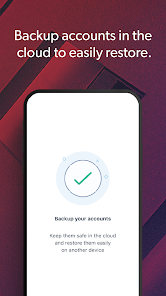
Never worry about losing access to your accounts again with the backup codes feature. LastPass Authenticator provides you with secure backup codes that can be used when your primary device is unavailable, ensuring you can always regain access to your important accounts without hassle.

Cross-Platform Sync

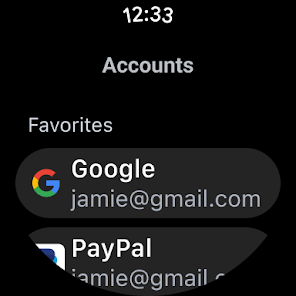
LastPass Authenticator offers seamless cross-platform syncing, allowing you to use your authentication codes on multiple devices. Whether you switch from your phone to tablet or need to access your accounts on a different device, your codes are always there when you need them.

Multi-Factor Authentication

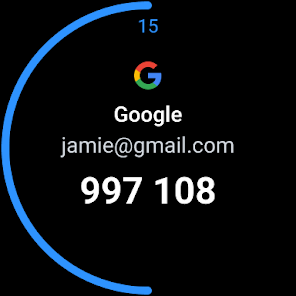
Enhance your online security with LastPass Authenticator's multi-factor authentication support. This feature allows you to add an extra layer of protection by requiring not just your password, but also a time-sensitive code generated by the app, making it significantly harder for unauthorized users to access your accounts.

One-Tap Login

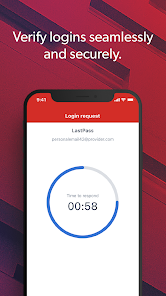
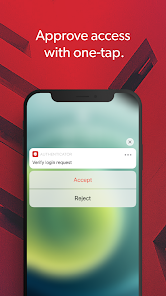
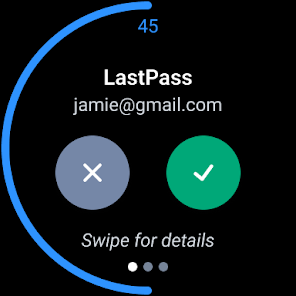
LastPass Authenticator simplifies your login experience with one-tap authentication. Instead of entering codes manually, you can approve or deny login attempts directly from your device, making access to your accounts faster and more convenient while maintaining a high level of security.

Pros & Cons

Pros
  • Enhances account security with two-factor authentication.
  • Generates one-time codes quickly and easily.
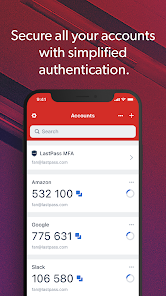
  • Supports multiple accounts for convenience.
  • Syncs across devices for seamless access.
  • User-friendly interface simplifies login processes.
Cons
  • Limited backup options for account recovery.
  • No biometric authentication for added security.
  • Lacks support for multiple devices simultaneously.
  • User interface can be confusing for beginners.

Real Experience Using LastPass Authenticator

Application Scenarios

LastPass Authenticator is an essential tool for anyone looking to enhance their online security. The application is particularly beneficial for users who frequently access sensitive accounts, such as banking, email, and social media. In today’s digital landscape, where cyber threats are rampant, having an additional layer of security is crucial. LastPass Authenticator is perfect for individuals who want to implement two-factor authentication (2FA) across various platforms, ensuring that even if their passwords are compromised, their accounts remain secure. The app seamlessly integrates with numerous services, making it an ideal choice for both personal and professional use. Whether you are logging into your workplace accounts or managing your personal finances, LastPass Authenticator provides a reliable safeguard against unauthorized access.

User Experience

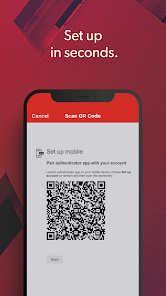
The user experience of LastPass Authenticator is streamlined and intuitive. Upon downloading the app, users are greeted with a simple and user-friendly interface that allows for easy navigation. Setting up the app is straightforward; users can quickly link it with their existing LastPass accounts or other services that support 2FA. The app generates time-based one-time passwords (TOTPs) that are both secure and easy to use. Users appreciate the ability to receive push notifications for login attempts, which adds an extra layer of convenience and security. The app is designed to cater to users of all tech-savviness levels, making it accessible for both beginners and advanced users alike. Overall, LastPass Authenticator delivers a smooth and efficient experience that prioritizes security without compromising usability.

Pricing

LastPass Authenticator is available for free, making it an attractive option for users looking to enhance their security without incurring any costs. The free version provides all the essential features needed for secure two-factor authentication. Additionally, LastPass offers premium plans for users who desire more advanced features, such as additional cloud storage and enhanced security options. However, for most users, the free version of LastPass Authenticator provides sufficient functionality to meet their security needs. This accessibility allows anyone to implement stronger security measures without the burden of financial commitment.

Updates & Support

LastPass is committed to providing regular updates to enhance the functionality and security of the Authenticator app. The development team actively addresses user feedback and implements improvements to ensure the app remains effective against emerging threats. Users can easily find support through the LastPass website, where a comprehensive knowledge base and customer service options are available. Additionally, the LastPass community forums provide a platform for users to share experiences and seek advice. With a dedicated support system and consistent updates, LastPass Authenticator remains a reliable choice for users seeking to fortify their online security.

verified Security & Privacy Review

LastPass Authenticator is designed with robust security measures to safeguard user data. It employs two-factor authentication (2FA) to enhance account security, generating time-based, one-time passwords that provide an additional layer beyond traditional passwords. The app prioritizes user privacy by ensuring that minimal data is collected during use. It does not require users to provide personal information beyond what is necessary for authentication. Furthermore, all data stored in LastPass is encrypted using AES-256 bit encryption, ensuring that even in the event of a data breach, user information remains secure. In terms of permissions, LastPass Authenticator requires access to the device's camera for QR code scanning and notifications to alert users of authentication requests. These permissions are essential for the app's functionality and are handled with transparency. LastPass adheres to strict privacy practices, ensuring user data is not shared with third parties without explicit consent. This commitment to data protection helps build trust among users, making LastPass Authenticator a reliable choice for securing sensitive information.

Reviews

4.4

“Easy to use and set up quickly”

“Reliable for two-factor authentication”

“Syncs seamlessly across devices”

“Occasional issues with backup restoration”

“Great security feature for peace of mind”

Editor's Choice