This site uses cookies to enhance your user experience. By clicking any link on this site you are giving your consent to our cookie policy. Read more
Reject
Accept All
Keeper Password Manager

Keeper Password Manager

verified Verified App

Developer: Keeper Security, Inc.

  • category

    Category: Productivity

  • price

    Price: free

  • age rating

    Age Rating: Everyone

  • rating

    Rating: 4.6

  • download

    Downloads: 10,000,000+

  • version

    Version: /

Screenshot 1
Screenshot 2
Screenshot 3
Screenshot 4
Screenshot 5
Screenshot 6
Screenshot 7
Screenshot 8
Screenshot 9
Screenshot 10
Screenshot 11
Screenshot 12
Screenshot 13
Screenshot 14
Screenshot 15
Screenshot 16
Screenshot 17
Screenshot 18
Screenshot 19
Screenshot 20
Screenshot 21
Screenshot 22
Screenshot 23
Screenshot 24
Screenshot 25
Screenshot 26
Screenshot 27
Screenshot 28
Screenshot 29
Screenshot 30

Features & Highlights

Cross-Platform Synchronization

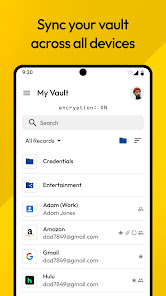
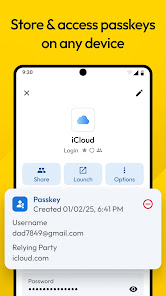
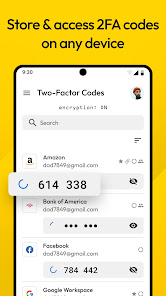
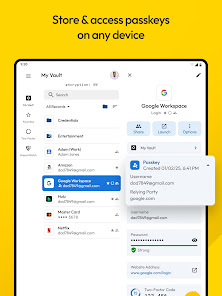
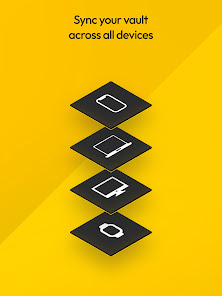
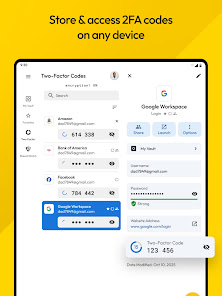
With Keeper, your passwords and sensitive data are seamlessly synchronized across all your devices. Whether you're on a smartphone, tablet, or desktop, you can access your vault anytime, anywhere, making it incredibly convenient to manage your passwords on the go.

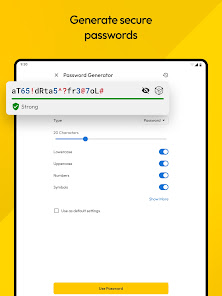
Password Generator

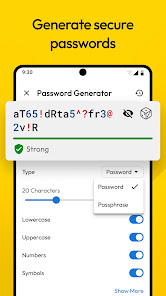
Creating strong, unique passwords is crucial for online security, and Keeper's built-in password generator makes it easy. This feature not only generates complex passwords but also allows you to customize length and character types, ensuring your accounts are safeguarded with the best possible defenses.

Secure File Storage

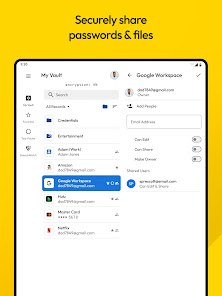
Keeper goes beyond just passwords, offering a secure file storage feature that allows you to safely store sensitive documents and files. This ensures that important information like financial documents and personal identification are protected in a single, encrypted location.

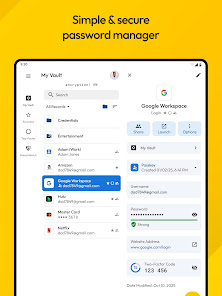
Secure Password Vault

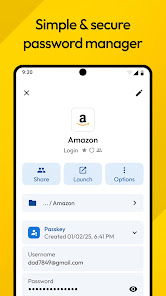
Keeper Password Manager offers a robust and secure password vault that keeps all your login credentials encrypted and accessible only to you. With advanced security features like biometric login and zero-knowledge architecture, you can trust that your sensitive information is protected against unauthorized access.

Pros & Cons

Pros
  • Securely stores all your passwords and data.
  • Offers seamless synchronization across all devices.
  • Features strong encryption for maximum security.
  • User-friendly interface simplifies password management.
  • Includes dark web monitoring for added protection.
Cons
  • Expensive subscription plans for premium features
  • Occasional syncing issues across devices
  • Complex interface may confuse new users
  • Limited support for certain browsers

Real Experience Using Keeper Password Manager

Application Scenarios

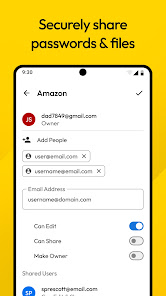
Keeper Password Manager is designed to cater to a variety of users seeking a reliable way to secure their digital lives. Whether you are a busy professional managing multiple accounts, a student keeping track of various login credentials, or a family looking to safeguard shared passwords, Keeper serves as a comprehensive solution. The app is particularly useful for those who frequently engage in online banking, e-commerce, or social media, where password security is paramount. Additionally, Keeper's secure sharing feature allows users to share passwords safely with trusted individuals, making it ideal for teams and families alike. With features like password generation and breach monitoring, Keeper ensures that users can navigate their digital environments with confidence and peace of mind.

User Experience

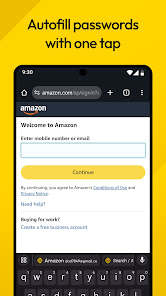
User experience is at the forefront of Keeper Password Manager's design. The interface is intuitive and user-friendly, making it accessible for individuals of all tech-savviness levels. Upon downloading the app, users are guided through a straightforward setup process that includes creating a master password, which is the key to accessing all stored credentials. The dashboard provides a clean overview of saved passwords, with options to categorize them for easy retrieval. Additionally, Keeper offers biometric logins, such as fingerprint and facial recognition, enhancing both security and convenience. Users have praised the app's seamless syncing capabilities across devices, ensuring that passwords are accessible anytime, anywhere. Overall, the user experience is enhanced by robust security features that do not compromise ease of use.

Pricing

Keeper Password Manager operates on a subscription-based pricing model, which offers flexibility and scalability for users. The app provides a free trial period, allowing potential subscribers to explore its features before committing. The individual plan is reasonably priced and includes essential features like unlimited password storage, breach monitoring, and secure sharing. For families, Keeper offers a family plan that accommodates multiple users under one subscription, making it a cost-effective choice for those looking to safeguard their loved ones' digital security. Additionally, Keeper provides business plans tailored for organizations, featuring advanced security protocols and team management tools. This tiered pricing structure ensures that Keeper meets the varying needs of its diverse user base.

Updates & Support

Keeper Password Manager is committed to continuous improvement, regularly releasing updates that enhance functionality and security. The development team actively listens to user feedback, ensuring that new features align with user needs. The app’s customer support is robust, offering multiple channels for assistance, including a detailed help center, live chat, and email support. Users can access a wealth of resources, including FAQs and tutorial videos to help navigate the app's features. Regular software updates not only patch security vulnerabilities but also introduce new functionalities, keeping the app relevant in a rapidly evolving digital landscape. Overall, Keeper’s dedication to updates and customer support reinforces its reputation as a dependable password management solution.

verified Security & Privacy Review

The Keeper Password Manager prioritizes user security and privacy with a robust architecture designed to protect sensitive information. It employs zero-knowledge encryption, ensuring that only users can access their data, as not even Keeper can view or decrypt it. This means that all passwords and files are encrypted locally before being transmitted to the cloud, providing an additional layer of security. Keeper adheres to strict privacy practices, minimizing data collection and never selling user information to third parties. Users have complete control over their data and can manage permissions effectively, allowing for secure sharing of passwords with trusted individuals without compromising privacy. The app requests essential permissions only, such as access to the device’s storage for backup purposes. Users can also enable biometric authentication for quick and secure access to their vault, enhancing both convenience and security. Overall, Keeper’s commitment to data security and privacy makes it a reliable choice for users seeking to safeguard their digital lives.

Reviews

4.6

“Secure and easy to use for managing passwords”

“Reliable syncing across devices”

“Customer support is responsive and helpful”

“User-friendly interface makes navigation simple”

“Great value for the features offered”

Editor's Choice