This site uses cookies to enhance your user experience. By clicking any link on this site you are giving your consent to our cookie policy. Read more
Reject
Accept All
IP Tools: Network Utilities

IP Tools: Network Utilities

verified Verified App

Developer: IP Tools Network Utilities

  • category

    Category: Tools

  • price

    Price: free

  • age rating

    Age Rating: Everyone

  • rating

    Rating: 4.6

  • download

    Downloads: 10,000,000+

  • version

    Version: 9.5.3

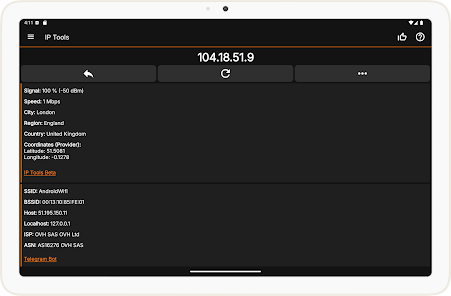
Screenshot 1
Screenshot 2
Screenshot 3
Screenshot 4
Screenshot 5
Screenshot 6
Screenshot 7
Screenshot 8
Screenshot 9
Screenshot 10
Screenshot 11

Features & Highlights

DNS Lookup

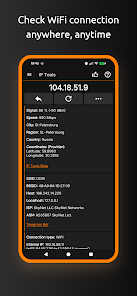
The DNS Lookup feature helps you resolve domain names into IP addresses and vice versa. This tool is incredibly useful for troubleshooting domain-related issues, allowing you to verify domain configurations and ensuring that your web applications function smoothly.

IP Address Scanner

Easily identify all devices connected to your network with the IP Address Scanner. This feature provides detailed information about each device, including IP addresses and MAC addresses, helping you manage your network more effectively and troubleshoot connectivity issues with ease.

Ping Test

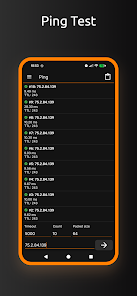
The Ping Test feature allows you to measure the response time of any IP address or hostname. This tool is essential for diagnosing network latency issues, ensuring that your connection is stable and reliable, while providing helpful statistics to optimize your network performance.

Port Scanner

With the Port Scanner, you can quickly check which ports are open on any device. This capability is crucial for network security, allowing you to identify potential vulnerabilities and ensure that only necessary services are accessible, giving you peace of mind about your network's safety.

Pros & Cons

Pros
  • User-friendly interface for easy navigation and access
  • Comprehensive suite for network diagnostics and analysis
  • Real-time monitoring to track network performance efficiently
  • Supports multiple protocols for versatile network management
  • Helpful troubleshooting tools to resolve connectivity issues
Cons
  • Limited features compared to more advanced tools
  • User interface may feel outdated and cluttered
  • Inaccurate results in complex network scenarios
  • Lacks comprehensive support and documentation

Real Experience Using IP Tools: Network Utilities

Application Scenarios

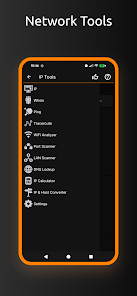
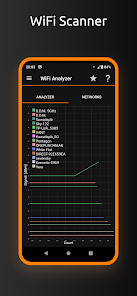
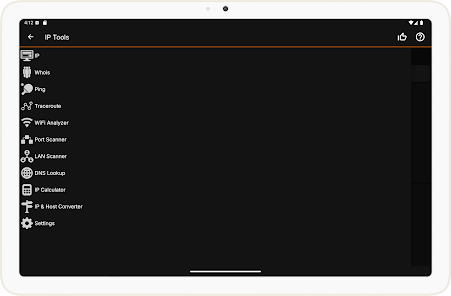
IP Tools: Network Utilities serves a wide array of users, from casual internet surfers to IT professionals. Its versatile toolkit is perfect for diagnosing network issues, measuring connection speeds, and analyzing Wi-Fi networks. For instance, a home user may utilize the app to test their internet speed and troubleshoot connectivity problems, while network administrators can leverage its advanced features like ping tests and port scanning to ensure network integrity. The app is also beneficial for businesses, allowing IT teams to monitor network performance and troubleshoot any anomalies in real time. Whether you are setting up a home network or managing a corporate IT infrastructure, this app provides the essential utilities to gauge and enhance network performance.

User Experience

The user experience of IP Tools: Network Utilities is generally smooth and intuitive. The app presents a clean interface that is easy to navigate, even for those who may not be tech-savvy. Each tool is clearly labeled, making it effortless to find what you need quickly. Users have reported that the speed tests are accurate and provide results almost instantaneously. The app also allows users to save data logs, which is particularly useful for tracking performance over time. However, some users have noted occasional glitches or slow loading times, especially when switching between tools. Overall, the app’s functionality and user-friendly design make it a reliable choice for anyone looking to manage their network effectively.

Pricing

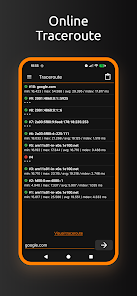
IP Tools: Network Utilities follows a freemium model, offering a robust set of features at no cost. The free version includes essential tools such as ping, traceroute, and DNS lookup, which are sufficient for most casual users. For those who require more advanced features like port scanning and additional network analysis tools, a premium version is available for a modest fee. The pricing structure is competitive compared to similar apps on the market, and the value offered by the premium features has been well-received by users who need comprehensive network management capabilities.

Updates & Support

The developers of IP Tools: Network Utilities have shown a commitment to keeping the app updated with new features and enhancements. Regular updates are released, addressing bugs and improving performance based on user feedback. The support team is accessible and responsive, with a dedicated section on their website for FAQs and troubleshooting tips. Users can also reach out through the app for direct support, which adds an extra layer of convenience. Overall, the ongoing support and frequent updates contribute to a positive user experience, ensuring that the app remains relevant in a fast-evolving tech landscape.

verified Security & Privacy Review

The IP Tools: Network Utilities app prioritizes user security and privacy through a transparent approach to data handling. It does not require unnecessary permissions, which minimizes potential exposure to user data. The app primarily focuses on network diagnostics and utilities, ensuring that it operates within its intended purpose without collecting excessive personal information. The app's privacy policy clearly outlines its data collection practices, stating that it does not store sensitive user data or track user behavior. Users can feel secure knowing that their network information is processed locally, without being transmitted to external servers. Additionally, the app employs standard encryption protocols during data transmission, enhancing the security of any information that may be shared during its usage. Overall, IP Tools: Network Utilities demonstrates a commitment to maintaining user privacy while providing essential network functionalities. Users are encouraged to review the privacy policy for a comprehensive understanding of data practices, ensuring informed usage of the app.

Reviews

4.6

“Great for troubleshooting network issues quickly and easily”

“User-friendly interface with powerful tools”

“Accurate results for IP address and port scanning”

“Essential app for network professionals and enthusiasts”

“Regular updates improve functionality and performance”

Editor's Choice