This site uses cookies to enhance your user experience. By clicking any link on this site you are giving your consent to our cookie policy. Read more
Reject
Accept All

Advertiser and Editorial Disclosures

iHealth MyVitals

iHealth MyVitals

verified

iHealth Labs, Inc.

4.8
Rating
500,000+ Downloads
4.13.1 Version
  • category

    Category: Health & Fitness

  • price

    Price: free

  • age rating

    Age Rating: Everyone

  • rating

    Rating: 4.8

  • available on

    Available on: /

  • updated on

    Updated on: Apr 15, 2026

Screenshot 1
Screenshot 2
Screenshot 3
Screenshot 4
Screenshot 5
Screenshot 6
Screenshot 7
Screenshot 8
Screenshot 9
Screenshot 10
Screenshot 11
Screenshot 12
Screenshot 13
Screenshot 14
Screenshot 15
Screenshot 16
Screenshot 17
Screenshot 18
Screenshot 19
Screenshot 20
Screenshot 21
Screenshot 22
Screenshot 23
Screenshot 24

Features & Highlights

Data Sharing

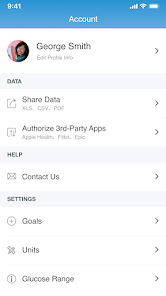
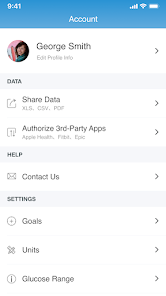
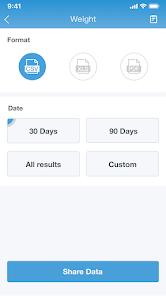
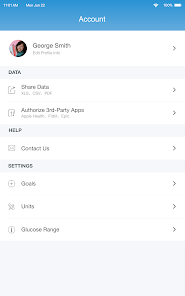
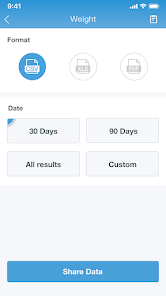
With iHealth MyVitals, you can effortlessly share your health data with healthcare providers and family members. This feature promotes collaboration and ensures that your support network is informed about your health status, making it easier to manage chronic conditions or reach wellness goals together.

Health Monitoring

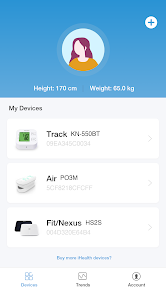
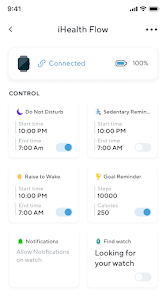
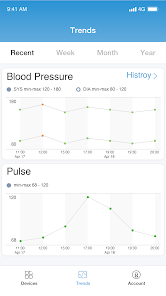
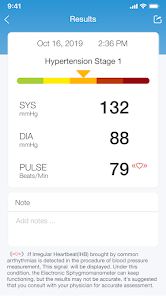
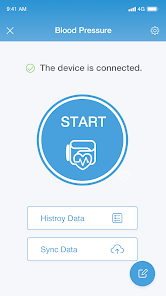
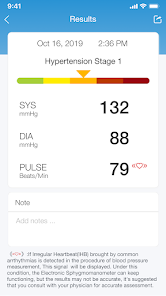
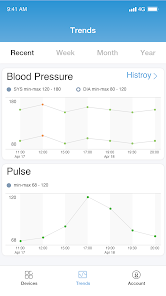
iHealth MyVitals provides a comprehensive platform for tracking various health metrics, including blood pressure, heart rate, and weight. Users can easily log their data and monitor trends over time, empowering them to make informed decisions about their health and wellness journey.

Personalized Insights

The app offers tailored insights based on your health data, helping you to identify patterns and make necessary lifestyle adjustments. By analyzing your metrics, iHealth MyVitals can suggest actionable steps to improve your overall health, making wellness feel more achievable and personalized.

User-Friendly Interface

Designed with simplicity in mind, iHealth MyVitals boasts an intuitive interface that makes navigating through your health data a breeze. Whether you're a tech novice or a seasoned user, you’ll find it easy to access your information and utilize the app’s features without any hassle.

Pros & Cons

Pros
  • Tracks vital signs easily and accurately
  • Syncs with mobile devices for convenience
  • Provides personalized health insights and trends
  • Enables sharing data with healthcare professionals
  • Encourages proactive health management and awareness
Cons
  • Limited integration with other health apps
  • Requires constant internet connection
  • Data accuracy can be inconsistent
  • User interface may be confusing for some

Real Experience Using iHealth MyVitals

Application Scenarios

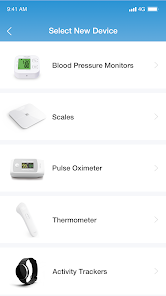
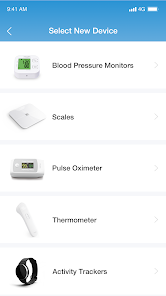
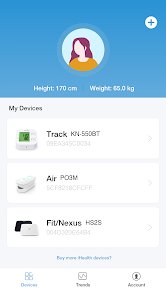
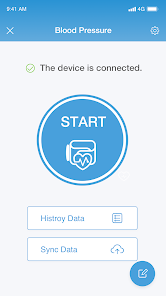
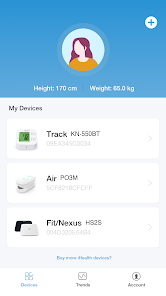
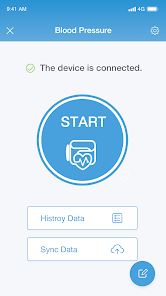
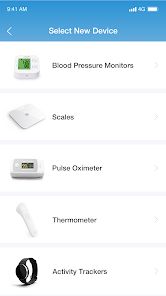
The iHealth MyVitals app is designed to cater to a variety of health monitoring needs, making it suitable for users ranging from fitness enthusiasts to individuals managing chronic conditions. One common scenario is tracking daily health metrics, such as weight, blood pressure, and heart rate. For those engaged in weight management, the app provides an intuitive interface to log meals and workouts, making it easier to stay accountable. Users can also record vital signs, which is particularly beneficial for individuals with health concerns that require regular monitoring. Another scenario involves the integration of the app with iHealth devices, such as blood pressure monitors and scales, allowing seamless data synchronization for a holistic view of one’s health over time.

User Experience

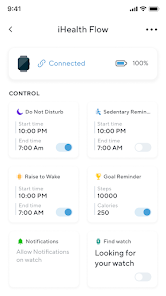
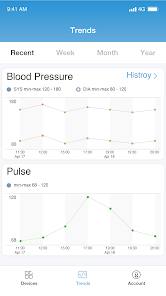
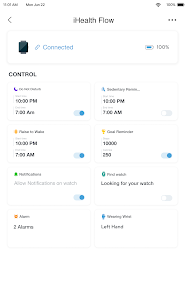
The user experience of iHealth MyVitals is generally positive, characterized by its user-friendly interface and engaging design. The app is easy to navigate, with clearly labeled sections for different health metrics. Users appreciate the visually appealing graphs and charts that illustrate their progress over time, providing motivation and insights into their health journey. The app also features customizable reminders for medication and check-ups, ensuring users remain proactive about their health. Integration with Apple Health and Google Fit enhances the experience by allowing users to consolidate their health data in one place. However, some users have reported occasional syncing issues with devices, which can be frustrating but typically resolve with app updates.

Pricing

iHealth MyVitals operates on a freemium model, offering essential features at no cost while providing additional premium features through in-app purchases. The free version grants access to basic health tracking functionalities, which are sufficient for many users. However, for those seeking advanced features, such as personalized health insights or enhanced reporting tools, a subscription may be worth considering. Pricing varies depending on the features selected, and users often find value in the premium options, especially if they are serious about managing their health.

Updates & Support

The iHealth MyVitals app benefits from regular updates that enhance functionality and fix bugs. The development team is proactive in addressing user feedback, which is reflected in the consistent improvements rolled out in recent versions. Support is readily available through the app’s help section, which includes FAQs and troubleshooting guides. For more personalized assistance, users can contact customer support via email or through the app. Overall, the responsiveness of the iHealth team contributes positively to the user experience, making it easier for users to navigate any issues that may arise.

verified Security & Privacy Review

The iHealth MyVitals app places a strong emphasis on security and privacy, ensuring users' health data is well-protected. The app employs advanced encryption protocols to safeguard sensitive information during transmission and storage, minimizing the risk of unauthorized access. Users are informed about the data collection practices through a clear privacy policy, which outlines what information is gathered, how it is used, and with whom it may be shared. The app primarily requires permissions related to health data, such as access to Bluetooth for syncing devices, while minimizing unnecessary access to other personal information. The app’s compliance with relevant regulations, such as HIPAA, further enhances user trust, as it demonstrates a commitment to maintaining the confidentiality and security of health information. Users have control over their data, with options to manage sharing settings and delete their information if desired. Overall, iHealth MyVitals demonstrates a strong commitment to user privacy and data security, making it a reliable choice for individuals concerned about health data protection.

User Reviews

  • Vicky Latorre
    2025/10/11

    I love how easy it is to use; both the device (KN-550BT) and the app. Batteries were included in the purchase. I know for some people it isn't important, but I hate going around the house trying to find some because I always forget. The buttons, and display are big. Very nice!!!, and the colors chosen (white device + baby blue cuff) are very pleasant. ❤️❤️❤️ I definitely Recommend iHealth. They know what they are doing. Oh readings are saved for FREE. I'm so happy that I'm telling everyone.

  • Drone Flyer
    2026/06/27

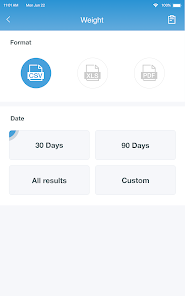
    Aside from the sphygnomanometer reading high, the app randomly deletes data. without rhyme or reason. I upload data from my machine, and I make sure I press safe data. but several times now. it deletes data from different dates. Also, I am only able to create a report by using the PDF format. However when printed, the numbers are so small and not able to edit the size.

  • Glynda Lomax
    2026/02/21

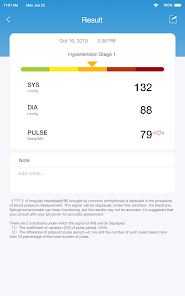
    i have used this app with a kn-550bt bp monitor for over a year. it is very easy to use, transfers data to the app seamlessly. i like that it has a place to make notes with each entry because diet and emotions have an effect on bp and i like to make notes on the higher readings. HOWEVER, I just discovered when doing my first data export that the ao does NOT export the notes, only the readings. notes are important, somebody should fix this, thats the only readon I did not rate this app 5 stars

  • Todd Thrasher
    2026/03/18

    Had worked fine for 8 or 9 months, now suddenly I can't upload data from my heart rate monitor. Bluetooth will initially connect, but then I get a "network timed out(102)" error. Everything is supposed to be in "select specific readings to upload", but the network times out before I can ever see that screen in the app.

  • Harold Cullen
    2025/03/21

    like the size, weight and portability. However. "Walk on water" instructions. You'll darn near drown before you figure out where the rocks are instruction. Not for us older folks who need these things. Font too small and light for mobile phone use. Certainly no need for personal information "required" to set up app. Hopefully the product is better than the app. I guess we'll see...

Review Source: Google Play store public user reviews.

FAQ

1

Does iHealth MyVitals collect my personal data?

Yes, iHealth MyVitals collects personal data, including health metrics and usage information, to provide personalized insights and improve app functionality, but it adheres to privacy policies to protect your information.

2

Does iHealth MyVitals offer a free trial or free version?

iHealth MyVitals typically offers a free version with basic features, while premium features may require a subscription; specific trial offers may vary based on promotions.

3

Does iHealth MyVitals require an internet connection?

Yes, iHealth MyVitals requires an internet connection for data synchronization, updates, and accessing cloud features, although some functionalities may be available offline.

4

How can I contact support or send feedback for iHealth MyVitals?

You can contact support or send feedback for iHealth MyVitals through the app's help section, which provides options for customer support via email or an online contact form.

5

How do I manage or cancel my iHealth MyVitals subscription?

You can manage or cancel your iHealth MyVitals subscription through your account settings within the app or by visiting the app store where you purchased the subscription.

How to use iHealth MyVitals

1

How can I contact customer service for the iHealth MyVitals app?

You can reach iHealth customer service through their website or by calling their support number listed in the app's settings.

2

How do I log in to the iHealth MyVitals app?

Open the app and enter your registered email and password. If you’ve forgotten your password, use the "Forgot Password?" option to reset it.

3

Is there an activation process for the iHealth MyVitals app?

Yes, after downloading, create an account or log in with your existing iHealth credentials. Follow prompts to complete the setup.

4

What is the customer support number for iHealth MyVitals?

The customer support number is available on the iHealth official website under the support section.

What's New

Bug fixes.

Editor's Choice