This site uses cookies to enhance your user experience. By clicking any link on this site you are giving your consent to our cookie policy. Read more
Reject
Accept All
iCSee

iCSee

verified Verified App

Developer: Zhejiang JAIFY Co., Ltd.

  • category

    Category: Tools

  • price

    Price: free

  • age rating

    Age Rating: Everyone

  • rating

    Rating: 4.0

  • download

    Downloads: 10,000,000+

  • version

    Version: 7.7.4_G

Screenshot 1
Screenshot 2
Screenshot 3
Screenshot 4
Screenshot 5
Screenshot 6

Features & Highlights

Cloud Storage Options

With iCSee, you can choose from various cloud storage options for your recorded footage, ensuring your important moments are safe and secure. This flexibility allows you to access your videos anytime, anywhere, while also providing peace of mind that your data is protected against loss.

Real-Time Monitoring

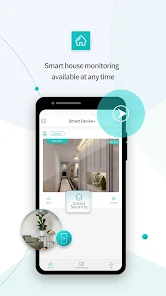
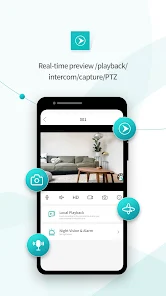
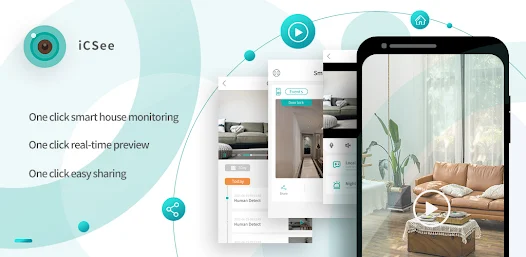
iCSee offers seamless real-time monitoring, allowing users to keep an eye on their surroundings from anywhere. With a user-friendly interface, you can easily access live feeds and receive instant notifications about any unusual activities, making it perfect for home security or business surveillance.

Two-Way Audio

Stay connected with the two-way audio feature that enables clear communication through your camera. Whether you're checking in on pets or communicating with family members, this feature ensures you can speak and listen without any hassle, enhancing your overall monitoring experience.

User-Friendly Interface

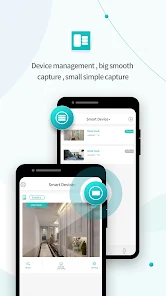
Navigating through iCSee is a breeze thanks to its intuitive design and user-friendly interface. Whether you're a tech expert or a novice, you'll find it easy to set up and manage your surveillance devices, making it accessible for everyone looking to enhance their security.

Pros & Cons

Pros
  • User-friendly interface for easy navigation
  • Real-time notifications for instant updates
  • High-definition video for clear surveillance
  • Remote access from anywhere at any time
  • Multiple camera support for comprehensive coverage
Cons
  • Limited compatibility with non-brand devices
  • User interface can be confusing
  • Frequent connectivity issues reported
  • Privacy concerns over data security

Real Experience Using iCSee

Application Scenarios

The iCSee app is primarily designed for monitoring security cameras, making it a vital tool for both personal and professional surveillance needs. Users can utilize this app in various scenarios, such as monitoring their homes while on vacation, keeping an eye on their pets during work hours, or overseeing a retail space to ensure safety and prevent theft. The app supports multiple camera views, allowing users to switch easily between different camera feeds. This flexibility is particularly useful for businesses that need to monitor various locations simultaneously. Additionally, the app’s ability to send real-time alerts for motion detection makes it a reliable choice for anyone looking to enhance their security measures.

User Experience

iCSee delivers a user-friendly interface that is accessible to both tech-savvy individuals and those less familiar with technology. The setup process is straightforward, with clear instructions guiding users through the configuration of their cameras. Once set up, navigating through the app is intuitive, with features like live view, playback, and settings adjustments easily accessible. Users have reported that the app’s video quality is impressive, with clear resolution and minimal lag during live feeds, which is crucial for effective monitoring. Notifications are timely and can be customized, allowing users to focus on alerts that matter most to them. However, some users have mentioned occasional connectivity issues, particularly when switching between Wi-Fi and mobile data, indicating a need for improved stability in varying network conditions.

Pricing

The iCSee app is free to download and offers a range of features without any initial cost. However, users interested in unlocking advanced functionalities, such as cloud storage options or additional camera support, may need to consider premium subscription plans. The pricing is competitive compared to similar apps on the market, making it an attractive option for users on a budget. Additionally, the app often runs promotions, providing users with limited-time offers that enhance its value proposition. Overall, the pricing structure is transparent, and users can easily assess the benefits of upgrading based on their individual monitoring needs.

Updates & Support

The developers of iCSee are committed to providing regular updates, which include enhancements to features, security patches, and user-requested improvements. Users can expect frequent iterations that not only refine existing functionalities but also introduce new capabilities, ensuring the app remains relevant in the evolving digital landscape. Support is readily available through the app's official website, where users can access FAQs, troubleshooting guides, and direct customer service options. User feedback is actively sought, and the development team appears responsive to community suggestions, contributing to a sense of trust and satisfaction among the user base. Overall, the combination of consistent updates and reliable support enhances the overall experience of using the iCSee app.

verified Security & Privacy Review

The iCSee app places a strong emphasis on security and privacy, ensuring that user data is handled with care. The app employs end-to-end encryption for video feeds, which protects your surveillance footage from unauthorized access. This robust encryption mechanism is crucial for users who prioritize the safety of their personal information. iCSee requires a range of permissions, including access to the camera, microphone, and storage. While these permissions are necessary for the app’s functionality, users should be cautious and review each permission request carefully. The app's privacy policy outlines how data is collected, used, and shared, providing transparency about its practices. The company claims to store user data securely and does not sell personal information to third parties. However, users are encouraged to enable two-factor authentication for an additional layer of security. Overall, iCSee demonstrates a commitment to safeguarding user privacy, but users should remain vigilant and proactive in managing their security settings.

Reviews

4.0

“User-friendly interface with great camera quality.”

“Reliable remote access and live streaming.”

“Excellent motion detection alerts.”

“App could use faster loading times.”

“Needs more customization options for notifications.”

Editor's Choice