This site uses cookies to enhance your user experience. By clicking any link on this site you are giving your consent to our cookie policy. Read more
Reject
Accept All
HP Print Service Plugin

HP Print Service Plugin

verified Verified App

Developer: HP Inc.

  • category

    Category: Productivity

  • price

    Price: free

  • age rating

    Age Rating: Everyone

  • rating

    Rating: 4.1

  • download

    Downloads: 500,000,000+

  • version

    Version: 23.2.5.3169

Screenshot 1
Screenshot 2
Screenshot 3
Screenshot 4
Screenshot 5
Screenshot 6
Screenshot 7
Screenshot 8
Screenshot 9
Screenshot 10
Screenshot 11
Screenshot 12

Features & Highlights

Flexible Printing Options

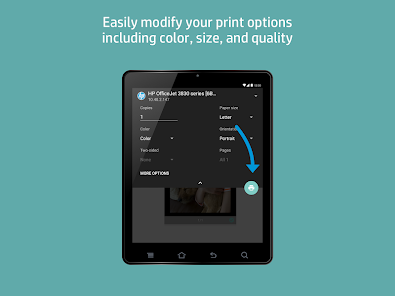
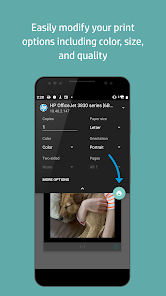
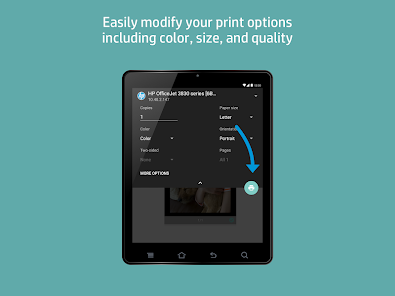
Enjoy a variety of printing options with the HP Print Service Plugin, including custom paper sizes and quality settings. This flexibility allows you to tailor your prints to specific needs, ensuring that every document or photo turns out just the way you want.

Seamless Printing

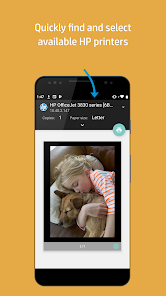
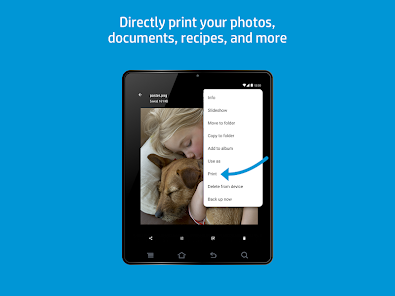
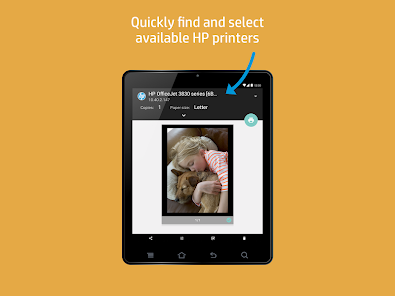
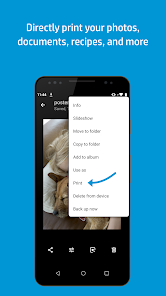
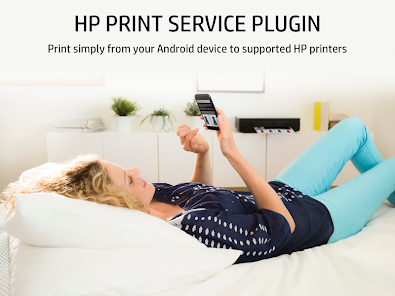
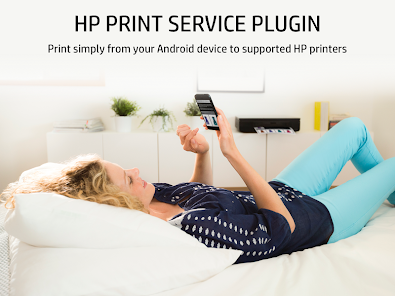
The HP Print Service Plugin enables effortless printing from your Android device directly to HP printers. With just a few taps, you can send documents, photos, and web pages to print, making it a breeze to produce hard copies whenever you need them.

User-Friendly Interface

Designed with simplicity in mind, the HP Print Service Plugin features an intuitive interface that makes printing straightforward. Even if you're not tech-savvy, you'll find navigating the app easy, allowing you to focus on your printing tasks without confusion.

Wide Printer Compatibility

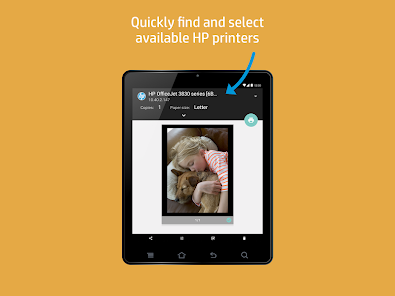
This plugin supports a vast range of HP printers, ensuring you can print from virtually any model in the HP family. Whether you're at home or in the office, you can easily connect to your printer and access all its features without hassle.

Pros & Cons

Pros
  • Seamlessly print from your mobile device.
  • Supports a wide range of HP printers.
  • User-friendly interface for easy navigation.
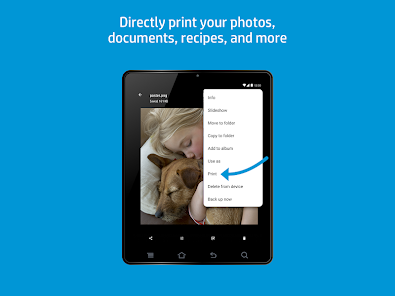
  • Print documents and photos directly from apps.
  • Fast and reliable printing on-the-go.
Cons
  • Limited compatibility with non-HP printers
  • Requires constant internet access for full functionality
  • May experience connectivity issues with mobile devices
  • User interface can be confusing for beginners

Real Experience Using HP Print Service Plugin

Application Scenarios

The HP Print Service Plugin is designed to cater to a wide range of printing needs for both personal and professional use. Whether you're printing documents for work, images for a scrapbook, or boarding passes for travel, this app provides a seamless solution. Users can easily print from various applications, including email, social media, and document editors, making it an essential tool for those who frequently work on the go. In educational settings, students can print assignments or research materials directly from their devices, minimizing the hassle of transferring files to a computer. Additionally, businesses can benefit from the plugin by printing invoices, reports, and marketing materials with just a few taps, streamlining their workflow considerably.

User Experience

The user experience of the HP Print Service Plugin is largely positive, characterized by its intuitive interface and straightforward functionality. Upon installation, users are guided through a simple setup process that connects their mobile devices to HP printers via Wi-Fi. The app supports a variety of file formats, ensuring compatibility with most documents and images. Users have reported that print jobs are processed quickly and efficiently, with minimal delays. Moreover, the app allows for customization options, such as selecting paper size, quality, and color settings, which enhances the overall printing experience. However, some users have noted occasional connectivity issues, particularly when switching networks or after updates, which can disrupt the printing process. Overall, the app delivers a reliable printing solution that meets the needs of diverse users.

Pricing

The HP Print Service Plugin is available for free on the Google Play Store, making it an accessible option for anyone with an HP printer. This pricing model is particularly advantageous for users looking to minimize expenses while still enjoying high-quality printing capabilities. There are no hidden fees or subscriptions required to use the app, which enhances its appeal. However, users should be aware that while the app itself is free, the cost of ink, paper, and maintenance of the printer is an ongoing expense to consider.

Updates & Support

The developers of the HP Print Service Plugin are proactive in providing updates to enhance functionality and address user feedback. Regular updates often include bug fixes, compatibility improvements, and added features, ensuring that the app remains current with technological advancements. Additionally, HP offers a comprehensive support system through its website, including FAQs, troubleshooting guides, and customer service contacts. Users can easily access resources to resolve any issues they encounter, contributing to a satisfactory overall experience with the app. The combination of regular updates and robust support makes the HP Print Service Plugin a reliable choice for users seeking a dependable printing solution.

verified Security & Privacy Review

The HP Print Service Plugin prioritizes user security and privacy by implementing various measures to safeguard data. The app requires certain permissions, such as access to device storage and network connections, to facilitate seamless printing. However, it does not request unnecessary permissions that could compromise user privacy. Data transmitted through the app is typically encrypted, minimizing the risk of interception during printing tasks. Users are encouraged to connect only to secure networks to further enhance their security. The app does not collect sensitive personal information unless explicitly provided by the user for specific functionalities. Moreover, HP is committed to transparency regarding data handling practices. Users can review the privacy policy to understand what data is collected, how it is used, and the measures taken to protect it. Overall, the HP Print Service Plugin demonstrates a responsible approach to user privacy, ensuring that personal information remains confidential while facilitating efficient printing solutions.

Reviews

4.1

“Easy to use and set up for printing.”

“Reliable and efficient printing from my phone.”

“Lacks some advanced features but meets basic needs.”

“Occasionally crashes, needs stability improvements.”

“Great for quick printing on the go!”

Editor's Choice