This site uses cookies to enhance your user experience. By clicking any link on this site you are giving your consent to our cookie policy. Read more
Reject
Accept All
HotSchedules

HotSchedules

verified Verified App

Developer: Fourth Enterprises, LLC

  • category

    Category: Productivity

  • price

    Price: $2.99

  • age rating

    Age Rating: Everyone

  • rating

    Rating: 3.4

  • download

    Downloads: 1,000,000+

  • version

    Version: 5.22.3

Screenshot 1
Screenshot 2
Screenshot 3
Screenshot 4
Screenshot 5
Screenshot 6
Screenshot 7
Screenshot 8
Screenshot 9
Screenshot 10
Screenshot 11
Screenshot 12
Screenshot 13
Screenshot 14
Screenshot 15
Screenshot 16
Screenshot 17
Screenshot 18

Features & Highlights

Communication Tools

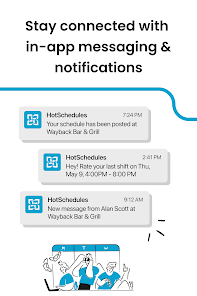
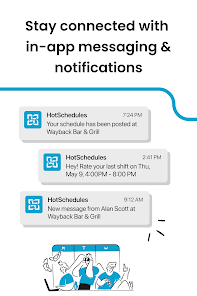
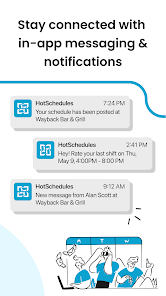
HotSchedules enhances team communication through built-in messaging features that allow staff to connect quickly. Managers can send announcements, updates, or changes directly to their team, fostering a more informed workplace and ensuring everyone stays on the same page, no matter where they are.

Employee Scheduling

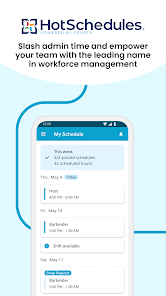
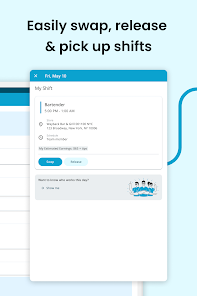
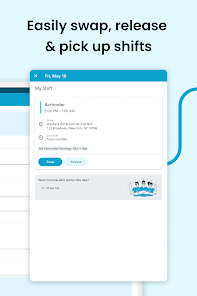
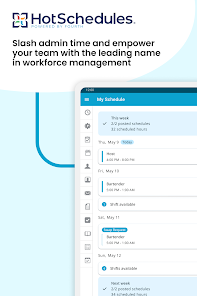
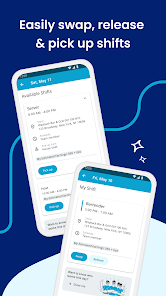
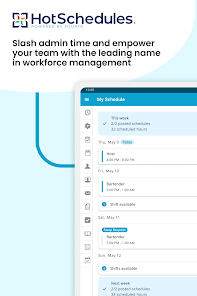
HotSchedules offers a robust employee scheduling tool that simplifies the process of creating and managing shifts. With easy drag-and-drop functionality, managers can quickly fill open shifts, reduce scheduling conflicts, and ensure optimal staff coverage, all while empowering employees to view and request their schedules seamlessly.

Inventory Management

The inventory management feature provides users with the ability to track stock levels in real-time. This functionality helps prevent over-ordering and waste, ensuring that restaurants maintain optimal inventory levels while also being able to create reports that assist in making informed purchasing decisions.

Time Tracking

The app features an integrated time tracking solution that allows employees to clock in and out directly from their mobile devices. This real-time tracking helps managers monitor attendance and labor costs more effectively, ensuring that payroll is accurate and timely while reducing administrative burdens.

Pros & Cons

Pros
  • Streamlines employee scheduling for maximum efficiency
  • Enhances communication between staff and management
  • Offers real-time updates on shift changes
  • Simplifies labor cost management and forecasting
  • Improves team accountability and performance tracking
Cons
  • User interface can be confusing for new users
  • Limited customization options for specific needs
  • High subscription costs for some businesses
  • Customer support response times can be slow

Real Experience Using HotSchedules

Application Scenarios

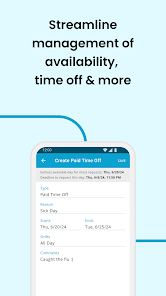
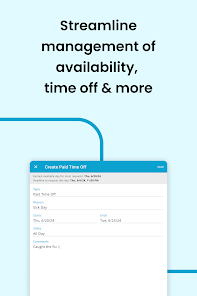
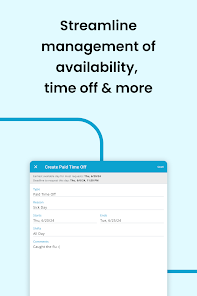
HotSchedules is an indispensable tool primarily designed for the hospitality and restaurant industries. It serves a diverse range of application scenarios, from scheduling shifts to managing labor costs and tracking employee attendance. Many users utilize the app to streamline their staff management processes, allowing managers to quickly create, modify, and publish work schedules. This feature is particularly beneficial in fast-paced environments where last-minute changes are common. Additionally, HotSchedules offers a platform for employees to view their schedules, request time off, and swap shifts with ease, fostering better communication and flexibility within teams. Beyond scheduling, the app also provides tools for inventory management, enabling users to keep track of stock levels and place orders efficiently, which is vital for maintaining operations in busy establishments.

User Experience

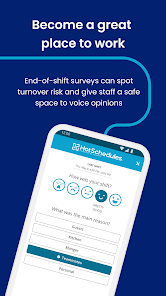
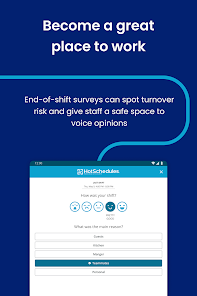
The user experience with HotSchedules is generally positive, with an intuitive interface that caters to both managers and employees. Users appreciate the app's clean design, which allows for easy navigation through its various features. The mobile version is particularly praised for its functionality, enabling staff to access their schedules on-the-go. Notifications and alerts for shift changes or upcoming tasks help keep everyone informed, reducing misunderstandings and promoting accountability. However, some users have noted that the app can occasionally lag during peak usage times, which can be frustrating for those relying on it for real-time updates. Overall, the user experience is enhanced by the app's ability to integrate with other systems, making it a comprehensive solution for managing restaurant operations.

Pricing

HotSchedules operates on a subscription-based pricing model, which can vary based on the size of the establishment and the features chosen. Typically, it offers a tiered pricing structure that allows businesses to select a plan that best fits their needs, whether they are a small café or a large restaurant chain. While the initial cost may seem steep for smaller businesses, many users report that the time and money saved through improved scheduling and management make it a worthwhile investment. Additionally, HotSchedules occasionally offers promotional rates, providing opportunities for new users to try the app at a reduced cost.

Updates & Support

HotSchedules is consistently updated to address user feedback and improve functionality. The development team is proactive in releasing new features and enhancements, ensuring that the app remains relevant in a rapidly changing industry. Users can access a dedicated support team via email or chat for assistance, and the extensive online knowledge base provides a wealth of information for troubleshooting common issues. Regular webinars and training sessions are also offered, helping users maximize the app's potential. Overall, the combination of timely updates and robust support contributes to a satisfying experience for both managers and employees.

verified Security & Privacy Review

HotSchedules takes user security and privacy seriously, implementing a range of measures to protect sensitive information. The app employs encryption protocols for data transmission, ensuring that user credentials and personal details remain secure from unauthorized access. Regular updates and security patches are applied to address potential vulnerabilities, demonstrating the developers' commitment to maintaining a secure environment. User data handling practices are transparent, with clear privacy policies outlining how personal information is collected, used, and shared. Users are encouraged to review these policies to understand their rights and the app's data usage. HotSchedules collects only the necessary permissions required for optimal functionality, minimizing the risk of excessive data access. Furthermore, users have control over their privacy settings, allowing them to manage notifications and data sharing preferences effectively. Overall, HotSchedules prioritizes data security and user privacy, making it a reliable choice for managing schedules in a professional setting.

Reviews

3.4

“User-friendly interface makes scheduling effortless and efficient.”

“Great for managing shifts and communication with coworkers.”

“Reliable app that simplifies staff scheduling significantly.”

“Love the notifications; never miss a shift again.”

“Customer support is responsive and helpful when needed.”

Editor's Choice