This site uses cookies to enhance your user experience. By clicking any link on this site you are giving your consent to our cookie policy. Read more
Reject
Accept All

Advertiser and Editorial Disclosures

GuitarTuna: Tune & Play Guitar

GuitarTuna: Tune & Play Guitar

verified Verified App

Developer: Yousician Ltd.

  • category

    Category: Tools

  • price

    Price: free

  • age rating

    Age Rating: Everyone

  • rating

    Rating: 4.5

  • download

    Downloads: 100,000,000+

  • version

    Version: 7.86.0

Screenshot 1
Screenshot 2
Screenshot 3
Screenshot 4
Screenshot 5
Screenshot 6
Screenshot 7
Screenshot 8
Screenshot 9
Screenshot 10
Screenshot 11
Screenshot 12
Screenshot 13
Screenshot 14
Screenshot 15
Screenshot 16
Screenshot 17
Screenshot 18
Screenshot 19
Screenshot 20
Screenshot 21
Screenshot 22
Screenshot 23
Screenshot 24

Features & Highlights

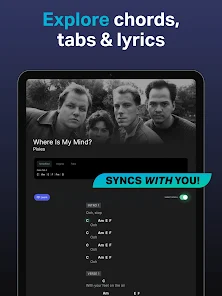
Chord Library

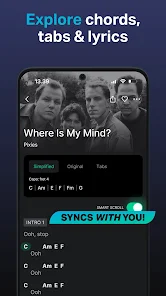
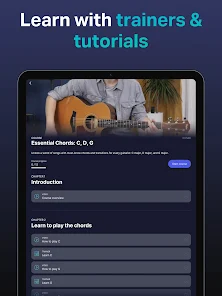
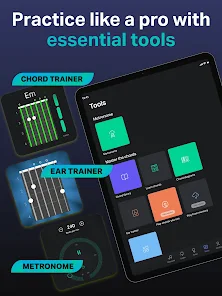
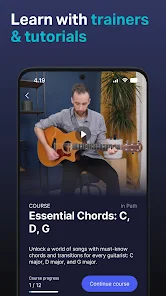
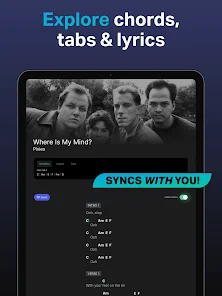
Explore a vast library of chords and chord diagrams that cater to every playing style. Whether you’re a beginner or a seasoned player, GuitarTuna helps you learn and master new chords quickly, making your practice sessions more productive and enjoyable.

Games for Learning

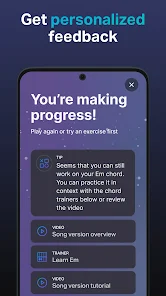
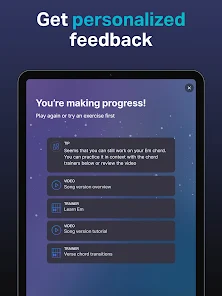
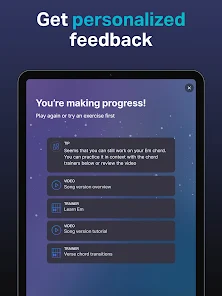
GuitarTuna gamifies the learning process with fun, interactive games designed to enhance your skills. Challenge yourself to improve your chord recognition and tuning accuracy while enjoying a playful approach to mastering the guitar.

Metronome Feature

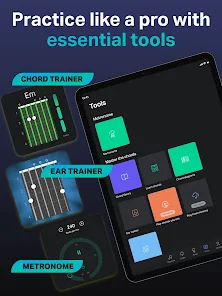
Keep your rhythm in check with the built-in metronome, which allows you to set precise beats per minute. This feature is perfect for improving your timing and overall musicality, giving you the confidence to play along with other musicians or tracks.

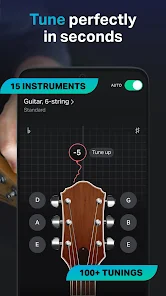
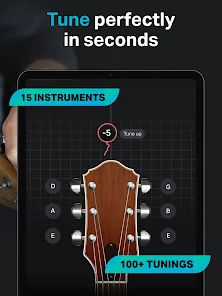
Tuning Made Easy

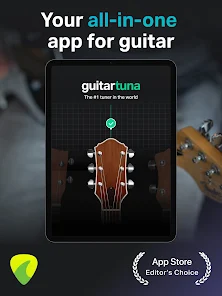
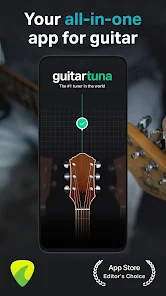
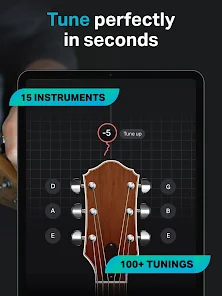
GuitarTuna offers an intuitive tuning experience for guitarists of all levels. With its advanced audio recognition technology, the app accurately identifies the pitch of each string, ensuring your guitar is always perfectly in tune with just a few taps.

Pros & Cons

Pros
  • GuitarTuna offers precise tuning for various instruments with ease.

  • The app features a user-friendly interface, perfect for all skill levels.
  • Enjoy a variety of built-in games to improve your playing skills.
  • Access chord libraries for quick reference while practicing.
  • Offline capabilities ensure you can tune anytime, anywhere.
Cons
  • Limited tuning options for non-guitar instruments may frustrate some users.
  • Ads can disrupt the user experience during practice sessions.
  • Occasional inaccuracies in pitch detection may lead to tuning challenges.

Real Experience Using GuitarTuna: Tune & Play Guitar

Application Scenarios

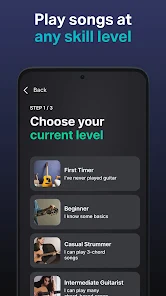
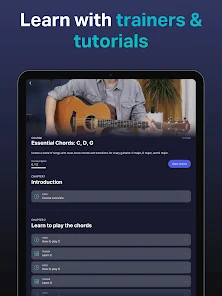
GuitarTuna: Tune & Play Guitar is designed to cater to a variety of musical scenarios, making it a versatile tool for musicians of all skill levels. Whether you are a beginner trying to tune your first guitar, a seasoned player performing at a gig, or a music teacher guiding students, GuitarTuna provides essential features to meet your needs. The app's built-in tuner works seamlessly for acoustic, electric, and bass guitars, ensuring you can achieve perfect pitch in any setting. Additionally, the app offers chord libraries and practice exercises, making it ideal for learning new songs or enhancing your skills. With its user-friendly interface, you can easily navigate between tuning, playing, and learning, providing a comprehensive musical experience.

User Experience

The user experience of GuitarTuna is polished and intuitive, allowing even novice users to navigate the app with ease. Upon opening the app, users are greeted with a clean interface that prioritizes functionality over clutter. The tuning feature employs a responsive needle that provides real-time feedback on your tuning accuracy, which is both engaging and educational. The chord library is extensive, featuring a wide array of chords and variations, complete with diagrams and audio samples. This makes it easy for users to visualize finger placements and understand how chords sound. Additionally, the built-in metronome and practice exercises help users develop timing and rhythm. Overall, the app’s design and usability contribute to a satisfying musical journey, encouraging users to practice and improve their skills.

Pricing

GuitarTuna offers a freemium model, providing users with a robust selection of features at no cost. The basic tuning functions, chord library, and metronome are available for free, making it accessible for anyone looking to tune their guitar or learn new chords. For users seeking an enhanced experience, the app also offers premium features through a subscription model. This includes advanced tools such as additional tuning options, metronome customization, and more in-depth learning exercises. The pricing is competitive within the music app market, making it a worthwhile investment for serious musicians who wish to take their skills to the next level.

Updates & Support

GuitarTuna is regularly updated to ensure optimal performance and user satisfaction. The development team is responsive to user feedback, frequently rolling out updates that introduce new features, improve existing functionalities, and fix bugs. The app also provides a dedicated support section, offering FAQs and troubleshooting tips to assist users in resolving any issues they may encounter. For more complex inquiries, users can reach out to customer support directly through the app. Overall, the commitment to updates and user support enhances the overall experience, ensuring that GuitarTuna remains a reliable companion for guitarists.

verified Security & Privacy Review

The security and privacy practices of GuitarTuna: Tune & Play Guitar are commendable, ensuring that user data is handled with care. The app does not require excessive permissions, limiting access to only what is necessary for its primary functions, such as microphone access for tuning instruments. This minimalistic approach reduces potential vulnerabilities. User data is treated with high importance; GuitarTuna adheres to strict privacy standards. The app does not collect personally identifiable information unless users voluntarily provide it for features such as account creation. Additionally, any data collected is securely stored and encrypted, minimizing the risk of unauthorized access. The app's privacy policy clearly outlines how data is used, providing transparency to users. GuitarTuna does not sell user data to third parties, further enhancing its commitment to user privacy. Overall, GuitarTuna demonstrates a responsible approach to data security and privacy, making it a trustworthy choice for guitar enthusiasts looking to tune and play their instruments with confidence.

Reviews

4.5

“Accurate tuning and user-friendly interface!”

“Great for beginners and pros alike.”

“Love the chord library feature!”

“Simple and effective tuning app.”

“Helps me stay in tune effortlessly.”

FAQ

1

Can I submit suggestions or feedback to GuitarTuna: Tune & Play Guitar?

Yes, users are encouraged to submit suggestions and feedback through the app's support section or via the official website to help improve the app.

2

Does GuitarTuna: Tune & Play Guitar collect my personal data?

GuitarTuna may collect certain data for functionality and improvement purposes, but it is committed to user privacy and adheres to data protection regulations.

3

Does GuitarTuna: Tune & Play Guitar support offline use?

Yes, GuitarTuna can be used offline, allowing users to tune their instruments without needing an internet connection.

4

How do I cancel my GuitarTuna: Tune & Play Guitar subscription?

Users can cancel their subscription through the app store where they purchased it, following the specific cancellation instructions provided by that platform.

5

How much does a subscription to GuitarTuna: Tune & Play Guitar cost?

The subscription cost for GuitarTuna varies depending on the plan selected, with options for monthly or yearly subscriptions available.

How to use GuitarTuna: Tune & Play Guitar

1

Can I log in on multiple devices?

Yes, you can log in on multiple devices using the same account credentials.

2

How can I activate my account after signing up?

You will receive an email with an activation link. Click the link to activate your account.

3

How can I retrieve my customer number?

Please check your account confirmation email or contact Customer Service for assistance.

4

How do I contact Customer Service for GuitarTuna?

You can reach Customer Service through the app's "Help" section or by visiting our website for support options.

5

How do I log in if I can't remember my customer number?

If you don't remember your customer number, use the email associated with your account to log in.

Editor's Choice