This site uses cookies to enhance your user experience. By clicking any link on this site you are giving your consent to our cookie policy. Read more
Reject
Accept All
Google Slides

Google Slides

verified Verified App

Developer: Google LLC

  • category

    Category: Productivity

  • price

    Price: free

  • age rating

    Age Rating: Everyone

  • rating

    Rating: 4.0

  • download

    Downloads: 1,000,000,000+

  • version

    Version: 1.26.035.02.90

Screenshot 1
Screenshot 2
Screenshot 3
Screenshot 4
Screenshot 5
Screenshot 6
Screenshot 7

Features & Highlights

Customizable Animations

Enhance your presentations with customizable animations and transitions that bring your slides to life. Google Slides provides various effects that you can tailor to your content, helping to engage your audience and make your message more impactful.

Extensive Template Library

With a vast selection of professionally designed templates, Google Slides makes it easy to kickstart your presentations. Whether you're creating a business pitch or a school project, you'll find visually appealing options that suit your needs without the hassle of starting from scratch.

Real-Time Collaboration

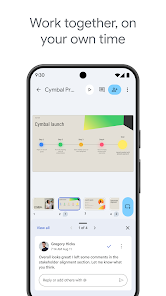
Google Slides allows multiple users to work on a presentation simultaneously, making teamwork seamless and efficient. You can see edits in real time and communicate through integrated chat, ensuring everyone stays on the same page during the creative process.

Seamless Integration

Google Slides integrates effortlessly with other Google Workspace apps like Google Docs and Sheets, allowing users to import charts, diagrams, and data directly into their presentations. This interconnected ecosystem enhances productivity and ensures all your essential information is just a click away.

Pros & Cons

Pros
  • Seamless collaboration with real-time editing features
  • Accessible from any device with internet connection
  • Easy integration with other Google Workspace tools
  • Wide range of templates for quick presentations
  • Automatic saving prevents data loss during work
Cons
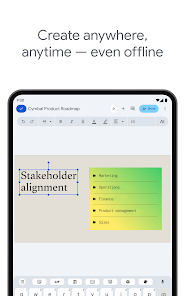
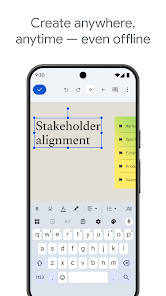
  • Limited offline functionality can hinder accessibility.
  • Fewer design templates compared to other platforms.
  • Collaboration features can be slow at times.
  • Customization options are more restricted than competitors.

Real Experience Using Google Slides

Application Scenarios

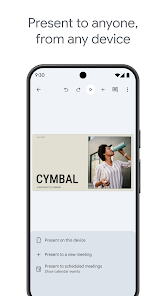
Google Slides is a versatile presentation tool that serves a variety of use cases across different fields. Whether you're a student delivering a class project, a business professional pitching a proposal, or a teacher creating engaging lessons, Google Slides can cater to your needs. In educational settings, it’s a favorite among educators for creating interactive presentations that capture students' attention. For business users, it's an effective platform for creating polished pitch decks and collaborative brainstorming sessions. Non-profit organizations and community groups also utilize Google Slides for workshops and seminars, making it a valuable resource for anyone looking to communicate ideas effectively. The convenience of cloud storage allows users to access their presentations from anywhere, making it ideal for remote work and collaboration.

User Experience

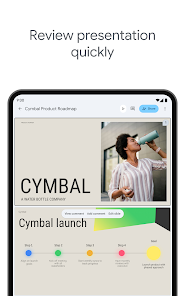
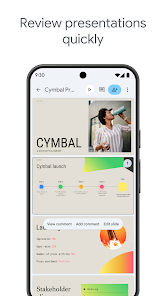
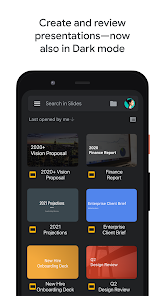
The user experience of Google Slides is intuitive and straightforward, making it accessible for users of all skill levels. The interface is clean and uncluttered, with a simple drag-and-drop functionality for adding images, videos, and other media. Users appreciate the seamless integration with other Google Workspace tools like Google Docs and Google Sheets, which enhances collaboration and productivity. Real-time editing allows multiple users to work on a presentation simultaneously, making it easy to gather feedback and make changes on the fly. The wide array of templates and customizable themes also enables users to create visually appealing presentations without requiring advanced design skills. However, some users have mentioned that while Google Slides is powerful, it lacks some advanced features found in competitor software, which may limit options for experienced designers.

Pricing

Google Slides is free to use for individuals and offers a robust set of features without any cost. Users can create and store presentations in the cloud, ensuring that they are accessible from any device with internet connectivity. For businesses and educational institutions, Google Workspace plans start at a reasonable monthly fee, providing additional features such as increased storage, enhanced security, and administrative controls. The value offered through Google Workspace makes it an attractive option for organizations looking to streamline their collaboration tools while benefiting from the premium features that come with paid plans. Overall, the pricing structure is competitive and offers flexibility depending on the needs of different users.

Updates & Support

Google Slides is consistently updated with new features and improvements, reflecting the company's commitment to enhancing user experience. Frequent updates ensure that users have access to the latest tools and functionalities, such as new templates, enhanced collaboration options, and improved performance. Google also provides extensive online support resources, including a help center with tutorials, forums, and troubleshooting guides. For businesses using Google Workspace, dedicated support options are available, including live chat and email assistance, ensuring that users receive timely help when needed. This commitment to updates and support makes Google Slides a reliable choice for users seeking a dependable presentation platform.

verified Security & Privacy Review

Google Slides prioritizes user security and privacy through a series of robust measures. The app employs encryption protocols to protect data both in transit and at rest, ensuring that presentations are secure from unauthorized access. Google adheres to strict privacy practices, allowing users to control sharing settings and access permissions for their documents, which can be adjusted on a per-user basis. The app requires certain permissions, such as access to the device's internet connection, which is essential for cloud-based functionality. Users are informed about the data collected and how it is utilized, aligning with Google's commitment to transparency. Google also provides users with the ability to review and manage their data usage through their Google Account settings. Moreover, Google Slides complies with various international privacy regulations, including GDPR, ensuring that user data is handled responsibly. Overall, Google Slides offers a secure platform for creating and sharing presentations, while giving users control over their privacy and data management.

Reviews

4.0

“User-friendly interface for collaborative presentations”

“Great template options for diverse projects”

“Seamless integration with other Google apps”

“Occasional lag with large files”

“Mobile app lacks some desktop features”

Editor's Choice