This site uses cookies to enhance your user experience. By clicking any link on this site you are giving your consent to our cookie policy. Read more
Reject
Accept All
Google Family Link

Google Family Link

verified Verified App

Developer: Google LLC

  • category

    Category: Tools

  • price

    Price: free

  • age rating

    Age Rating: Everyone

  • rating

    Rating: 4.6

  • download

    Downloads: 100,000,000+

  • version

    Version: 2.69.0.2026w04.858554637

Screenshot 1
Screenshot 2
Screenshot 3
Screenshot 4
Screenshot 5
Screenshot 6
Screenshot 7
Screenshot 8
Screenshot 9
Screenshot 10
Screenshot 11
Screenshot 12

Features & Highlights

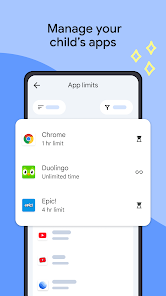
App Activity Reports

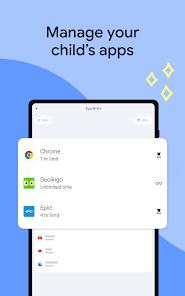
With Google Family Link, parents can view detailed reports on app usage, showing which apps are being used most frequently. This insight helps parents understand their child's digital interests and can foster conversations about responsible app usage and online safety.

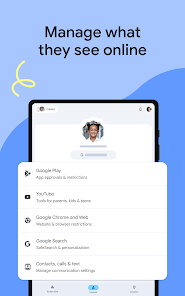
Content Filtering

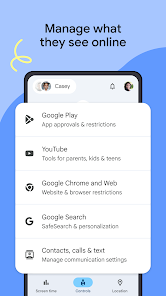
Family Link offers robust content filtering options, allowing parents to restrict access to inappropriate websites and apps. This feature provides peace of mind, knowing that children can explore the internet safely while still having access to educational resources and fun, age-appropriate content.

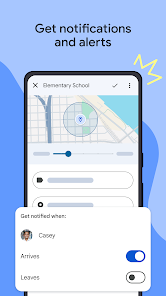
Location Tracking

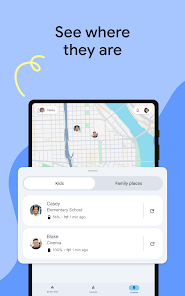
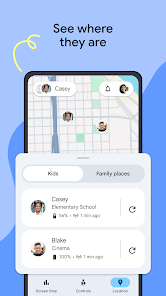
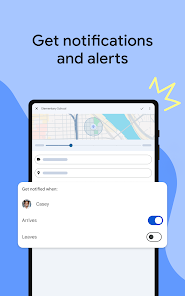
Parents can keep track of their child's location in real-time with Google Family Link, adding an extra layer of security. This feature is especially useful for ensuring safety while kids are out and about, giving parents the ability to check in and know where their children are at any given moment.

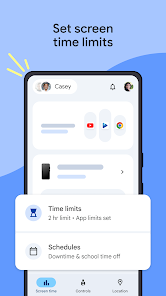
Screen Time Management

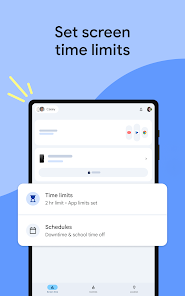
Google Family Link allows parents to set daily screen time limits for their children's devices, helping to promote healthy tech habits. By managing how long kids can use their devices, parents can encourage breaks and ensure that screen time doesn't interfere with other important activities like homework or family time.

Pros & Cons

Pros
  • Easily manage screen time for your children
  • Set content restrictions for safer browsing
  • Monitor app usage and activity reports
  • Encourage healthy digital habits and routines
  • Remotely lock devices for focused time
Cons
  • Limited app monitoring features for parents
  • Can restrict children's independence too much
  • May cause conflicts over device usage
  • Difficulties in managing multiple accounts

Real Experience Using Google Family Link

Application Scenarios

Google Family Link is designed for families who want to keep their children safe while exploring the digital world. It is particularly useful for parents who wish to monitor their kids' online activity, set screen time limits, and manage app permissions. This app is ideal for families with children who have recently begun using smartphones or tablets, as it allows parents to establish a healthy balance between technology use and real-world interactions. In practical scenarios, parents can set restrictions on specific apps, ensuring that children are not exposed to inappropriate content. Additionally, Family Link can be employed to track a child's location, providing peace of mind for parents when their kids are out with friends or at school.

User Experience

The user experience of Google Family Link is generally positive, with a user-friendly interface that makes navigation simple for both parents and children. Upon setting up the app, parents can easily create accounts for their children and customize settings according to their preferences. The app provides insightful reports on screen time, app usage, and online activity, which can help parents engage in meaningful conversations with their children about responsible technology use. While some users appreciate the comprehensive features, others have reported occasional glitches, such as delayed notifications or syncing issues. However, the overall consensus is that Family Link successfully empowers parents to guide their children in the digital age.

Pricing

Google Family Link is available for free, making it an accessible option for families looking to manage their children's device usage without incurring additional costs. There are no hidden fees or premium features that require payment, which is a significant advantage for users. This pricing model allows families of all income levels to take advantage of the app's features, ensuring that digital safety is not a privilege but a standard for all. As a free tool, Family Link stands out among other parental control apps that often charge monthly or annual fees, making it a cost-effective choice for families.

Updates & Support

Google Family Link receives regular updates, which often include new features, performance improvements, and bug fixes. These updates ensure that the app keeps pace with the evolving digital landscape and user needs. Google also provides extensive support resources, including a dedicated help center with articles, FAQs, and troubleshooting tips. Users can easily access these resources online or through the app, making it convenient to resolve any issues they may encounter. Furthermore, Google encourages feedback, so users can report bugs or suggest improvements, which helps enhance the overall functionality of the app. The combination of frequent updates and robust support contributes to a reliable user experience, making Google Family Link a trusted tool for families.

verified Security & Privacy Review

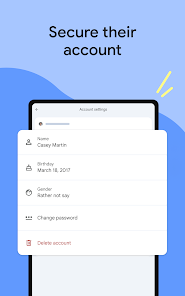
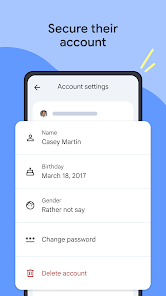
The Google Family Link app prioritizes security and privacy, ensuring a safe environment for families managing their children's online activities. It requires a Google account for both parents and children, which allows for secure authentication and data protection measures in line with Google's robust security protocols. In terms of permissions, Family Link requests access to various device features to enable its functions, such as location tracking and app management. Users are informed about the permissions required, promoting transparency in data handling. Parents can control which apps their children can access, setting appropriate restrictions based on age and content. Google's commitment to privacy is evident in its data handling practices, as the app does not sell user data to third parties. Family Link also provides parents with insights into their children's app usage, while allowing children to maintain a degree of privacy in their online activities. Overall, Google Family Link strikes a balance between parental oversight and user privacy, fostering a secure digital experience for families.

Reviews

4.6

“Great for managing kids' screen time effectively!”

“User-friendly interface makes setup a breeze.”

“Helpful parental controls, but needs more customization options.”

“Reliable monitoring, but occasional app glitches.”

“Awesome tool for family safety online!”

Editor's Choice