This site uses cookies to enhance your user experience. By clicking any link on this site you are giving your consent to our cookie policy. Read more
Reject
Accept All
Google Drive

Google Drive

verified Verified App

Developer: Google LLC

  • category

    Category: Productivity

  • price

    Price: free

  • age rating

    Age Rating: Everyone

  • rating

    Rating: 4.3

  • download

    Downloads: 10,000,000,000+

  • version

    Version: /

Screenshot 1
Screenshot 2
Screenshot 3
Screenshot 4
Screenshot 5
Screenshot 6
Screenshot 7
Screenshot 8
Screenshot 9
Screenshot 10
Screenshot 11
Screenshot 12
Screenshot 13
Screenshot 14
Screenshot 15

Features & Highlights

Cross-Device Accessibility

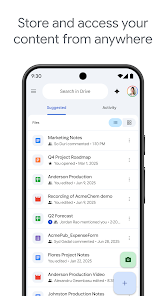
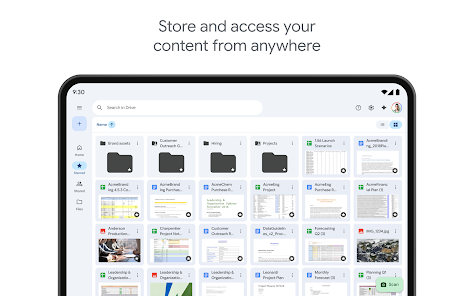
Access your files from anywhere, on any device, thanks to Google Drive's cross-platform compatibility. Whether you're using a smartphone, tablet, or computer, your documents are always a click away, making it easy to work on the go or from the comfort of your home.

Generous Storage Options

With Google Drive, users enjoy a generous cloud storage space that starts at 15GB for free, perfect for storing documents, photos, and videos. Additional storage can be purchased easily, ensuring you have enough space for all your important files without worrying about running out.

Robust File Organization

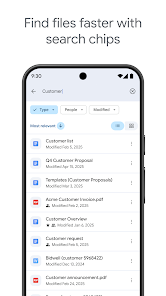
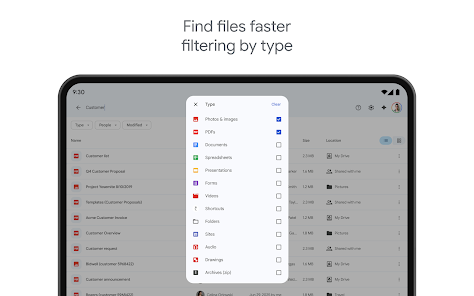
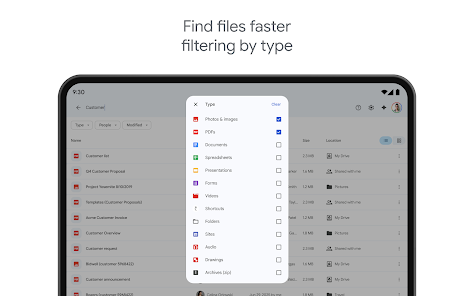
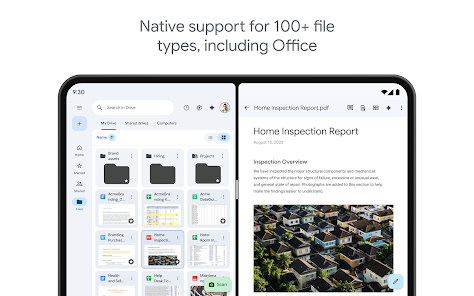
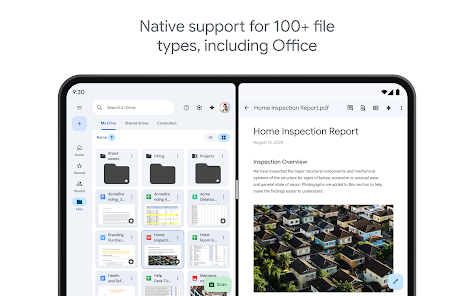
Google Drive offers powerful file organization tools, enabling you to create folders, add tags, and use the search feature to quickly locate documents. This intuitive structure helps you keep your files neatly arranged, making it simple to find what you need, when you need it.

Smart Collaboration

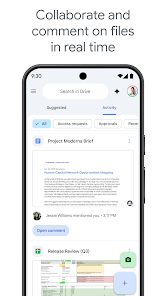
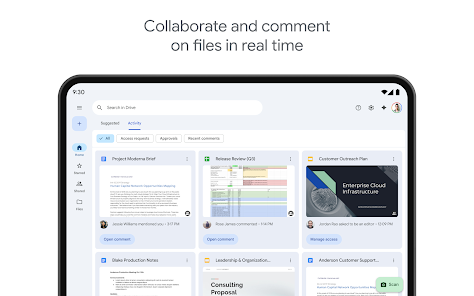
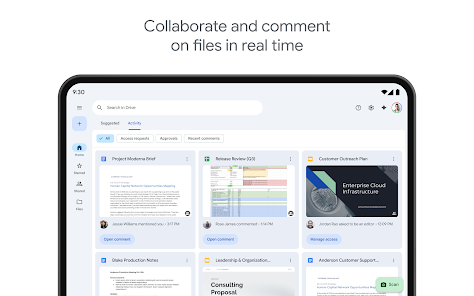
Google Drive makes teamwork effortless with its real-time collaboration feature, allowing multiple users to edit documents simultaneously. You can see changes as they happen, leave comments, and communicate directly within the document, making group projects seamless and efficient.

Pros & Cons

Pros
  • Access files from anywhere with internet connection
  • Seamless collaboration with real-time editing
  • Generous free storage space available for users
  • Automatic file backup for peace of mind
  • Integration with various Google services enhances productivity
Cons
  • Limited offline access for files
  • Storage space can be restrictive
  • Privacy concerns with data security
  • Collaboration can lead to version confusion

Real Experience Using Google Drive

Application Scenarios

Google Drive excels in various scenarios, making it an indispensable tool for both personal and professional use. For students, it serves as a collaborative platform for group projects, allowing multiple users to work on documents, spreadsheets, and presentations in real-time. Teachers can share resources and collect assignments seamlessly. In the workplace, teams can use Google Drive to store and share important files, ensuring that everyone has access to the latest version. Remote workers appreciate the ability to access their files from anywhere, whether on a laptop, tablet, or smartphone. Additionally, Google Drive's integration with other Google services, such as Google Docs, Sheets, and Slides, enhances productivity and streamlines workflow.

User Experience

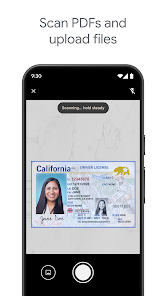
The user experience on Google Drive is generally intuitive and user-friendly. The clean interface makes navigation simple, even for those who may not be tech-savvy. Users can easily upload files, organize them into folders, and share them with others with just a few clicks. The search functionality is robust, allowing users to find files quickly, even among large volumes of data. Collaboration features, such as comments and suggestions, facilitate communication among users working on shared documents. However, some users have reported occasional syncing issues, particularly with large files or slow internet connections. Overall, the platform provides a smooth experience with minor hiccups.

Pricing

Google Drive offers a generous free tier, providing users with 15 GB of storage shared across Google Drive, Gmail, and Google Photos. For those needing more space, Google offers various pricing plans through Google One. Paid plans start at a reasonable monthly fee for 100 GB, with options for 200 GB and 2 TB available as well. These plans come with additional benefits, such as family sharing and access to Google experts for support. The pricing structure is competitive, making it accessible for individuals and businesses alike.

Updates & Support

Google Drive regularly receives updates that enhance functionality and security, ensuring that users have access to the latest features. The support offered is commendable, with a comprehensive help center that addresses common issues and provides troubleshooting tips. Users can also reach out via email or chat for more personalized assistance. While the response time may vary, most inquiries are handled efficiently. Furthermore, Google often updates its platform based on user feedback, demonstrating a commitment to improving the overall experience.

verified Security & Privacy Review

Google Drive prioritizes user security and privacy through robust encryption measures. Data is encrypted both in transit and at rest, ensuring that files are protected from unauthorized access. Google employs advanced security protocols, including two-factor authentication, to further enhance account security. In terms of privacy practices, Google Drive adheres to stringent data protection regulations, such as the General Data Protection Regulation (GDPR). Users have control over their data, with options to manage sharing settings and revoke access to files at any time. Google’s transparency regarding data usage is commendable, as it provides clear information about how user data is collected, stored, and utilized. The app requests permissions to access files, photos, and media, which may raise concerns for some users. However, these permissions are necessary for core functionalities, such as file uploads and sharing. Overall, Google Drive demonstrates a commitment to maintaining user privacy and security, making it a reliable choice for cloud storage solutions.

Reviews

4.3

“Great for collaboration and file sharing!”

“User-friendly interface makes organization easy.”

“Syncing files across devices works flawlessly.”

“Storage options are flexible and affordable.”

“Search functionality saves me so much time.”

Editor's Choice