This site uses cookies to enhance your user experience. By clicking any link on this site you are giving your consent to our cookie policy. Read more
Reject
Accept All

Advertiser and Editorial Disclosures

GHome work with Gosund

GHome work with Gosund

verified Verified App

Developer: Shenzhen Gosund Technology Co., Ltd.

  • category

    Category: Lifestyle

  • price

    Price: free

  • age rating

    Age Rating: Everyone

  • rating

    Rating: 3.9

  • download

    Downloads: 1,000,000+

  • version

    Version: 5.7.6

Screenshot 1
Screenshot 2
Screenshot 3
Screenshot 4
Screenshot 5
Screenshot 6
Screenshot 7
Screenshot 8
Screenshot 9
Screenshot 10

Features & Highlights

Device Grouping

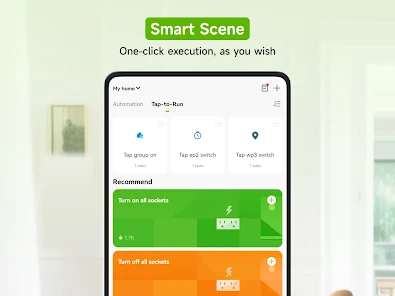
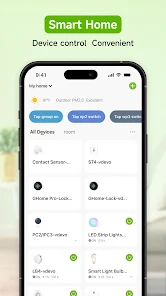
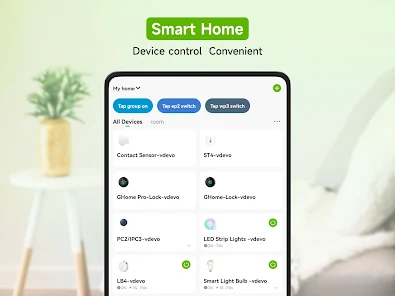
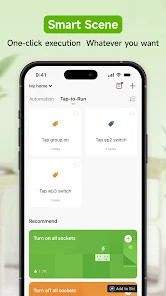
This app allows you to group multiple devices for synchronized control, so you can manage several smart gadgets at once. Whether it’s dimming the lights in your living room or turning off all connected appliances, device grouping simplifies your smart home management with just a single tap.

Energy Monitoring

GHome work with Gosund offers real-time energy monitoring to help you track your usage and identify which devices consume the most power. This insight empowers you to make informed decisions about energy consumption, leading to cost savings and a more eco-friendly home.

Smart Scheduling

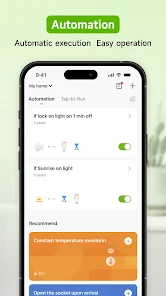
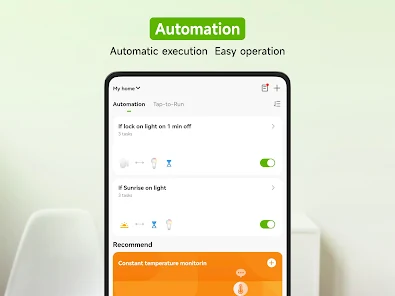
With GHome work with Gosund, you can set schedules for your devices to operate automatically at specific times. This feature helps you save energy and ensures your home is always ready for you, whether it’s turning on the coffee maker in the morning or scheduling lights to turn off at night.

Voice Control

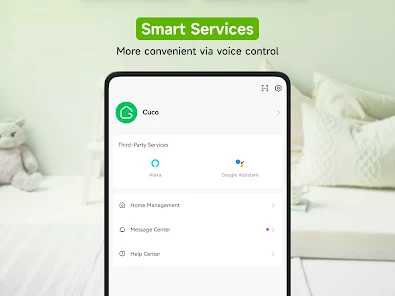
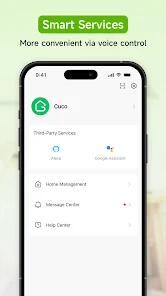
GHome work with Gosund integrates seamlessly with voice assistants like Google Assistant and Alexa, allowing you to control your smart devices hands-free. Just use simple voice commands to turn on lights, adjust thermostats, or manage appliances, making your home automation experience truly effortless and convenient.

Pros & Cons

Pros
  • GHome offers seamless integration with various smart home devices for easy control.
  • Users enjoy enhanced energy efficiency, reducing utility costs significantly.
  • The user-friendly interface simplifies home automation for everyone.
  • Robust security features provide peace of mind for homeowners.
  • Customizable settings allow personalized experiences tailored to individual needs.
Cons
  • Limited compatibility with non-Google smart devices can hinder integration.
  • Privacy concerns arise from data collection practices and usage.
  • Dependence on internet connectivity may disrupt functionality during outages.

Real Experience Using GHome work with Gosund

Application Scenarios

The GHome app, designed to work seamlessly with Gosund smart devices, transforms your home automation experience. Imagine controlling your lights, thermostat, and smart plugs from a single interface. Whether you are at home or on the go, GHome allows you to manage your home environment effortlessly. Users can set schedules for their devices, ensuring that lights turn on at sunset and off at bedtime, creating a comfortable atmosphere while saving energy. The app is particularly useful for families, as parents can monitor and control devices in different rooms from one centralized location. Additionally, the integration of voice control through virtual assistants enhances convenience, making it easy to adjust settings without lifting a finger.

User Experience

The user experience with GHome is generally positive, characterized by a user-friendly interface that allows for easy navigation. Upon launching the app, users are greeted with a clean dashboard displaying all connected devices, making it straightforward to manage them. The setup process is relatively simple; users can quickly add new devices by following on-screen instructions. However, some users have reported occasional connectivity issues, particularly when attempting to control devices remotely. Despite these hiccups, the app's performance is typically reliable, with quick response times when commands are issued. The inclusion of automation features further enhances the user experience, allowing for customized routines that can simplify daily tasks.

Pricing

GHome itself is free to download and use, which is a significant advantage for users looking to enhance their smart home without incurring extra costs. However, it's important to note that while the app is free, the Gosund devices that users control through GHome come at varying price points, depending on the type and model. These devices typically range from affordable smart plugs to more expensive smart lighting solutions. Overall, users find that the investment in Gosund devices is justified by the convenience and functionality they bring to the home automation experience, making it a cost-effective choice in the smart home market.

Updates & Support

GHome is regularly updated to improve functionality and address any bugs or issues users may encounter. The developers are attentive to user feedback and often incorporate suggestions into new versions, which enhances the overall app experience. For support, the app provides a comprehensive FAQ section that covers common queries and troubleshooting steps. Additionally, users can reach out to customer service through the app for more personalized assistance. Response times are generally prompt, and the support team is known for being helpful and knowledgeable. This dedication to customer service and ongoing improvements ensures that GHome remains a reliable companion for smart home enthusiasts.

verified Security & Privacy Review

The GHome app, designed to work with Gosund smart devices, prioritizes user security and privacy through robust data protection measures. The app employs end-to-end encryption to safeguard user data transmitted between devices and the cloud, ensuring that sensitive information remains confidential. Additionally, GHome adheres to industry-standard security protocols, minimizing the risk of unauthorized access. Users are informed about the permissions required for optimal app functionality, such as access to location and network settings. However, it is crucial for users to review these permissions carefully and only grant those that are necessary for their intended use. The app also offers comprehensive privacy settings, allowing users to control their data sharing preferences and manage connected devices effectively. GHome’s commitment to transparency is evident in its privacy policy, which outlines data collection practices and user rights. The app does not sell personal data to third parties, ensuring a respectful handling of user information. Overall, GHome demonstrates a commendable approach to security and privacy, providing users with peace of mind while managing their smart home devices.

Reviews

3.9

“Easy setup and reliable performance every time”

“Works seamlessly with Google Assistant”

“Great value for smart home automation”

“User-friendly app with intuitive controls”

“Responsive customer support for troubleshooting issues”

FAQ

1

Can I submit suggestions or feedback to GHome?

Yes, GHome encourages users to submit suggestions or feedback through the app's support section or their official website.

2

Does GHome collect my personal data?

GHome has a privacy policy that outlines data collection practices, and it typically collects minimal personal data to enhance user experience.

3

Does GHome support offline use?

Yes, GHome allows certain functionalities to be accessed offline, although some features may require an internet connection.

4

How do I cancel my GHome subscription?

You can cancel your GHome subscription through your account settings in the app or via the app store where you downloaded it.

5

How much does a subscription to GHome cost?

The subscription cost for GHome varies depending on the plan, but it generally ranges from $4.99 to $9.99 per month.

How to use GHome work with Gosund

1

Can I log in to multiple devices using the same GHome account?

Yes, you can log in to your GHome account on multiple devices using the same credentials.

2

How can I activate my GHome account?

To activate your GHome account, follow the link in the activation email sent to you after registration.

3

How can I verify my customer number with GHome support?

To verify your customer number, provide it in your support request, and our team will confirm your details.

4

How do I contact customer service for GHome work with Gosund?

You can reach customer service by calling the customer number provided on our website or through the support section in the GHome app.

5

How do I update my customer number in the GHome app?

You can update your customer number by going to your account settings within the GHome app and editing your profile information.

Editor's Choice