This site uses cookies to enhance your user experience. By clicking any link on this site you are giving your consent to our cookie policy. Read more
Reject
Accept All
Fing - Network Tools

Fing - Network Tools

verified Verified App

Developer: Fing Limited

  • category

    Category: Tools

  • price

    Price: free

  • age rating

    Age Rating: Everyone

  • rating

    Rating: 4.5

  • download

    Downloads: 50,000,000+

  • version

    Version: 12.11.7

Screenshot 1
Screenshot 2
Screenshot 3
Screenshot 4
Screenshot 5
Screenshot 6
Screenshot 7
Screenshot 8
Screenshot 9
Screenshot 10
Screenshot 11
Screenshot 12
Screenshot 13
Screenshot 14
Screenshot 15
Screenshot 16
Screenshot 17
Screenshot 18
Screenshot 19
Screenshot 20
Screenshot 21
Screenshot 22
Screenshot 23
Screenshot 24

Features & Highlights

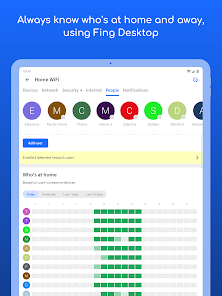
Network Device Discovery

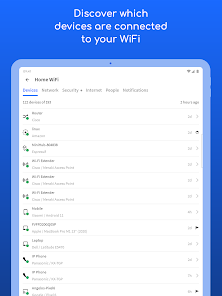
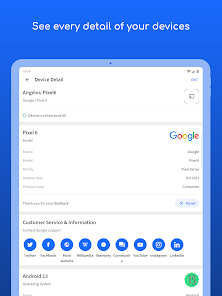
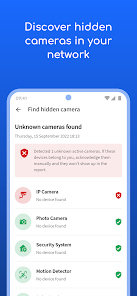
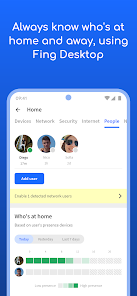
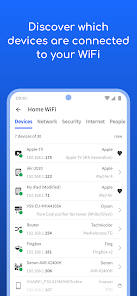
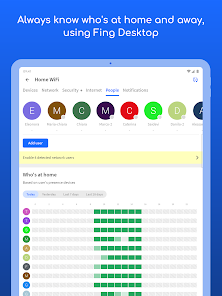
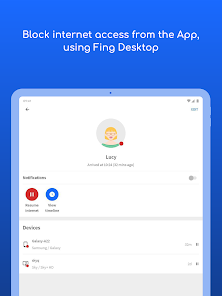
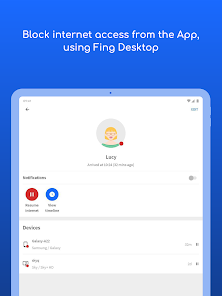
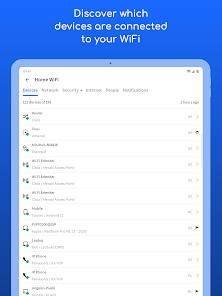
Fing - Network Tools effortlessly identifies all devices connected to your network, providing a comprehensive overview of your home or office setup. This feature helps you monitor device activity and ensures that your network remains secure from unauthorized access, giving you peace of mind about your digital environment.

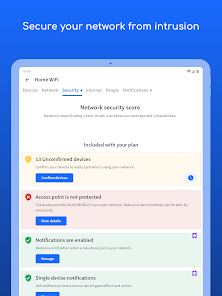
Network Security Assessment

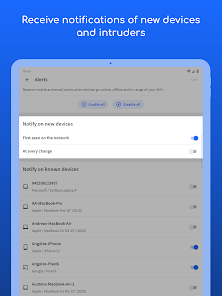
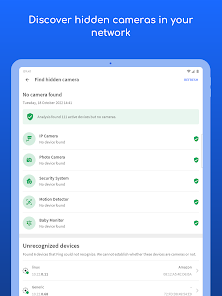
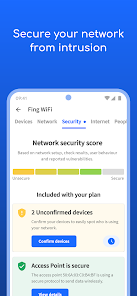
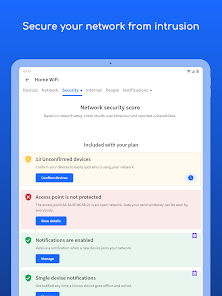
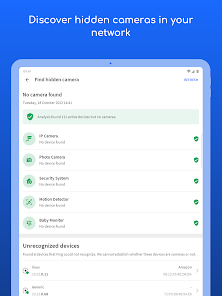
Fing offers a robust security assessment tool that scans your network for vulnerabilities and potential threats. This feature alerts you to any unusual activity or unauthorized devices, empowering you to take swift action to protect your data and maintain a secure network environment.

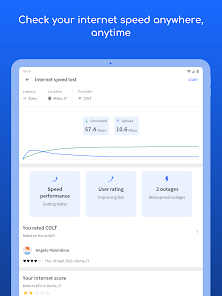
Speed Test Functionality

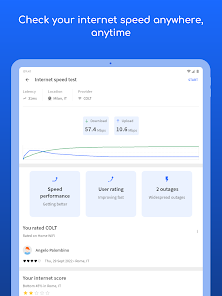
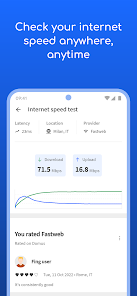
With Fing's built-in speed test, you can easily measure your internet connection's performance, including download and upload speeds. This feature helps you determine if you're getting the service you pay for and can assist in troubleshooting issues with your ISP, making it a must-have for any network user.

Wi-Fi Network Analysis

The app includes advanced Wi-Fi network analysis tools that help you optimize your wireless performance. By analyzing signal strength and congestion, Fing enables you to make informed decisions about router placement and channel selection, ensuring a smoother and more reliable connectivity experience.

Pros & Cons

Pros
  • Quickly discover all devices on your network
  • Identify network issues with simple diagnostics
  • Monitor network performance in real-time
  • Access detailed device information effortlessly
  • User-friendly interface for easy navigation
Cons
  • Limited functionality in advanced network analysis
  • User interface can be confusing for beginners
  • Requires internet access for some features
  • May not support all device types effectively

Real Experience Using Fing - Network Tools

Application Scenarios

Fing - Network Tools is an invaluable asset for anyone looking to enhance their understanding of their home or office network. Whether you are a tech-savvy individual or a casual user, Fing provides you with the ability to identify devices connected to your network, troubleshoot issues, and ensure your network's security. Common scenarios include diagnosing slow internet speeds, identifying unauthorized users on your network, or simply monitoring connected devices during a family gathering. For professionals managing larger networks, Fing offers advanced features such as network performance monitoring and device analytics, making it a versatile tool for both personal and professional use. It is especially useful for IT professionals who need to conduct routine checks or troubleshoot problems in real-time.

User Experience

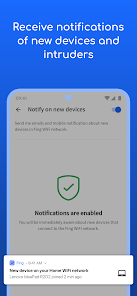
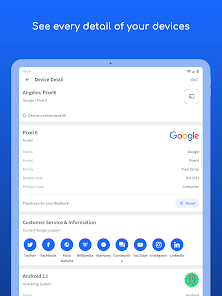
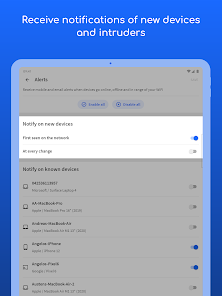
The user experience of Fing is generally intuitive and user-friendly. Upon launching the app, users are greeted with a clean and straightforward interface that makes navigating through the different features a breeze. The network scanning process is swift and efficient, providing instant feedback on connected devices and their respective details. Users appreciate the detailed information Fing offers, including device types, IP addresses, and MAC addresses. The app also features a comprehensive alerts system that notifies users of any network changes, helping them to stay vigilant about their network's security. Overall, the seamless experience combined with useful functionalities makes Fing a favorite among users who wish to keep their networks secure and efficient.

Pricing

Fing offers a freemium model that allows users to access a range of basic features without any cost. This includes device discovery, network scanning, and basic troubleshooting tools. For users seeking more advanced functionalities, such as network security alerts, internet speed tests, and detailed analytics, Fing offers a subscription-based premium plan. The pricing is competitive, making it accessible for both casual users and professionals. The premium features significantly enhance the app's capabilities, providing added value for those who rely heavily on network management and security. Users find that the investment in the premium version is justified by the level of insight and control it offers over their networks.

Updates & Support

Fing is committed to providing regular updates, ensuring that the app remains current with the latest network technologies and security protocols. Users can expect frequent feature enhancements and performance improvements, which contribute to a better overall experience. The support provided by Fing is commendable; users can access a robust help center filled with FAQs, tutorials, and troubleshooting guides. Additionally, Fing maintains an active community forum where users can share experiences and solutions, creating a collaborative environment for problem-solving. Such support structures demonstrate Fing's dedication to customer satisfaction and continuous improvement.

verified Security & Privacy Review

Fing - Network Tools prioritizes user security and privacy through its robust data handling practices. The app does not require an account to access its core functionalities, allowing users to utilize its features without sharing personal information. However, when users opt to create an account, Fing employs strong encryption methods to protect sensitive data during transmission and storage. The app requests minimal permissions, primarily focusing on network-related access, such as Wi-Fi and Bluetooth. This limited scope reduces potential vulnerabilities associated with broader permissions. Fing does not collect or sell user data to third parties, which enhances user trust in its privacy practices. Fing also provides users with clear and transparent privacy policies, outlining how their data is used and stored. Users can manage their privacy settings directly within the app, giving them control over their information. Overall, Fing demonstrates a strong commitment to maintaining user security and privacy, making it a reliable choice for network management tasks.

Reviews

4.5

“Incredibly useful for network troubleshooting and diagnostics!”

“User-friendly interface makes monitoring easy.”

“Accurate device identification and network analysis.”

“Great for managing home network security.”

“Frequent updates keep improving app functionality.”

Editor's Choice