This site uses cookies to enhance your user experience. By clicking any link on this site you are giving your consent to our cookie policy. Read more
Reject
Accept All

Advertiser and Editorial Disclosures

eufy-original eufy Security

eufy-original eufy Security

verified Verified App

Developer: Anker

  • category

    Category: Lifestyle

  • price

    Price: free

  • age rating

    Age Rating: Everyone

  • rating

    Rating: 4.6

  • download

    Downloads: 5,000,000+

  • version

    Version: 5.8.00_19953

Screenshot 1
Screenshot 2
Screenshot 3
Screenshot 4
Screenshot 5
Screenshot 6
Screenshot 7
Screenshot 8
Screenshot 9
Screenshot 10
Screenshot 11
Screenshot 12

Features & Highlights

24/7 Live Streaming

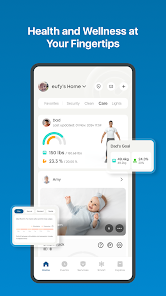
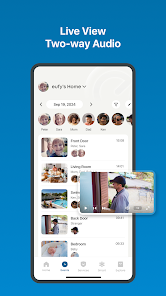
With eufy Security, you can enjoy continuous live streaming of your home environment, providing peace of mind wherever you are. The high-definition video quality ensures you don’t miss any details, allowing you to keep an eye on your property in real time through the intuitive mobile app.

Flexible Installation

eufy Security is designed for user-friendly installation, allowing you to set it up in minutes without the need for professional help. Whether you prefer a wired or wireless setup, the system adapts to your needs, making it a versatile choice for any home.

Local Storage Option

Unlike many competitors, eufy Security offers local storage of video footage, ensuring your data remains private and secure. This feature not only protects your information from potential breaches but also saves you from costly subscription fees for cloud services.

Smart AI Detection

The eufy Security system utilizes advanced AI technology to differentiate between people, pets, and objects. This means you only receive alerts for what truly matters, reducing unnecessary notifications and ensuring your home is monitored effectively without the clutter of false alarms.

Pros & Cons

Pros
  • Eufy Security offers robust, high-definition video surveillance for clear monitoring.
  • Enjoy easy installation with no monthly fees for peace of mind.
  • Advanced AI technology reduces false alerts by recognizing familiar faces.
  • Access live feeds and recorded footage from anywhere via the app.
  • Durable design ensures reliable performance in various weather conditions.
Cons
  • Limited integration with third-party smart home devices limits usability.
  • Occasional connectivity issues can disrupt monitoring and alerts.
  • Lacks advanced features like facial recognition and cloud storage options.

Real Experience Using eufy-original eufy Security

Application Scenarios

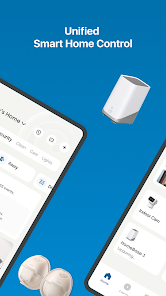
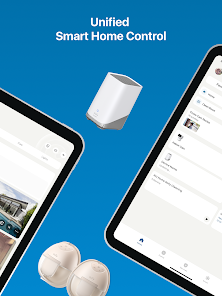
The eufy Security app shines in a variety of application scenarios, making it an excellent choice for both homeowners and renters. Primarily, users can set up and monitor their security cameras, doorbells, and other smart devices from one centralized platform. This is particularly useful for individuals who travel frequently or have multiple properties, as they can easily check in on their home security from anywhere. Additionally, the app is beneficial for families with children or elderly members, as it allows for real-time monitoring and alerts if any unusual activity is detected. Users can also customize settings for motion detection and notifications, tailoring the app to their specific needs, whether it’s for preventing package theft or monitoring entry points.

User Experience

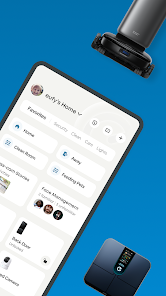
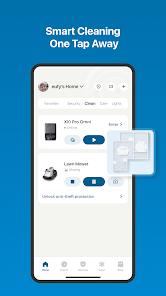
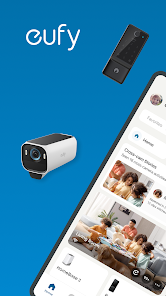
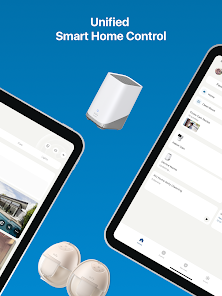
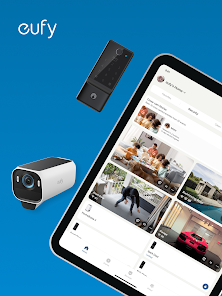
The user experience of the eufy Security app is intuitive and user-friendly, which is crucial for those who may not be tech-savvy. Upon downloading and setting up the app, users are greeted with a clean interface that makes navigation seamless. Features such as live streaming, two-way audio, and recorded footage are easily accessible, allowing users to interact with their devices with minimal effort. The app also offers a host of customization options, enabling users to set specific zones for motion detection and adjust notification preferences. However, some users have reported occasional connectivity issues or delays in notifications, which can be frustrating. Overall, the app generally provides a satisfactory experience, blending functionality with ease of use.

Pricing

Pricing for the eufy Security app is competitive within the smart home security market. The app itself is free to download, but users must invest in eufy’s hardware products to fully utilize its features. The initial cost of eufy cameras and devices is relatively affordable compared to other brands, and there are no monthly subscription fees for accessing recorded footage or cloud storage, which is a significant advantage. Users only need to pay for the hardware upfront, making it a cost-effective solution for those looking to enhance their home security without ongoing expenses.

Updates & Support

eufy consistently updates the app to enhance functionality and address any bugs, which demonstrates their commitment to user satisfaction. The development team actively seeks feedback from users and incorporates suggestions into future releases, ensuring the app evolves with user needs. Additionally, the support offered is commendable; users can access a comprehensive FAQ section and contact customer service for troubleshooting issues. While response times can vary, many users report satisfactory interactions with the support team. Overall, the combination of regular updates and reliable customer service contributes positively to the overall user experience with the eufy Security app.

verified Security & Privacy Review

The eufy Security app demonstrates a strong commitment to user data security and privacy. It utilizes end-to-end encryption for live video feeds and recorded footage, ensuring that only users can access their surveillance data. The app requires minimal permissions, primarily to access the camera and location services, which are essential for its functionality. Users are informed about data handling practices through clear privacy policies, detailing how personal information is collected, used, and shared. The app does not store user data on external servers, instead opting for local storage solutions that enhance data security. Notifications are provided for any updates or changes to privacy practices, allowing users to stay informed. Moreover, the app includes features such as two-factor authentication to further protect user accounts from unauthorized access. Overall, eufy Security takes significant measures to prioritize user privacy and data security while providing a reliable home security solution.

Reviews

4.6

“Great video quality, easy to install!”

“Reliable security features, worth the investment.”

“Battery life exceeds expectations, very convenient.”

“User-friendly app, seamless integration with devices.”

“Excellent customer support, responsive and helpful.”

Compare APP

FAQ

1

Can I submit suggestions or feedback to eufy-original eufy Security?

Yes, users can submit suggestions or feedback through the app's support section or by contacting customer service directly.

2

Does eufy-original eufy Security collect my personal data?

eufy-original eufy Security may collect personal data such as account information and usage data, but it adheres to privacy standards and policies to protect user information.

3

Does eufy-original eufy Security support offline use?

Yes, eufy-original eufy Security can be used offline for certain features, such as accessing stored video footage, but real-time functionality requires an internet connection.

4

How do I cancel my eufy-original eufy Security subscription?

You can cancel your subscription through the app settings or your app store account settings, depending on how you subscribed.

5

How much does a subscription to eufy-original eufy Security cost?

Subscription costs vary based on the plan selected, with options for monthly or yearly payment that provide additional cloud storage and features.

How to use eufy-original eufy Security

1

Can I update my customer number in the eufy app?

Yes, you can update your customer number by going to your account settings in the eufy app.

2

How can I contact eufy customer service for help with my account?

You can reach eufy customer service via the support section on our website or by calling the customer support number listed there.

3

How can I reach customer service if I'm having trouble activating my account?

You can contact customer service through the eufy website or by calling the dedicated support number for assistance with account activation.

4

How do I activate my eufy Security account?

To activate your account, download the eufy Security app, create an account, and follow the on-screen instructions to complete the activation.

5

How do I log in to my eufy Security app on a new device?

To log in on a new device, download the eufy Security app, enter your registered email and password, and you’ll gain access to your account.

Editor's Choice