This site uses cookies to enhance your user experience. By clicking any link on this site you are giving your consent to our cookie policy. Read more
Reject
Accept All
Emoji keyboard - Themes, Fonts

Emoji keyboard - Themes, Fonts

verified Verified App

Developer: Emoji Keyboard & Sticker Design Team

  • category

    Category: Tools

  • price

    Price: free

  • age rating

    Age Rating: Teen

  • rating

    Rating: 4.5

  • download

    Downloads: 100,000,000+

  • version

    Version: 3.4.4755

Screenshot 1
Screenshot 2
Screenshot 3
Screenshot 4
Screenshot 5
Screenshot 6
Screenshot 7

Features & Highlights

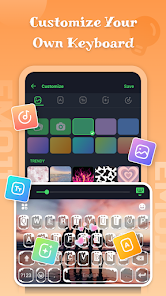
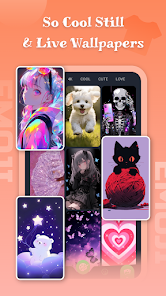
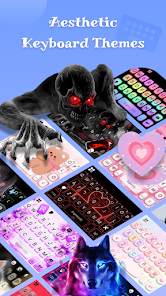
Customizable Themes

With a wide array of vibrant themes, the Emoji keyboard allows users to personalize their typing experience. Whether you prefer a sleek minimalist look or a colorful and lively design, you can easily switch between themes to match your mood or style, enhancing your texting experience.

Diverse Font Styles

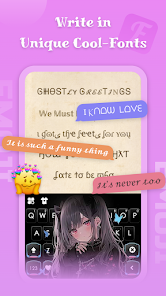
Express yourself in unique ways with a variety of font styles available on the Emoji keyboard. From playful and whimsical to elegant and bold, you can choose the perfect font to complement your messages, making every text stand out and reflect your personality.

Easy Emoji Access

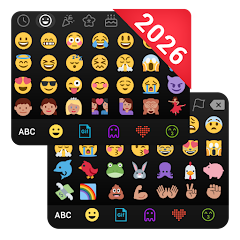
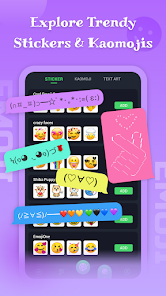
Finding the right emoji is a breeze with the Emoji keyboard's intuitive layout. With categories and frequent suggestions, you can quickly locate the perfect emoji to express your feelings, making conversations more fun and engaging without the hassle of scrolling through endless options.

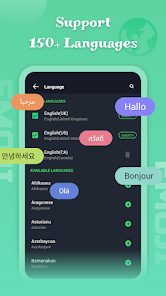
Multi-Language Support

The Emoji keyboard supports multiple languages, allowing users from different linguistic backgrounds to enjoy a seamless typing experience. This feature not only broadens accessibility but also fosters better communication, making it easier for everyone to connect and share their thoughts across various platforms.

Pros & Cons

Pros
  • Customize your keyboard with vibrant themes
  • Choose unique fonts for personalized expression
  • Enhance communication with colorful emojis
  • Easily switch themes for different moods
  • Enjoy a visually appealing typing experience
Cons
  • Limited customization options for themes and fonts
  • Compatibility issues with various devices arise frequently
  • Some emojis may not render correctly on all platforms
  • Can slow down typing speed for some users

Real Experience Using Emoji keyboard - Themes, Fonts

Application Scenarios

The Emoji Keyboard - Themes, Fonts app is designed for users who want to enhance their messaging experience across various platforms. Whether you are texting friends, posting on social media, or emailing, this app provides a plethora of options to express yourself creatively. The app is particularly useful for those who frequently communicate in informal settings, as it allows users to add a personal touch to their conversations with colorful emojis, unique fonts, and themed keyboards. It caters well to different user demographics, from teenagers wanting to liven up their chats to professionals seeking to add a splash of personality to their emails. Additionally, the customization options make it ideal for themed events like birthdays or holidays, where users can select specific emojis and themes to match the occasion.

User Experience

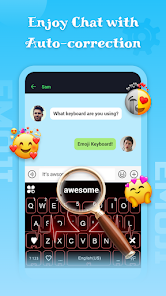
The user experience with the Emoji Keyboard app is generally smooth and enjoyable. Upon installation, users are greeted with an intuitive interface that makes navigation easy. Customization options are abundant, allowing users to choose from a variety of themes and fonts that can be applied to the keyboard. The emoji selection is extensive, featuring everything from classic smileys to more niche icons, ensuring that there’s something for everyone. The predictive text feature works seamlessly, enhancing typing efficiency without compromising the fun. However, some users have reported occasional lag during heavy usage, especially when switching between themes or fonts. Overall, the app successfully combines functionality with aesthetics, appealing to those who prioritize both practicality and visual appeal in their messaging tools.

Pricing

The Emoji Keyboard app operates on a freemium model, offering both free and premium features. Users can access a basic version with a decent selection of emojis and themes without any cost. However, to unlock the full potential of the app, including exclusive themes, additional fonts, and a wider range of emojis, users can opt for a premium subscription. The pricing is competitive compared to other similar apps in the market, and the investment is often justified by the enhanced user experience and creative options available with the premium features. Users should assess their emoji usage frequency to determine whether the premium features warrant the cost.

Updates & Support

The developers of the Emoji Keyboard app are proactive about updates and support. Regular updates are rolled out to introduce new emojis and themes, improve functionality, and fix bugs. Users can easily provide feedback through the app, and the support team is responsive, addressing concerns or queries in a timely manner. The app's community forums are also a valuable resource where users can share experiences and tips. Overall, the commitment to continuous improvement and user support contributes to a positive experience, making the app a reliable choice for anyone looking to enhance their communication with emojis and customization options.

verified Security & Privacy Review

The Emoji Keyboard - Themes, Fonts app prioritizes user privacy and data security by implementing several measures to protect personal information. The app requires certain permissions to function effectively, including access to the device's keyboard and storage. However, it is essential for users to be aware of the permissions they grant to ensure their data remains secure. The app's privacy policy outlines how user data is collected, used, and shared. It emphasizes that personal information is not sold to third parties and is only used to enhance user experience. The developers are committed to minimizing data collection to what is necessary for app functionality. To further ensure user safety, the app employs encryption protocols during data transmission, safeguarding sensitive information from unauthorized access. Regular updates are provided to address potential vulnerabilities and enhance security features. Overall, users are encouraged to review the privacy settings and permissions to maintain control over their data while enjoying the app's features.

Reviews

4.5

“Great variety of emojis and themes!”

“User-friendly interface and easy to customize.”

“Love the unique fonts available for texts.”

“Perfect for enhancing my messaging experience.”

“Constant updates keep the app fresh and fun!”

Editor's Choice