This site uses cookies to enhance your user experience. By clicking any link on this site you are giving your consent to our cookie policy. Read more
Reject
Accept All

Advertiser and Editorial Disclosures

Email: Fast, Manage All Mails

Email: Fast, Manage All Mails

verified Verified App

Developer: BizApp Innovators

  • category

    Category: Productivity

  • price

    Price: 0

  • age rating

    Age Rating: Everyone

  • rating

    Rating: 4.2

  • download

    Downloads: /

  • version

    Version: 1.2.1

Screenshot 1
Screenshot 2
Screenshot 3
Screenshot 4
Screenshot 5
Screenshot 6
Screenshot 7
Screenshot 8

Features & Highlights

Quick Reply Options

Email: Fast, Manage All Mails offers Quick Reply Options that allow you to respond to messages in seconds. Choose from customizable templates or use the smart suggestions feature to craft responses without typing, making your email management faster and more efficient than ever.

Smart Filters

With Smart Filters, you can prioritize your emails like a pro. This intelligent feature automatically categorizes your messages, helping you focus on what matters most while minimizing distractions from less important emails. It's like having a personal assistant for your inbox, making organization a breeze.

Snooze Functionality

Need to step away from your inbox? The Snooze Functionality lets you temporarily dismiss emails and set reminders for when you're ready to tackle them. This way, you can keep your focus on urgent tasks without losing sight of important messages that require your attention later.

Unified Inbox

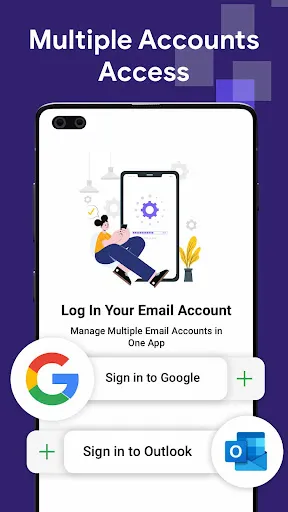
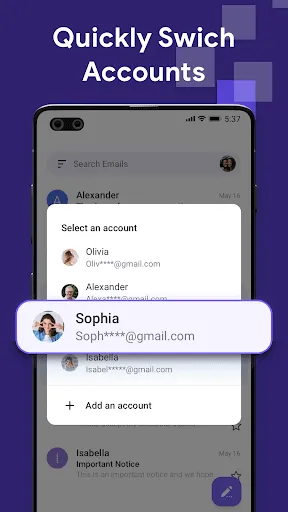
Say goodbye to app-switching with the Unified Inbox feature, which consolidates all your email accounts into a single, easy-to-navigate interface. This means you can effortlessly manage personal and professional emails in one place, streamlining your communication and saving you valuable time.

Pros & Cons

Pros
  • Email delivers messages instantly across the globe
  • Easily organize and categorize all your communications
  • Access your inbox anytime, anywhere with internet
  • Effortlessly share files and documents with attachments
  • Maintain a clear record of conversations for reference
Cons
  • Overwhelming spam cluttering inboxes
  • Miscommunication due to lack of tone
  • Delayed responses can hinder collaboration
  • Possible security risks with phishing attacks

Real Experience Using Email: Fast, Manage All Mails

Application Scenarios

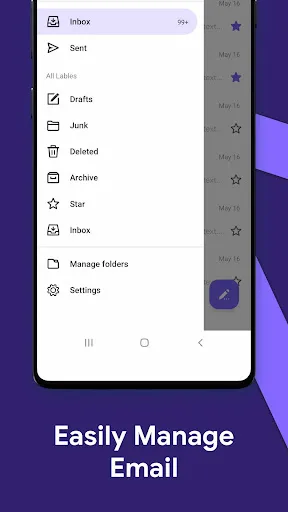
The Email: Fast, Manage All Mails app is designed for individuals who juggle multiple email accounts across various platforms. Whether you’re a busy professional managing work emails, a student coordinating group projects, or someone who simply wishes to keep personal and promotional emails organized, this app provides a seamless solution. Users can easily integrate accounts from services like Gmail, Yahoo, and Outlook, allowing for a consolidated inbox view. This is particularly beneficial for those who receive a high volume of emails daily and need to prioritize tasks efficiently. The app also supports features like customizable folders and smart filters, making it easier to categorize emails based on urgency or project relevance.

User Experience

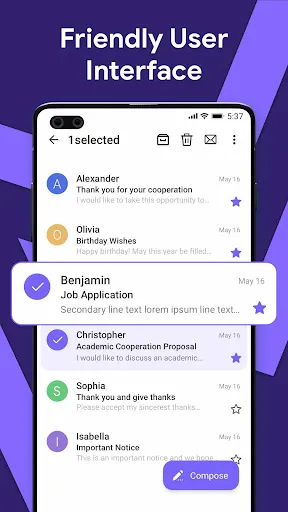
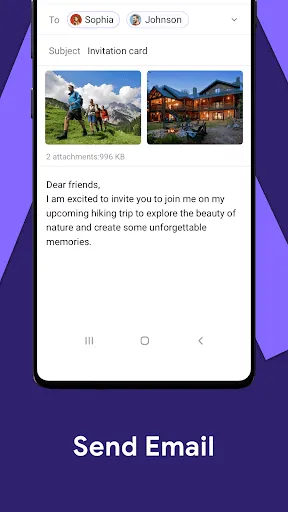
The user experience of Email: Fast, Manage All Mails is quite intuitive, featuring a clean interface that is easy to navigate. Upon launching the app, users are greeted with a dashboard that displays all their connected email accounts, providing a quick overview of unread messages and important notifications. The app’s layout is user-friendly, and the swipe gestures for archiving or deleting emails make managing the inbox a breeze. Additionally, the search functionality is robust, enabling users to find specific emails quickly without sifting through numerous messages. The app also includes a dark mode feature, which is a thoughtful addition for users who prefer a more visually comfortable experience, especially during nighttime usage.

Pricing

Email: Fast, Manage All Mails operates on a freemium model, offering a basic version at no cost, which includes essential features suitable for everyday use. For users looking for advanced functionalities, such as enhanced security features, additional storage, and ad-free navigation, a premium subscription is available. The pricing is competitive compared to similar apps on the market, making it an attractive option for users who want a versatile email management tool without breaking the bank. The subscription also often includes periodic promotional offers, allowing users to explore premium features at a reduced cost.

Updates & Support

The developers of Email: Fast, Manage All Mails are committed to providing regular updates to enhance user experience and incorporate new features based on user feedback. These updates are typically rolled out to address bugs, improve functionality, and ensure compatibility with the latest operating systems. The support team is reachable via email and social media platforms, offering quick responses to user inquiries. Additionally, the app features a comprehensive FAQ section and tutorial videos, helping users navigate through any challenges they may encounter. Overall, the dedication to continuous improvement and responsive support significantly enhances user satisfaction.

verified Security & Privacy Review

The security and privacy practices of Email: Fast, Manage All Mails are critical considerations for users who handle sensitive information. The app employs robust encryption protocols to protect user data during transmission, ensuring that emails remain confidential and secure from unauthorized access. Additionally, it implements secure authentication methods, providing an extra layer of protection against potential breaches. In terms of permissions, the app requires access to the user's contacts and storage, which is common among email applications. However, users are advised to review these permissions carefully to ensure they are comfortable with the level of access granted. The app's privacy policy outlines how user data is collected, used, and shared, emphasizing a commitment to transparency. Moreover, Email: Fast, Manage All Mails does not sell user data to third parties, aligning with best practices in user data protection. Regular updates and security patches are provided to address potential vulnerabilities, further enhancing user confidence in the app’s security measures. Overall, the app appears to prioritize user privacy while offering a seamless email management experience.

Reviews

4.2

“Fast and efficient email management tool.”

“User-friendly interface and smooth navigation.”

“Great for organizing multiple email accounts.”

“Notifications keep me updated in real-time.”

“Excellent performance, love the customization options.”

FAQ

1

Does Email: Fast, Manage All Mails collect my personal data?

Email: Fast, Manage All Mails may collect certain personal data as outlined in its privacy policy, but it prioritizes user privacy and security. Users are encouraged to review the policy for specific details.

2

Does Email: Fast, Manage All Mails offer a free trial or free version?

Yes, Email: Fast, Manage All Mails offers a free version with limited features, as well as a free trial for users to explore its premium features before committing to a subscription.

3

Does Email: Fast, Manage All Mails require an internet connection?

Yes, an internet connection is required to send and receive emails, sync your accounts, and access features in Email: Fast, Manage All Mails.

4

How can I contact support or send feedback for Email: Fast, Manage All Mails?

You can contact support or send feedback through the app’s support section, which includes options for submitting inquiries, reporting issues, or providing suggestions directly to the development team.

5

How do I manage or cancel my Email: Fast, Manage All Mails subscription?

You can manage or cancel your subscription by accessing the account settings within the app, where you will find options for subscription management and cancellation.

How to use Email: Fast, Manage All Mails

1

How can I contact customer service for the Email: Fast, Manage All Mails app?

You can reach customer service through the app's help section or by emailing support

2

How do I activate my Email: Fast, Manage All Mails app account?

After downloading, open the app, create an account using your email, and follow the activation link sent to your inbox.

3

How do I log in to the Email: Fast, Manage All Mails app?

Open the app, enter your registered email and password, then tap "Log In."

4

What is the customer number for the Email: Fast, Manage All Mails app?

The customer number is typically found in your account settings or the welcome email after sign-up.

Editor's Choice