This site uses cookies to enhance your user experience. By clicking any link on this site you are giving your consent to our cookie policy. Read more
Reject
Accept All
Easy Voice Recorder Pro

Easy Voice Recorder Pro

verified Verified App

Developer: Digipom

  • category

    Category: Productivity

  • price

    Price: $4.99

  • age rating

    Age Rating: Everyone

  • rating

    Rating: 4.7

  • download

    Downloads: 500,000+

  • version

    Version: 2.9.4

Screenshot 1
Screenshot 2
Screenshot 3
Screenshot 4
Screenshot 5
Screenshot 6
Screenshot 7
Screenshot 8
Screenshot 9
Screenshot 10
Screenshot 11
Screenshot 12
Screenshot 13
Screenshot 14
Screenshot 15

Features & Highlights

Advanced Editing Tools

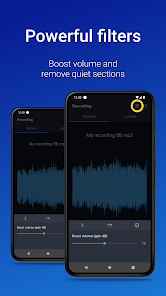
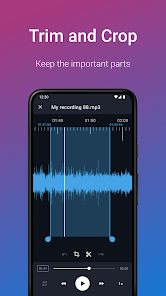
With built-in editing features, Easy Voice Recorder Pro allows you to trim and enhance your recordings directly within the app. This capability lets you refine your audio files, removing any unnecessary parts and ensuring that your final product is polished and ready for sharing or further use.

Cloud Storage Integration

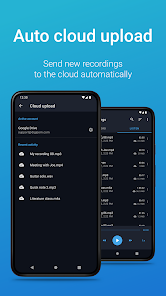
Easily back up and access your recordings with seamless cloud storage integration. The app supports popular services like Google Drive and Dropbox, enabling you to save your files securely and ensuring they're available wherever you go, making it easy to share and manage your audio recordings.

High-Quality Recording

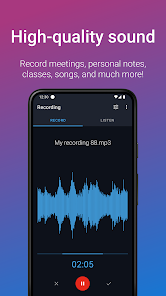
Easy Voice Recorder Pro allows you to capture audio in high-quality formats, ensuring that your recordings are crystal clear and professional. Whether you're recording lectures, meetings, or personal notes, the app optimizes sound quality for all your needs, making it perfect for both casual users and professionals alike.

User-Friendly Interface

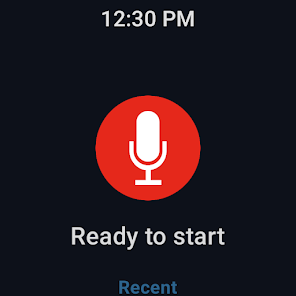
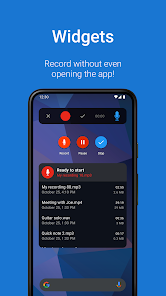
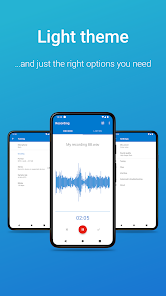
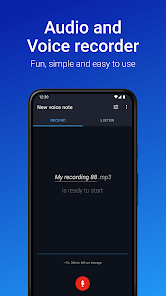
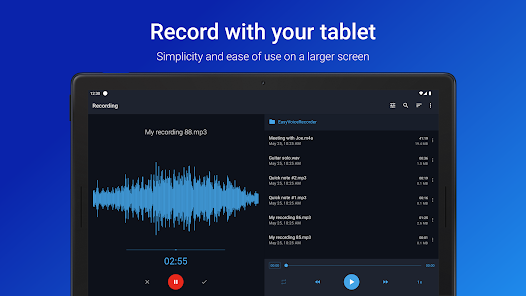
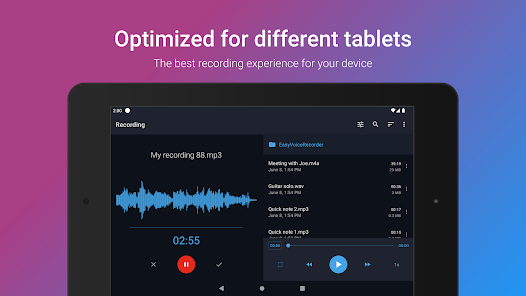
Designed with simplicity in mind, Easy Voice Recorder Pro features an intuitive interface that makes navigation a breeze. You can quickly start, pause, or stop recordings with just a tap, allowing you to focus on what matters most—capturing your thoughts and ideas without any distractions.

Pros & Cons

Pros
  • High-quality audio recordings for clarity and precision
  • User-friendly interface for effortless navigation and use
  • Supports various audio formats for flexibility in sharing
  • Background recording allows multitasking while capturing audio
  • Advanced features like trimming and cloud backup options
Cons
  • Limited editing features for recorded audio
  • High storage space usage for long recordings
  • No cloud integration for easy backup
  • Occasional bugs in playback functionality

Real Experience Using Easy Voice Recorder Pro

Application Scenarios

Easy Voice Recorder Pro is designed for a myriad of recording scenarios, making it a versatile tool for both professionals and casual users. Whether you're a journalist capturing interviews, a student recording lectures, or a musician brainstorming song ideas, this app provides an efficient solution for high-quality audio recording. Its user-friendly interface allows for quick access to recording options, making it easier to start capturing audio on the fly. Furthermore, the app supports background recording, ensuring that users can continue to use their devices for other tasks without interrupting the recording process. This feature is particularly beneficial for those who multitask or need to take notes while recording. Additionally, the app is equipped with various audio formats and quality settings, allowing users to tailor their recordings to suit their specific needs, whether that be for professional use or personal archives.

User Experience

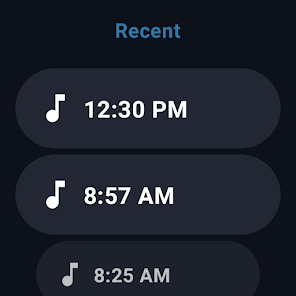
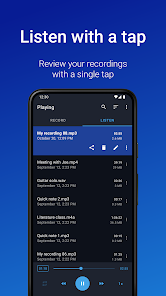
The user experience with Easy Voice Recorder Pro is largely positive, characterized by its intuitive design and functionality. Upon launching the app, users are greeted with a clean interface that minimizes distractions and focuses on the task at hand—recording audio. The app’s one-tap recording feature simplifies the process, making it accessible even to those who may not be tech-savvy. Users can easily manage their recordings with options to rename, delete, or share files directly from the app. The playback feature is also commendable, allowing users to review recordings without needing to use additional software. Many users appreciate the ability to organize recordings into folders, which helps in managing multiple projects efficiently. Overall, the app’s stability and performance contribute to a seamless recording experience, with minimal lag or crashes reported.

Pricing

Easy Voice Recorder Pro is priced competitively, offering a one-time purchase option that provides full access to all features without any subscription model. This pricing strategy is attractive for users who prefer a straightforward payment plan without ongoing fees. The app frequently runs promotions or discounts, making it even more accessible for those on a budget. In comparison to similar apps on the market, Easy Voice Recorder Pro stands out not only for its affordability but also for the rich set of features it offers at that price point. Users can feel confident that they are investing in a robust tool that delivers value, particularly for those who require reliable recording capabilities.

Updates & Support

Regular updates are a hallmark of Easy Voice Recorder Pro, with the developers committed to enhancing user experience and adding new features based on user feedback. The update cycle is consistent, addressing bugs and improving functionality, which demonstrates the developers' dedication to maintaining high standards. Support is readily available through various channels, including email and a dedicated FAQ section on their website. Users have reported prompt responses to inquiries, making it easy to resolve issues or seek guidance. The active community surrounding the app also provides a wealth of shared tips and tricks, further enhancing the overall user experience. Overall, the combination of timely updates and responsive support solidifies Easy Voice Recorder Pro as a dependable choice for audio recording needs.

verified Security & Privacy Review

The Easy Voice Recorder Pro app prioritizes user security and privacy, ensuring that recordings are stored securely on the device. The app employs robust encryption standards to safeguard audio files, minimizing the risk of unauthorized access. Users have full control over their recordings, with options to manage and delete files as needed, enhancing personal data management. Regarding permissions, Easy Voice Recorder Pro requests access to the device's microphone and storage, which are essential for its core functionality. The app does not require unnecessary permissions, limiting potential exposure of user data. Users are informed about the permissions needed, promoting transparency. Easy Voice Recorder Pro does not collect personal information or share user data with third parties, adhering to strict privacy practices. The app’s privacy policy clearly outlines data usage, further reinforcing user trust. Regular updates also reflect the developers' commitment to addressing security vulnerabilities and improving overall user privacy. Overall, Easy Voice Recorder Pro provides a secure environment for capturing and storing audio recordings while respecting user privacy.

Reviews

4.7

“User-friendly interface, easy to navigate and use.”

“High-quality audio recordings, very clear sound.”

“Excellent for capturing lectures and meetings.”

“Features like cloud backup are very helpful.”

“Reliable app with frequent updates and improvements.”

Editor's Choice