This site uses cookies to enhance your user experience. By clicking any link on this site you are giving your consent to our cookie policy. Read more
Reject
Accept All
Duet Display

Duet Display

verified Verified App

Developer: Duet, Inc.

  • category

    Category: Productivity

  • price

    Price: free

  • age rating

    Age Rating: Everyone

  • rating

    Rating: 4.2

  • download

    Downloads: 500,000+

  • version

    Version: 0.7.0.14

Screenshot 1
Screenshot 2
Screenshot 3
Screenshot 4
Screenshot 5
Screenshot 6

Features & Highlights

High-Resolution Support

Duet Display supports high-resolution displays, ensuring that your content looks stunning no matter where you use it. Whether you're working on detailed graphic designs or watching high-definition videos, the clarity and quality remain top-notch, providing an immersive experience.

Low Latency Performance

With Duet Display, enjoy a smooth and responsive experience thanks to its low latency performance. This means you can interact with your applications in real-time without frustrating delays, making it ideal for gaming, presentations, or any task that requires quick reactions.

Seamless Dual Display

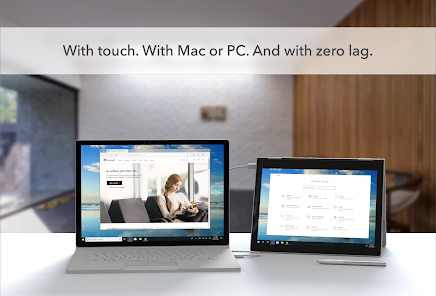
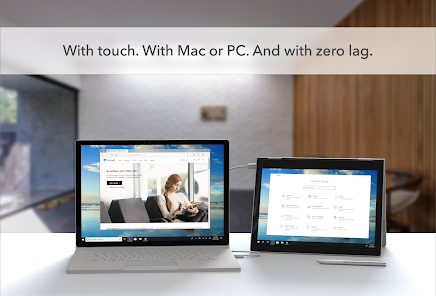
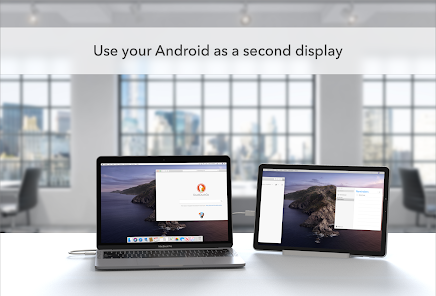
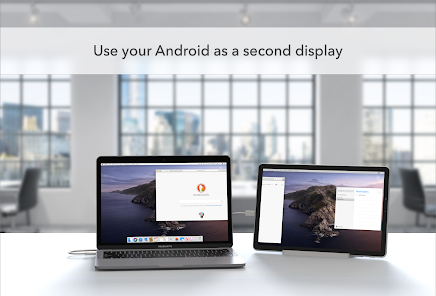
Duet Display effortlessly transforms your iPad or Android device into a second screen for your Mac or Windows computer. This feature not only enhances your productivity by providing additional screen real estate but also allows for a smoother workflow, making multitasking a breeze.

Touchscreen Functionality

Experience the convenience of touchscreen controls with Duet Display, which lets you interact with your desktop applications directly on your mobile device. This feature is perfect for artists and designers, allowing for intuitive gestures and precise input that enhances your creative process.

Pros & Cons

Pros
  • Seamlessly extend your desktop with extra screen space
  • Compatible with various devices, enhancing flexibility
  • Improves productivity by multitasking more efficiently
  • Touchscreen support for intuitive interaction and control
  • Easy setup, requiring minimal configuration or effort
Cons
  • Limited functionality compared to dedicated monitors
  • Latency issues can hinder responsiveness
  • Requires a reliable Wi-Fi connection
  • May drain device battery quickly

Real Experience Using Duet Display

Application Scenarios

Duet Display serves a variety of users, from professionals to students, who need an efficient way to extend their workspace. It's particularly useful for graphic designers, software developers, and anyone who frequently multitasks. By turning an iPad or another device into a secondary display, Duet Display allows users to keep their essential applications open and accessible. This is especially beneficial in scenarios where physical desk space is limited or when using a laptop on the go. With Duet, users can easily drag windows between displays, which enhances productivity and improves workflow. Whether you’re in a coffee shop or at home, the ability to utilize an additional screen can significantly streamline tasks such as coding, video editing, or even casual gaming.

User Experience

The user experience with Duet Display is generally positive, marked by its intuitive setup and seamless connectivity. Users appreciate the straightforward installation process, which involves downloading the app on both the primary device and the secondary display. The interface is clean and user-friendly, allowing users to adjust settings with ease. Many users report a minimal lag when using the app, which is crucial for tasks that require precision, like graphic design or gaming. Additionally, the app supports both wired and wireless connections, giving users the flexibility to choose their preferred mode of operation. However, some users have noted that performance may vary depending on the specific devices used and the quality of the connection, particularly in wireless mode.

Pricing

Duet Display operates on a freemium model, providing users with a basic version free of charge, while offering premium features through a subscription. The premium version unlocks enhanced features such as advanced display settings, additional resolution options, and extended support for Apple Pencil, making it more appealing for creative professionals. The subscription pricing is competitive compared to other similar applications on the market, allowing users to choose between monthly or yearly plans. Many users find that the investment is justified by the productivity gains they experience, particularly if they rely heavily on dual screens for their daily tasks.

Updates & Support

Duet Display is regularly updated to enhance functionality and address user feedback. The developers are committed to improving the app, introducing new features, and fixing any issues promptly. Users can access a comprehensive support section on the official website, which includes FAQs, troubleshooting guides, and a community forum. Additionally, customer support is responsive, with many users reporting positive experiences when reaching out for assistance. Regular updates and dedicated support enhance the overall user experience, ensuring that Duet Display remains a reliable tool for those looking to maximize their productivity across multiple screens.

verified Security & Privacy Review

Duet Display takes user security and privacy seriously, implementing robust measures to safeguard personal information. The app requires minimal permissions, primarily accessing the display and network to function effectively as a second screen. This limitation helps minimize potential vulnerabilities associated with excessive data access. Data transmitted between devices is encrypted, ensuring that any sensitive information displayed is protected from unauthorized interception. Additionally, Duet Display does not store user data on its servers, meaning that personal information remains local to the devices in use. This approach significantly reduces the risk of data breaches or unauthorized access. Users should be aware that while Duet Display does not collect personal data, it may collect anonymized usage statistics to improve the app's performance. This data is not linked to individual users, thus preserving privacy. Overall, Duet Display demonstrates a commitment to maintaining user security and privacy, making it a trustworthy option for those seeking to extend their device's display capabilities.

Reviews

4.2

“Great for extending my display on the go!”

“Smooth performance, easy setup, love it!”

“Perfect for remote work and multitasking.”

“Occasional lag, but overall a solid app.”

“User-friendly interface, highly recommend for productivity.”

Editor's Choice