This site uses cookies to enhance your user experience. By clicking any link on this site you are giving your consent to our cookie policy. Read more
Reject
Accept All
Dropbox: Secure Cloud Storage

Dropbox: Secure Cloud Storage

verified Verified App

Developer: Dropbox, Inc.

  • category

    Category: Productivity

  • price

    Price: free

  • age rating

    Age Rating: Everyone

  • rating

    Rating: 4.4

  • download

    Downloads: 1,000,000,000+

  • version

    Version: 458.2.4

Screenshot 1
Screenshot 2
Screenshot 3
Screenshot 4
Screenshot 5
Screenshot 6
Screenshot 7

Features & Highlights

Advanced Security Features

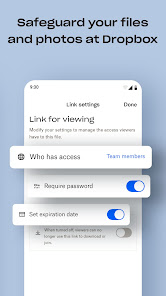
With Dropbox, your files are protected by robust security measures, including encryption and two-factor authentication. This means your data is safe from unauthorized access, giving you peace of mind as you store and share sensitive information.

Easy File Sharing

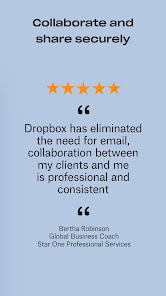
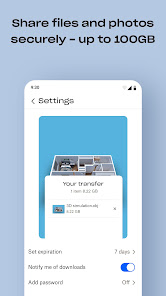
Sharing files with Dropbox is a breeze. You can easily send links to files or folders, set permissions for collaborators, and even create shared folders for team projects. This makes teamwork more efficient, as everyone can access the latest versions of documents in real-time.

File Synchronization

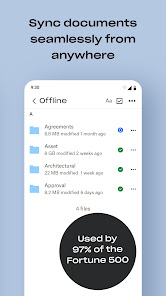
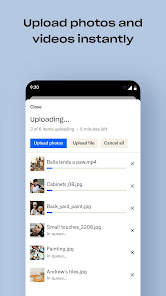
Dropbox offers seamless file synchronization across all your devices, ensuring that your documents are always up-to-date and accessible. Whether you're on your phone, tablet, or computer, any changes you make are instantly reflected everywhere, making it easy to collaborate on-the-go.

Smart Organization Tools

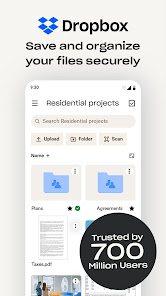
Dropbox includes smart organization tools that help you keep your files sorted and easy to find. With features like file tagging, search functionality, and customizable folders, you can quickly locate important documents and maintain a clutter-free workspace.

Pros & Cons

Pros
  • Access files from anywhere, anytime.
  • Seamless collaboration with team members.
  • Automatic backup for peace of mind.
  • User-friendly interface for easy navigation.
  • Robust security features protect your data.
Cons
  • Limited free storage space available for users
  • Subscription costs can be high for larger plans
  • Syncing issues may occur with large files
  • Privacy concerns due to data scanning policies

Real Experience Using Dropbox: Secure Cloud Storage

Application Scenarios

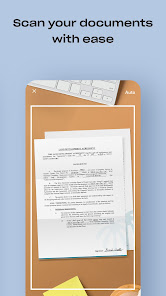
Dropbox: Secure Cloud Storage is highly versatile and caters to a wide range of application scenarios. Whether you are a student collaborating on group projects, a professional working remotely, or a business owner managing files across teams, Dropbox serves as a reliable solution. Students can easily store lecture notes, assignments, and multimedia files, ensuring that important documents are accessible from any device. For professionals, Dropbox provides seamless integration with productivity tools, allowing users to share documents, presentations, and spreadsheets effortlessly. Businesses can benefit from features such as team folders and customizable access permissions, making it easier to manage sensitive information while promoting collaboration. Additionally, creative professionals like photographers and designers can utilize the platform to store and share high-resolution images and design files, ensuring their work is both secure and easily accessible.

User Experience

The user experience on Dropbox is generally intuitive and user-friendly. Upon downloading the app, users are greeted with a clean interface that simplifies navigation. File organization is straightforward, with options to create folders and subfolders, making it easy to categorize and locate files. The drag-and-drop feature enhances usability, allowing users to upload files with minimal effort. Moreover, the app provides real-time synchronization across devices, ensuring that any changes made are instantly reflected everywhere. Users can also take advantage of file versioning, which allows them to revert to previous versions of documents if needed. Overall, the seamless integration with various operating systems and devices, coupled with a straightforward design, makes Dropbox a pleasure to use.

Pricing

Dropbox offers various pricing plans to accommodate different user needs. The Basic plan is free and includes 2 GB of storage, which is ideal for casual users. For those requiring more storage, the Plus plan provides 2 TB of storage for a monthly fee, perfect for individuals who need to store large files. The Family plan extends the Plus features to up to six users, making it a cost-effective option for families sharing storage. For businesses, the Professional and Business plans offer advanced features such as increased storage, enhanced collaboration tools, and additional security measures at a higher cost. The pricing structure is competitive, making it accessible for both personal and professional users.

Updates & Support

Dropbox consistently rolls out updates to enhance functionality and address user feedback. Recent updates have included improvements to file search capabilities, enhanced security features, and better integration with third-party applications. These updates often come with user-friendly notifications, ensuring that users are aware of new capabilities. In terms of support, Dropbox offers a robust help center filled with articles, FAQs, and video tutorials to assist users in troubleshooting issues. Additionally, users can reach out to customer support via email or live chat for more personalized assistance. This commitment to continuous improvement and user support contributes significantly to the overall positive experience with the app.

verified Security & Privacy Review

Dropbox: Secure Cloud Storage prioritizes user security and privacy with robust measures to protect sensitive data. The app employs advanced encryption protocols, including AES-256 bit encryption for files at rest and TLS for data in transit, ensuring that your information remains secure from unauthorized access. In terms of privacy practices, Dropbox adheres to strict data protection regulations, such as GDPR, providing transparency regarding how user data is collected, stored, and used. Users have the ability to manage their data, with options to delete files and account information, reinforcing user control over personal data. Permissions required by the app are generally standard for cloud storage services, including access to storage and internet connectivity. However, users should remain vigilant and review permissions to ensure they align with their privacy preferences. Dropbox also offers two-factor authentication, adding an extra layer of security against unauthorized access. Overall, Dropbox demonstrates a commitment to safeguarding user data while providing essential tools for privacy management, making it a reliable choice for secure cloud storage.

Reviews

4.4

“Easy to use and reliable for file sharing”

“Great collaboration features with team members”

“Syncing across devices is seamless and fast”

“Affordable plans for storage options”

“User-friendly interface makes managing files simple”

Editor's Choice