This site uses cookies to enhance your user experience. By clicking any link on this site you are giving your consent to our cookie policy. Read more
Reject
Accept All

Advertiser and Editorial Disclosures

Blink Home Monitor

Blink Home Monitor

verified Verified App

Developer: Immedia Semiconductor

  • category

    Category: Tools

  • price

    Price: free

  • age rating

    Age Rating: Everyone

  • rating

    Rating: 4.4

  • download

    Downloads: 10,000,000+

  • version

    Version: 52.0

Screenshot 1
Screenshot 2
Screenshot 3
Screenshot 4
Screenshot 5
Screenshot 6
Screenshot 7
Screenshot 8
Screenshot 9
Screenshot 10
Screenshot 11
Screenshot 12
Screenshot 13
Screenshot 14
Screenshot 15
Screenshot 16
Screenshot 17
Screenshot 18
Screenshot 19
Screenshot 20
Screenshot 21

Features & Highlights

Cloud Storage Options

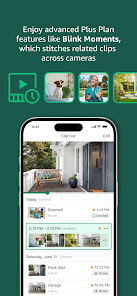
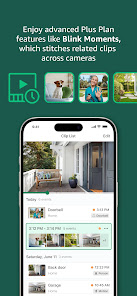
Enjoy peace of mind with flexible cloud storage options that let you save and access recorded videos. With various plans available, you can choose the right amount of storage for your needs, ensuring important moments are captured and available whenever you need them.

Live Video Streaming

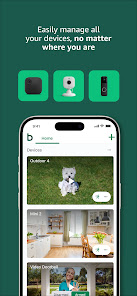
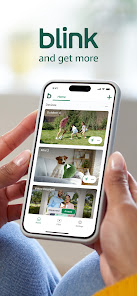
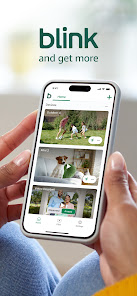
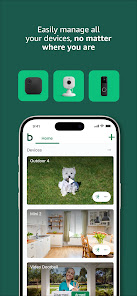
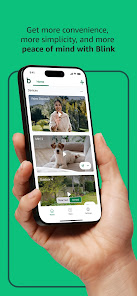
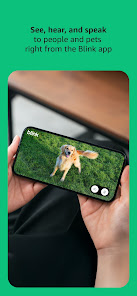
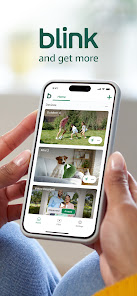
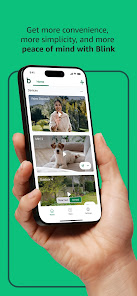
With Blink Home Monitor, you can easily access live video feeds from your cameras, giving you real-time insights into your home. Whether you're at work or on vacation, you can check in on pets or loved ones with just a tap on your smartphone.

Motion Detection Alerts

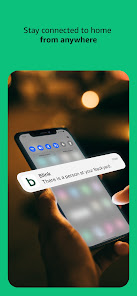
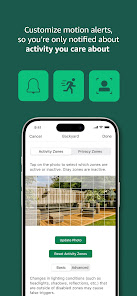
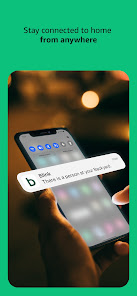
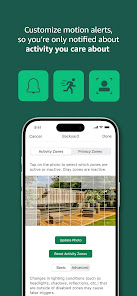
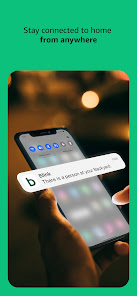
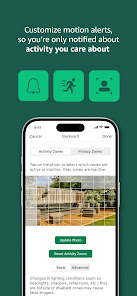
Stay informed about any activity around your home with customizable motion detection alerts. The app notifies you instantly when movement is detected, allowing you to swiftly respond to potential security threats or simply keep an eye on daily happenings around your property.

Two-Way Audio

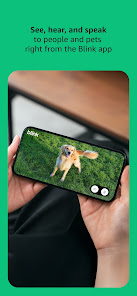
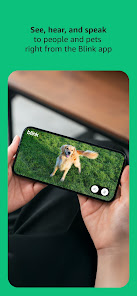
Communicate directly with visitors or family members using the two-way audio feature. This built-in functionality allows you to speak and listen through the camera, making it perfect for checking in on kids or welcoming guests without needing to open the door.

Pros & Cons

Pros
  • Easy installation with no complex wiring required.
  • Live HD video streaming from anywhere, anytime.
  • Motion detection alerts keep you informed of activity.
  • Two-way audio enables seamless communication with visitors.
  • Affordable subscription plans for extended video storage.
Cons
  • Limited integration with other smart home devices reduces versatility.
  • Storage plans can become costly over time for extensive use.
  • The mobile app occasionally experiences connectivity issues, impacting real-time monitoring.

Real Experience Using Blink Home Monitor

Application Scenarios

The Blink Home Monitor app is designed to enhance home security by allowing users to monitor their property in real-time. It is particularly useful for homeowners who travel frequently or those who want to keep an eye on their children or pets while away. The app integrates seamlessly with Blink's range of security cameras, providing a reliable solution for surveillance. Users can utilize the app to receive motion alerts, view live video feeds, and even communicate through two-way audio. This makes it an excellent choice for monitoring entry points, ensuring that packages are delivered safely, or checking in on loved ones. Additionally, the app offers customizable settings, allowing users to tailor notifications based on their specific needs, making it versatile for various scenarios.

User Experience

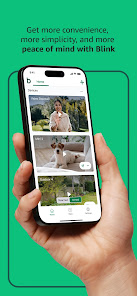
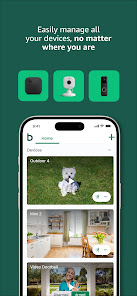
The user experience of the Blink Home Monitor app is generally positive. It features a clean, intuitive interface that makes navigation straightforward, even for those who may not be tech-savvy. Setting up the app and connecting it to Blink cameras is a simple process, guided by clear instructions. Users appreciate the ability to access live feeds and recorded footage with minimal latency, ensuring that they can respond quickly to any alerts. The app also allows for multiple camera views, which is beneficial for those with larger properties. However, some users have reported occasional connectivity issues, particularly when using the app in areas with weak Wi-Fi signals. Overall, the Blink Home Monitor app delivers a satisfactory experience, particularly for those seeking an easy-to-use home security solution.

Pricing

The Blink Home Monitor app is free to download and use; however, users must invest in Blink's security cameras and accessories to take full advantage of its features. The cameras are reasonably priced, making them accessible for most budgets. Blink also offers a subscription plan for cloud storage, allowing users to save and access video recordings beyond the standard clips. The pricing is competitive compared to other home security solutions, providing good value for the features offered. Users can choose between a flexible monthly plan or an annual subscription, adding to the affordability of maintaining home security without breaking the bank.

Updates & Support

Blink regularly updates the Home Monitor app to enhance functionality and fix bugs, ensuring that users benefit from the latest features and security improvements. Users can expect updates that may include new camera features, performance enhancements, and improved user interfaces. In terms of support, Blink provides a comprehensive help center with FAQs and troubleshooting guides, which can be invaluable for users facing challenges. Additionally, customer support is reachable via email and phone, with response times generally being prompt. Overall, the commitment to regular updates and accessible support enhances user satisfaction and confidence in the Blink Home Monitor app.

verified Security & Privacy Review

The Blink Home Monitor app prioritizes user security and privacy through various measures designed to protect sensitive information. The app employs end-to-end encryption for video streams, ensuring that only authorized users can access live feeds and recorded footage. This encryption safeguards against unauthorized interception and enhances overall data security. In terms of permissions, the app requires access to the camera and microphone for monitoring and communication features. Users are advised to review these permissions carefully, as granting access allows the app to function optimally. However, the app does not require excessive permissions beyond what is necessary for its primary functions, which is a positive aspect for privacy-conscious users. Moreover, Blink adheres to strict data handling practices, stating that user data is not sold to third parties. Users can also manage their privacy settings within the app, providing transparency and control over personal information. Overall, the Blink Home Monitor app demonstrates a solid commitment to security and privacy, making it a reliable choice for home monitoring needs.

Reviews

4.4

“Easy to set up and use.”

“Great video quality and clarity.”

“Alerts are timely and reliable.”

“App interface is user-friendly.”

“Works seamlessly with smart home devices.”

Compare APP

FAQ

1

Can I submit suggestions or feedback to Blink Home Monitor?

Yes, users can submit suggestions or feedback through the app's support or feedback section, allowing them to share their thoughts and experiences with the developers.

2

Does Blink Home Monitor collect my personal data?

Yes, Blink Home Monitor may collect personal data such as account information and usage data to improve its services, but it follows privacy policies to protect user information.

3

Does Blink Home Monitor support offline use?

Blink Home Monitor typically requires an internet connection to function properly, as it relies on cloud services for video storage and notifications.

4

How do I cancel my Blink Home Monitor subscription?

You can cancel your Blink Home Monitor subscription through the app settings or by managing your subscription directly through the app store where you initially subscribed.

5

How much does a subscription to Blink Home Monitor cost?

Subscription costs for Blink Home Monitor can vary, but it typically includes options for monthly or annual plans that offer additional storage and features.

How to use Blink Home Monitor

1

Can I change my customer number?

Customer numbers are unique identifiers and cannot be changed. Please contact customer service for further assistance.

2

Can customer service help me with my account activation issues?

Yes, customer service can assist you with any activation issues you may encounter. Reach out through the app or website for help.

3

How can I contact customer service for Blink Home Monitor?

You can reach customer service through the Blink app or by visiting our website for support options.

4

How do I activate my Blink account?

To activate your Blink account, click the activation link in the verification email sent to you after registration.

5

How do I log in if I have two-factor authentication enabled?

Enter your username and password, then follow the on-screen prompts to enter the verification code sent to your device.

Editor's Choice