This site uses cookies to enhance your user experience. By clicking any link on this site you are giving your consent to our cookie policy. Read more
Reject
Accept All
Design Space: DIY with Cricut

Design Space: DIY with Cricut

verified Verified App

Developer: Cricut

  • category

    Category: Lifestyle

  • price

    Price: free

  • age rating

    Age Rating: Everyone

  • rating

    Rating: 3.9

  • download

    Downloads: 5,000,000+

  • version

    Version: 6.44.0

Screenshot 1
Screenshot 2
Screenshot 3
Screenshot 4
Screenshot 5
Screenshot 6
Screenshot 7
Screenshot 8
Screenshot 9
Screenshot 10
Screenshot 11
Screenshot 12
Screenshot 13
Screenshot 14
Screenshot 15
Screenshot 16

Features & Highlights

Customizable Designs

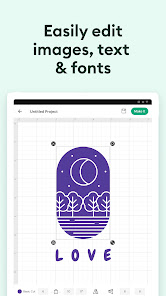
With Design Space, you have the freedom to customize any design to suit your personal style. Adjust colors, sizes, and layers to create something truly one-of-a-kind. This flexibility empowers you to express your individuality in every project you tackle.

Seamless Material Compatibility

Design Space is compatible with a wide range of materials, including paper, vinyl, and fabric. This versatility allows you to explore various crafting techniques and expand your creative repertoire. Whether you're making home decor or personalized apparel, you can achieve stunning results with ease.

Smart Project Planning

Design Space offers an intuitive interface that allows users to effortlessly plan their DIY projects. You can easily visualize your ideas and arrange elements on the canvas, ensuring everything fits together perfectly before you start cutting. This feature streamlines your creative process and saves you time.

Vast Image Library

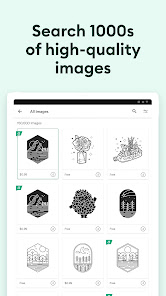
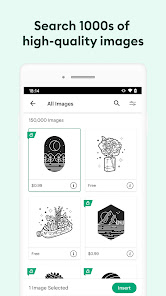
Access a vast library of images, fonts, and pre-made designs to inspire your creativity. Whether you're looking for seasonal decorations or personalized gifts, you'll find a plethora of options to choose from. This extensive collection makes it easy to enhance your projects with unique touches.

Pros & Cons

Pros
  • Endless creative possibilities for personalized projects
  • User-friendly interface for all skill levels
  • Access to a vast library of design assets
  • Seamless integration with Cricut machines for precision
  • Inspiring community support and project sharing
Cons
  • Limited design options for free users.
  • Requires a learning curve for beginners.
  • Subscription fees can add up quickly.
  • Internet connection needed for full functionality.

Real Experience Using Design Space: DIY with Cricut

Application Scenarios

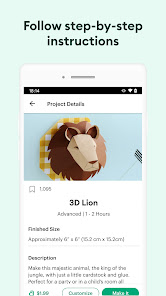
The Design Space app for Cricut is a versatile platform that caters to a multitude of creative projects. Whether you are a crafting novice or an experienced DIY enthusiast, the app offers endless possibilities. Users can create custom designs for various materials including paper, vinyl, and fabric, enabling them to make personalized gifts, home decor items, and even custom apparel. The app is particularly beneficial for events such as birthdays, weddings, and holidays, allowing users to design unique decorations, invitations, and party favors. Additionally, educators and small business owners can leverage the app for creating educational materials or promotional items, making it a useful tool for multiple user demographics.

User Experience

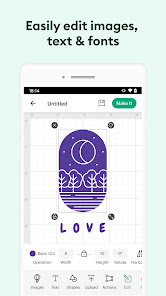
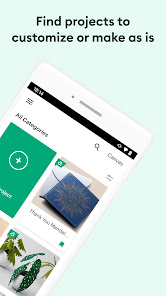
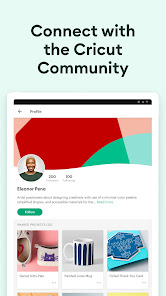
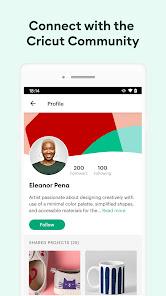
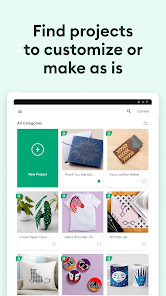
The user experience of Design Space is largely intuitive, with a clean interface that is easy to navigate. Upon launching the app, users are greeted with a library of pre-designed projects, making it simple to get started. The design tools are user-friendly, allowing for easy customization and manipulation of graphics. Users can upload their own images, and the software provides helpful features such as image tracing and editing. Furthermore, the app supports a community aspect, where users can share their designs and inspiration, fostering a collaborative atmosphere. While the app is generally smooth, some users have reported occasional lagging issues during complex projects. Overall, the app provides a satisfying experience for most, especially when it comes to the joy of seeing a design come to life.

Pricing

The Design Space app is available for free download, but it operates on a freemium model. Users can access basic features without any cost, but premium features require a subscription. The monthly subscription provides access to an extensive library of images, fonts, and ready-to-make projects, which can significantly enhance the crafting experience. For avid crafters, the subscription is often considered a worthwhile investment, as it opens up a vast array of creative options. Additionally, there are occasional promotions and discounts that make the subscription more accessible, allowing users to explore the full capabilities of the app without breaking the bank.

Updates & Support

The Design Space app is regularly updated to enhance functionality and improve user experience. Updates often include new features, bug fixes, and expanded libraries of images and fonts. Users can expect a responsive support system, with a help center offering FAQs, tutorials, and troubleshooting tips. For more personalized assistance, users can reach out via email or through social media channels. The community forums are also a great resource, where users can seek advice, share tips, and connect with fellow Cricut enthusiasts. Overall, the commitment to regular updates and robust support reflects the developers' dedication to providing a high-quality crafting experience.

verified Security & Privacy Review

Design Space: DIY with Cricut prioritizes user security and privacy by implementing robust data protection measures. The app collects minimal personal information, ensuring that user data is handled with care. Users are required to create an account, which includes providing an email address and other basic information. However, Cricut emphasizes that this data is used primarily for account management and enhancing user experience. The app employs encryption protocols to safeguard sensitive information during transmission, reducing the risk of unauthorized access. Users can manage their privacy settings within the app, allowing them to control the visibility of their projects and shared content. Design Space requests permissions that are necessary for its functionality, such as access to device storage for saving designs and images. Users are informed about these permissions upfront, promoting transparency. Overall, Cricut's commitment to user privacy is evident through their clear policies and security practices, making Design Space a trustworthy choice for DIY enthusiasts.

Reviews

3.9

“Easy to use with endless creative possibilities!”

“Great design options, but needs more tutorial support.”

“Love the user-friendly interface and project variety.”

“Perfect for DIY enthusiasts looking to personalize items.”

“Occasional bugs, but overall a fantastic crafting tool!”

Editor's Choice