This site uses cookies to enhance your user experience. By clicking any link on this site you are giving your consent to our cookie policy. Read more
Reject
Accept All
Cx File Explorer

Cx File Explorer

verified Verified App

Developer: Cx File Explorer

  • category

    Category: Tools

  • price

    Price: free

  • age rating

    Age Rating: Everyone

  • rating

    Rating: 4.8

  • download

    Downloads: 10,000,000+

  • version

    Version: 2.6.4

Screenshot 1
Screenshot 2
Screenshot 3
Screenshot 4
Screenshot 5
Screenshot 6
Screenshot 7
Screenshot 8
Screenshot 9
Screenshot 10
Screenshot 11

Features & Highlights

Built-In File Viewer

The app comes equipped with a built-in file viewer that supports various file types, including images, documents, and videos. This means you can quickly preview your files without needing to switch to another app, saving you time and streamlining your workflow.

Cloud Storage Integration

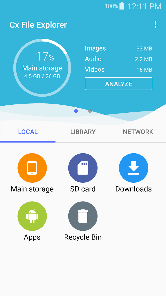
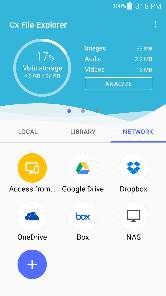
With seamless cloud storage integration, Cx File Explorer allows you to access and manage files from services like Google Drive, Dropbox, and OneDrive. This feature ensures that your important documents are always at your fingertips, no matter where you are, and makes file sharing a breeze.

File Management

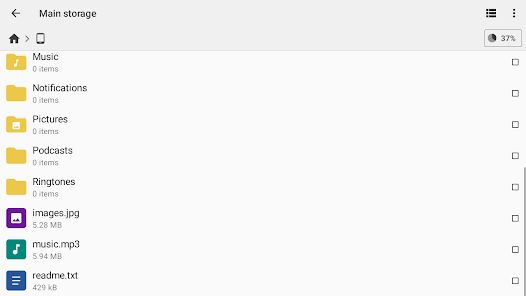
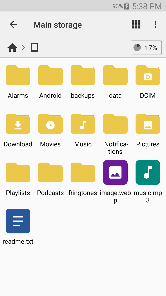
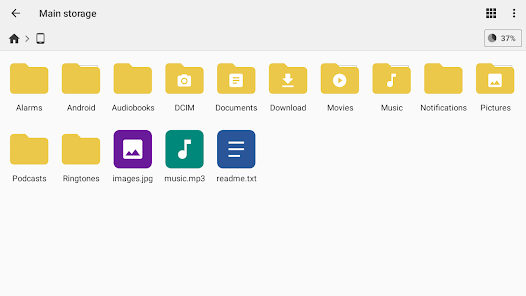
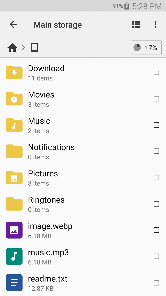
Cx File Explorer offers a user-friendly interface that makes managing files effortless. You can easily navigate through your device's storage, organize files into folders, and even move or copy items with just a few taps, enhancing your productivity and keeping everything in order.

Storage Analyzer

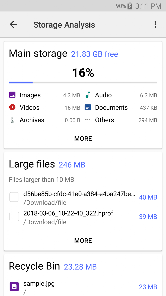
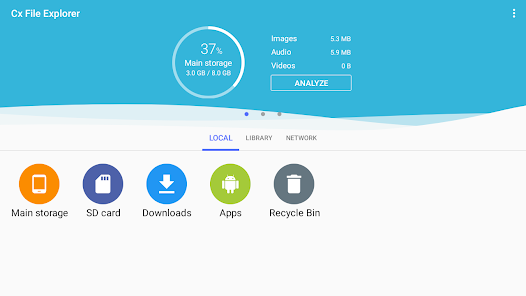
Cx File Explorer includes a powerful storage analyzer that helps you identify large files and folders taking up space on your device. This feature is invaluable for optimizing storage, allowing you to quickly clean up unnecessary files and ensure your device runs smoothly.

Pros & Cons

Pros
  • User-friendly interface for easy navigation.
  • Supports multiple file formats for versatility.
  • Efficient file management with powerful tools.
  • Quick access to cloud storage services.
  • Built-in media player for convenient playback.
Cons
  • Limited cloud storage integration options
  • Not user-friendly for beginners
  • Occasional performance issues on older devices
  • Lacks advanced file management features

Real Experience Using Cx File Explorer

Application Scenarios

Cx File Explorer serves as an essential tool for a wide range of users, from casual smartphone owners to professionals who demand efficient file management capabilities. Whether you need to organize your photos, manage documents, or transfer files between devices, Cx File Explorer provides a user-friendly interface that makes these tasks seamless. It is particularly beneficial for those who work with cloud storage services, as the app allows easy access to files stored on platforms like Google Drive, Dropbox, and OneDrive. Additionally, the app supports various file types, making it suitable for users who frequently handle multimedia files, such as videos and music. The ability to connect to FTP and SMB servers further enhances its functionality, making it a perfect choice for remote file management in professional environments.

User Experience

The user experience of Cx File Explorer is one of its standout features. The app boasts a clean, intuitive interface that simplifies navigation, allowing users to browse their files with ease. The dual-pane layout enables side-by-side comparisons, which is particularly useful for moving files between folders. Users have praised the app for its speed and efficiency, noting that file transfers and operations like copy, paste, and delete are performed swiftly. Additionally, customizable themes and a dark mode cater to personal preferences, enhancing the overall experience. The app also includes a built-in media player and image viewer, allowing users to preview files without leaving the app, which is a significant convenience for multitasking.

Pricing

Cx File Explorer is available for free, providing users with a robust set of features without any upfront cost. While there is a premium version that unlocks additional functionalities, the free version is often sufficient for everyday users. The premium subscription model is reasonably priced, making it accessible for those who wish to support the developers or require more advanced features. This pricing strategy ensures that users can choose the level of service that best suits their needs without feeling pressured into a subscription.

Updates & Support

The developers of Cx File Explorer are proactive in providing updates, frequently rolling out new features and bug fixes based on user feedback. This commitment to improvement has earned the app a loyal user base, as customers appreciate the continuous enhancements. Support is readily available through various channels, including a dedicated FAQ section within the app and active community forums. Users report a positive experience when reaching out for assistance, with prompt responses and helpful solutions from the support team. Overall, the combination of regular updates and responsive customer support significantly contributes to the app's reliability and user satisfaction.

verified Security & Privacy Review

The Cx File Explorer prioritizes user security and privacy while providing a robust file management experience. The app operates on a minimal permissions model, requiring only essential access to files and media necessary for its functionality. This approach reduces the risk of unauthorized access to sensitive user data. Data handling practices within Cx File Explorer are designed to ensure that personal information remains secure. The app does not collect unnecessary user data, and any data that may be processed is done with the utmost confidentiality. Furthermore, Cx File Explorer employs encryption methods to safeguard files and folders, enhancing the security of stored information. Users are also given control over their privacy settings, allowing them to customize permissions based on their preferences. The app does not engage in data sharing with third parties, ensuring that users can manage their files without concerns about external surveillance or data exploitation. Overall, Cx File Explorer demonstrates a strong commitment to maintaining user privacy and data security, making it a reliable choice for file management.

Reviews

4.8

“User-friendly interface makes file management easy and efficient.”

“Great features for organizing files and folders.”

“Fast and reliable, perfect for everyday use.”

“Excellent cloud storage integration options.”

“Lightweight app with no ads, highly recommended!”

Editor's Choice