This site uses cookies to enhance your user experience. By clicking any link on this site you are giving your consent to our cookie policy. Read more
Reject
Accept All
Clipboard Manager

Clipboard Manager

verified Verified App

Developer: devdnua

  • category

    Category: Productivity

  • price

    Price: free

  • age rating

    Age Rating: Everyone

  • rating

    Rating: 3.2

  • download

    Downloads: 1,000,000+

  • version

    Version: 2.5.9

Screenshot 1
Screenshot 2
Screenshot 3
Screenshot 4
Screenshot 5
Screenshot 6
Screenshot 7
Screenshot 8
Screenshot 9
Screenshot 10
Screenshot 11
Screenshot 12
Screenshot 13
Screenshot 14
Screenshot 15
Screenshot 16

Features & Highlights

One-Tap Sharing

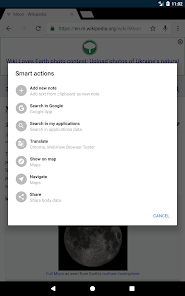
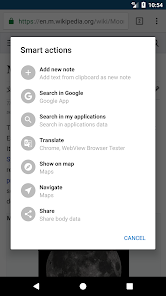
One-Tap Sharing enables you to effortlessly send your copied content to any app or platform with just a single tap. Whether it’s a message, email, or social media post, this feature streamlines your sharing process, making communication faster and more efficient.

Organized Categories

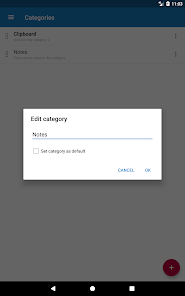
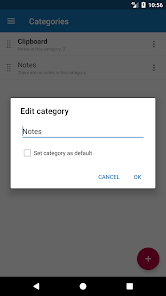
With Organized Categories, you can sort your clipboard items into customizable folders. This not only enhances your productivity but also makes it simple to find specific clips when you need them, ensuring you stay organized and efficient in your workflow.

Search Functionality

The powerful Search Functionality lets you quickly locate any clipboard entry by typing keywords. No more scrolling through endless lists; just enter a few letters, and you'll find what you're looking for in seconds, saving you time and effort during your daily tasks.

Smart Clip Storage

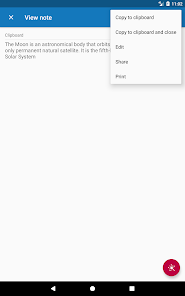
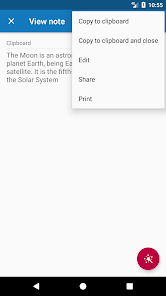
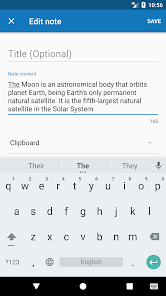
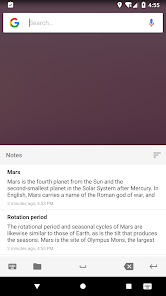
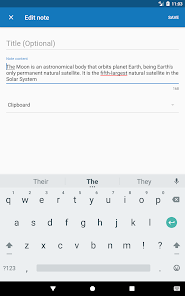
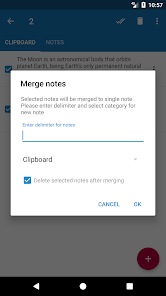
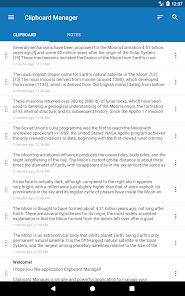
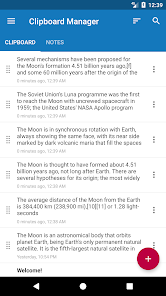
Easily manage and store multiple clipboard entries with Smart Clip Storage. This feature allows you to access your copied texts, links, and images anytime, making it incredibly convenient to retrieve and reuse information without the hassle of searching through endless notes or documents.

Pros & Cons

Pros
  • Enhances productivity by saving multiple clipboard items
  • Easily access past copied items anytime
  • Organizes your clipboard history for quick retrieval
  • Supports various data formats for versatility
  • Streamlines workflows with customizable shortcuts
Cons
  • Limited compatibility with certain applications
  • Can compromise sensitive information security
  • May slow down system performance over time
  • User interface can be confusing for beginners

Real Experience Using Clipboard Manager

Application Scenarios

Clipboard Manager serves a multitude of practical applications that cater to both casual users and professionals alike. One of the primary scenarios is enhancing productivity while working on documents or emails. Users can effortlessly copy and paste multiple text snippets without the hassle of overwriting previous entries. This feature is particularly beneficial for writers, researchers, and programmers who often need to handle numerous pieces of information simultaneously. Additionally, students can use the app to gather quotes and references for their projects, streamlining their workflow during assignments. For those who engage in social media management, Clipboard Manager allows for quick access to frequently used hashtags or captions, making content creation a breeze. Moreover, it can be instrumental in data entry tasks, where users need to input repetitive information quickly and efficiently.

User Experience

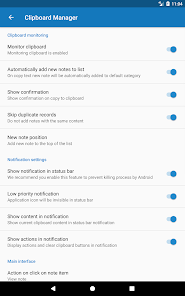
The user experience of Clipboard Manager is intuitive and seamless, with a clean interface that makes navigation easy for users of all skill levels. Upon launching the app, users are greeted with a well-organized dashboard that displays their copied items in a visually appealing manner. The drag-and-drop functionality allows for effortless rearrangement of entries, while the search feature ensures that even the most extensive lists remain manageable. Users can also categorize their clips into folders, providing an additional layer of organization. The app's performance is robust, with minimal lag when switching between tasks or accessing saved clips. Notifications and reminders are customizable, allowing users to stay on top of their clipboard activities without feeling overwhelmed. Overall, the user experience is designed to enhance productivity while maintaining simplicity and accessibility.

Pricing

Clipboard Manager adopts a freemium pricing model, which means that users can download and use the app at no cost with limited features. For those seeking a more comprehensive experience, a premium subscription is available, unlocking advanced functionalities such as unlimited clip storage, cloud backup, and ad-free usage. The premium subscription is reasonably priced, making it an attractive option for users who find value in the additional features. Overall, the pricing strategy aligns well with the app's capabilities, providing users with flexibility depending on their individual needs.

Updates & Support

Clipboard Manager is regularly updated to ensure compatibility with the latest operating systems and to introduce new features that enhance usability. The developers are responsive to user feedback, often implementing suggestions to improve functionality and user satisfaction. Support is readily available through the app's website, offering a comprehensive FAQ section and a dedicated customer service team reachable via email. Users can expect timely responses to their queries, ensuring a smooth experience as they navigate through the app's functions. The commitment to regular updates and user support reflects the developers' dedication to maintaining a high standard of service.

verified Security & Privacy Review

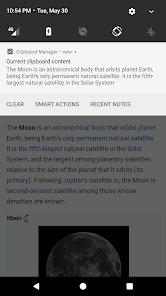
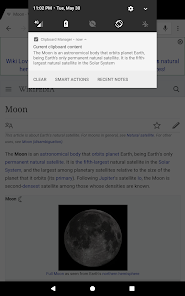
The Clipboard Manager app prioritizes user security and privacy, implementing robust measures to protect sensitive information. The app encrypts data stored in the clipboard, ensuring that any copied content remains secure from unauthorized access. Additionally, Clipboard Manager does not require excessive permissions, limiting access to only necessary features, which reduces potential vulnerabilities. Users have control over their data, with options to delete individual entries or clear the entire clipboard history, enhancing privacy. Clipboard Manager also adheres to strict data handling practices, ensuring that no user data is shared with third parties without explicit consent. The app’s privacy policy is transparent, detailing data collection methods and usage, allowing users to make informed decisions about their information. Overall, Clipboard Manager demonstrates a commitment to maintaining user privacy and data security, making it a reliable choice for those concerned about sensitive information management.

Reviews

3.2

“User-friendly interface makes copying easy and efficient”

“Great for organizing multiple clipboard entries”

“Search feature is a lifesaver for quick access”

“Sync across devices works flawlessly”

“Could use more customization options for themes”

Editor's Choice