This site uses cookies to enhance your user experience. By clicking any link on this site you are giving your consent to our cookie policy. Read more
Reject
Accept All

Advertiser and Editorial Disclosures

Church Center App

Church Center App

verified Verified App

Developer: Planning Center

  • category

    Category: Lifestyle

  • price

    Price: free

  • age rating

    Age Rating: Everyone

  • rating

    Rating: 4.5

  • download

    Downloads: 1,000,000+

  • version

    Version: 2026.1.14

Screenshot 1
Screenshot 2
Screenshot 3
Screenshot 4
Screenshot 5
Screenshot 6
Screenshot 7
Screenshot 8
Screenshot 9
Screenshot 10
Screenshot 11
Screenshot 12
Screenshot 13
Screenshot 14
Screenshot 15
Screenshot 16

Features & Highlights

Event Management

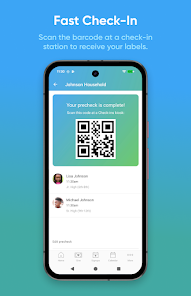
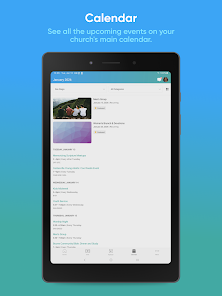
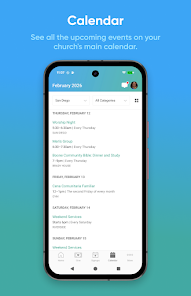
With the Church Center App, planning and managing church events has never been easier. Users can browse upcoming events, RSVP, and even invite friends, fostering a sense of community and encouraging participation in church activities.

Group Connections

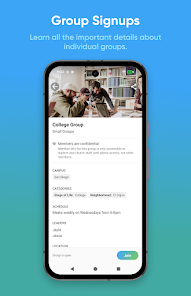
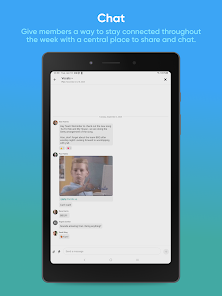
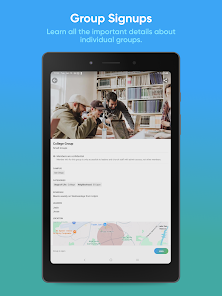
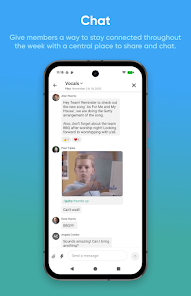
Stay connected with your church community through dedicated group features in the app. Whether you’re joining a small group or participating in a ministry, the app facilitates communication and collaboration, helping members grow together in faith and fellowship.

Online Giving

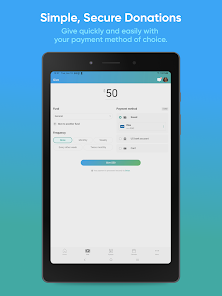
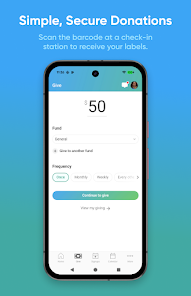
The app simplifies the process of giving with a secure and user-friendly online donation feature. Members can easily set up one-time or recurring gifts, ensuring that contributing to their church is as convenient as possible while supporting its mission and outreach.

User-Friendly Interface

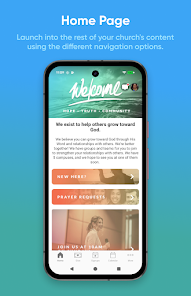
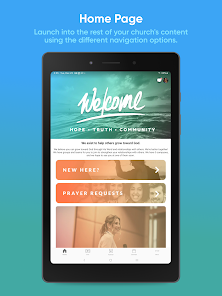
The Church Center App boasts a sleek and intuitive interface that makes navigation a breeze. Whether you're checking service times or exploring events, everything is designed for easy access, ensuring that users of all tech levels can connect seamlessly with their church community.

Pros & Cons

Pros
  • Streamlines communication within the church community
  • Facilitates event registration and management easily
  • Enhances member engagement through personalized content
  • Offers convenient online giving options for donations
  • Provides a centralized platform for resources and information
Cons
  • Limited customization for church branding and features
  • User interface can be confusing for new users
  • Some functions require internet connectivity, limiting accessibility
  • Occasional technical glitches disrupt user experience

Real Experience Using Church Center App

Application Scenarios

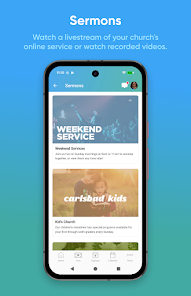
The Church Center App is designed to enhance the communal experience for congregations and individual churchgoers alike. It serves as an all-in-one platform for managing church-related activities, making it a perfect tool for both small and large communities. Users can easily find information about service times, events, and group activities. The app also facilitates online giving, allowing members to contribute tithes and offerings seamlessly. Additionally, the app supports event registration, making it easier for users to sign up for activities like retreats, workshops, and volunteer opportunities. Whether you’re a church leader wanting to keep your community informed or a member looking to engage more deeply, the Church Center App proves to be a valuable resource in fostering connections.

User Experience

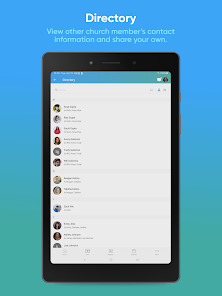
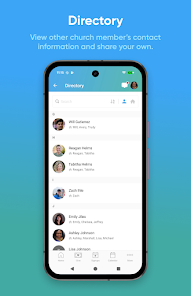
The user experience is one of the standout features of the Church Center App. Its intuitive interface makes navigation straightforward, allowing users to access information quickly. New users often appreciate the easy onboarding process, which guides them through the main features upon first launching the app. Moreover, the app's design is clean and visually appealing, reducing any confusion that might arise from cluttered layouts. Notifications about upcoming events and reminders for group meetings are timely and helpful, ensuring that users stay engaged with their church community. The social features, which allow members to connect and communicate with each other, enhance the sense of belonging and community. Overall, the user experience is enhanced by thoughtful design choices that prioritize usability and engagement.

Pricing

The Church Center App is free for users, making it an accessible resource for all congregants. However, churches that wish to utilize the app's full suite of features may incur costs. The app is typically tied to a church management software subscription, which may vary in price depending on the provider. This pricing structure allows churches to select a plan that best fits their needs and budget, enabling them to offer the app's functionalities without adding financial strain on their members. This model promotes inclusivity while ensuring that churches can provide valuable services to their congregants.

Updates & Support

Regular updates are a hallmark of the Church Center App, reflecting the developers' commitment to improving functionality and user experience. Users can expect periodic enhancements that introduce new features or refine existing ones based on feedback. The support team is readily available, offering assistance through various channels, including email and in-app messaging. This proactive approach to customer service ensures that users can resolve issues promptly and continue to enjoy the app without interruptions. Overall, the combination of continuous updates and responsive support enhances the overall reliability of the Church Center App, making it a trusted tool for church communities.

verified Security & Privacy Review

The Church Center App prioritizes user security and privacy by implementing robust data protection measures. The app employs encryption protocols to safeguard sensitive information, ensuring that user data, including personal details and payment information, is transmitted securely. Additionally, the app adheres to industry standards for data storage and management, minimizing the risk of unauthorized access. In terms of permissions, the Church Center App requests only essential access to device features, such as location services and notifications, which enhance user experience without compromising privacy. Users are informed about the specific permissions required and can control these settings within their device preferences. Furthermore, the app has a clear privacy policy that outlines how user data is collected, used, and shared. It commits to not selling personal information to third parties and provides users with options to manage their data preferences. Overall, the Church Center App demonstrates a comprehensive approach to security and privacy, giving users confidence in how their information is handled.

Reviews

4.5

“User-friendly interface makes church activities easy to manage.”

“Great for connecting with community and events.”

“Reliable tool for checking service times and registrations.”

“Love the calendar feature for scheduling events.”

“Simple navigation enhances overall user experience.”

FAQ

1

Does Church Center App collect my personal data?

Church Center App may collect personal data to enhance user experience, but it prioritizes user privacy and typically allows users to manage their data preferences.

2

Does Church Center App offer a free trial or free version?

Church Center App is generally free to use; however, certain features or integrations may require additional costs based on the church's subscription plan.

3

Does Church Center App require an internet connection?

Yes, Church Center App requires an internet connection to access its features and stay connected with your church community.

4

How can I contact support or send feedback for Church Center App?

You can contact support or send feedback for Church Center App through the app's help section or by visiting the official Church Center website for additional contact information.

5

How do I manage or cancel my Church Center App subscription?

You can manage or cancel your Church Center App subscription through your account settings in the app or by following the instructions provided on the Church Center website.

How to use Church Center App

1

How can I contact Customer Service for the Church Center App?

You can reach Customer Service through the app's help section or by visiting their website for support options.

2

How do I find the Customer Number for the Church Center App?

Your Customer Number is typically provided by your church. Check with your church administration for assistance.

3

How do I log in to the Church Center App?

Open the app and enter your email and password associated with your account. If you don't have an account, follow the prompts to create one.

4

Is there a way to activate my Church Center App account?

If necessary, you can activate your account via the email sent to you after registration. Click on the activation link in that email.

Editor's Choice