This site uses cookies to enhance your user experience. By clicking any link on this site you are giving your consent to our cookie policy. Read more
Reject
Accept All

Advertiser and Editorial Disclosures

ChatGPT

ChatGPT

verified Verified App

Developer: OpenAI

  • category

    Category: Productivity

  • price

    Price: free

  • age rating

    Age Rating: Teen

  • rating

    Rating: 4.8

  • download

    Downloads: 500,000,000+

  • version

    Version: 1.2026.020

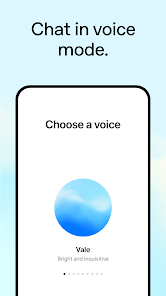
Screenshot 1
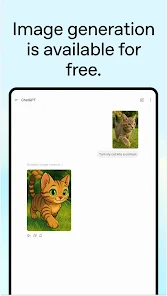
Screenshot 2
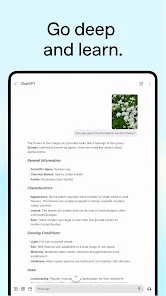
Screenshot 3
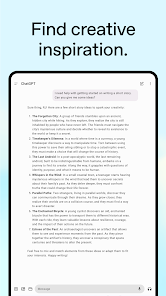
Screenshot 4
Screenshot 5
Screenshot 6
Screenshot 7
Screenshot 8
Screenshot 9
Screenshot 10
Screenshot 11
Screenshot 12
Screenshot 13
Screenshot 14
Screenshot 15
Screenshot 16
Screenshot 17
Screenshot 18

Features & Highlights

Conversational Interactions

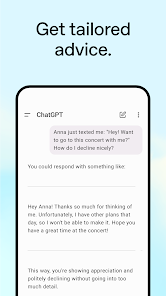
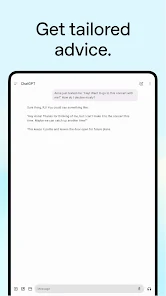
ChatGPT excels at engaging in natural, flowing conversations, making it feel like you're chatting with a friend. It understands context and can respond appropriately, whether you're asking for advice, sharing ideas, or just looking to have a friendly chat. This makes interactions feel more personal and relatable.

Creative Writing Assistance

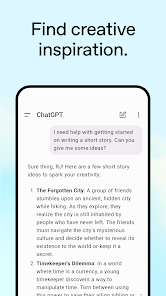
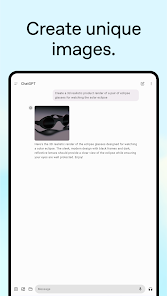
With its powerful language generation capabilities, ChatGPT can assist in crafting stories, poems, and essays. It offers suggestions, helps brainstorm ideas, and can even mimic specific writing styles, making it an invaluable tool for writers seeking inspiration or refining their work.

Instant Information Retrieval

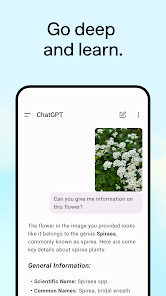
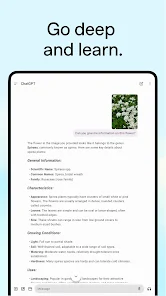
ChatGPT can quickly provide accurate information on a wide range of topics, acting like a knowledgeable companion that you can turn to at any time. Whether you need help with facts, definitions, or explanations, its ability to process and relay information swiftly can save you time and enhance your learning experience.

Multilingual Support

ChatGPT is capable of understanding and generating text in multiple languages, making it accessible to a diverse user base. This feature allows users to engage in conversations in their preferred language, breaking down communication barriers and fostering a more inclusive environment for everyone.

Pros & Cons

Pros
  • Provides instant responses to user queries
  • Enhances productivity with quick information retrieval
  • Facilitates creative brainstorming and idea generation
  • Offers personalized assistance for various tasks
  • Supports learning through interactive conversation
Cons
  • Limited understanding of nuanced context
  • Can produce incorrect or misleading information
  • Lacks emotional intelligence and empathy
  • May generate biased or inappropriate content

Real Experience Using ChatGPT

Application Scenarios

ChatGPT is designed for a wide array of applications, making it a versatile tool for both personal and professional use. Users can engage with the app for tasks such as drafting emails, generating creative content, brainstorming ideas, or even coding assistance. For students, it serves as a helpful study companion, providing explanations on complex topics and aiding in homework assignments. In a professional setting, ChatGPT can streamline workflows by automating repetitive tasks, such as report generation or data analysis. Its conversational nature allows users to interact naturally, making it a valuable tool in customer service, where it can handle inquiries and provide instant support. The application adapts to various scenarios, whether you are seeking quick information, in-depth analysis, or simply looking to explore new ideas.

User Experience

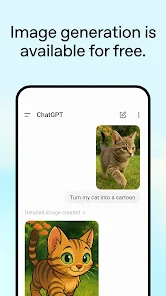
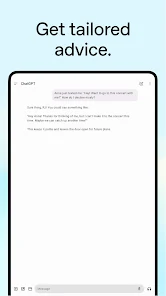
The user experience of ChatGPT is characterized by its intuitive interface and responsive design. Upon launching the app, users are greeted with a clean and straightforward layout, ensuring ease of navigation. The conversational interface makes interaction feel natural, allowing users to type their queries or commands seamlessly. The AI's ability to understand context and generate relevant responses enhances the overall experience, making it feel personalized. However, while the app performs impressively in many scenarios, occasional inaccuracies in responses may arise, which can lead to user frustration. Nonetheless, the ability to ask follow-up questions and clarify prompts helps mitigate these issues, contributing to a generally positive experience.

Pricing

ChatGPT operates on a freemium model, offering a basic version that is free to use, which provides access to a wide range of functionalities. For users seeking enhanced features, the subscription service, ChatGPT Plus, is available at a reasonable monthly fee. This subscription unlocks benefits such as faster response times and priority access during peak times, which can significantly enhance the user experience. The pricing structure is competitive, especially considering the extensive capabilities of the app, making it accessible to a broad audience, from casual users to professionals.

Updates & Support

The development team behind ChatGPT is committed to continuous improvement, regularly rolling out updates that enhance functionality and address user feedback. These updates often include new features, improved algorithms, and expanded knowledge bases, ensuring that the app remains relevant and effective. Customer support is readily available through multiple channels, including an online help center and community forums, where users can find answers to common questions or seek assistance. The responsiveness of the support team is commendable, making it easier for users to resolve issues quickly and efficiently.

verified Security & Privacy Review

The ChatGPT app prioritizes user security and privacy, implementing robust measures to protect personal information. All data transmitted between the app and servers is encrypted, ensuring that sensitive information remains secure during communication. In terms of permissions, the app requires minimal access to function effectively, typically limited to network connectivity and storage for cached data. Users are informed about the permissions needed and can manage them easily within the app settings. ChatGPT adheres to strict data handling practices, employing anonymization techniques to protect user identities. The app does not store conversations on its servers unless explicitly authorized by the user for improvement purposes. Additionally, users can request deletion of their data at any time, reinforcing the commitment to privacy. Regular updates and security patches are deployed to address potential vulnerabilities, ensuring that user data remains safe from emerging threats. Overall, ChatGPT fosters a secure environment, allowing users to engage with the app confidently while maintaining control over their personal information.

Reviews

4.8

“Incredibly useful for quick information and ideas!”

“Intuitive interface makes chatting enjoyable.”

“Responses are impressively accurate and detailed.”

“Great for brainstorming and creative writing.”

“Sometimes struggles with complex questions.”

FAQ

1

Does ChatGPT collect my personal data?

ChatGPT does not inherently collect personal data unless explicitly provided by the user during interactions. Always refer to the privacy policy for detailed information on data handling.

2

Does ChatGPT offer a free trial or free version?

Yes, ChatGPT offers a free version with limited features, allowing users to explore its capabilities before considering any paid subscriptions.

3

Does ChatGPT require an internet connection?

Yes, ChatGPT requires an internet connection to function, as it processes requests and generates responses through cloud-based servers.

4

How can I contact support or send feedback for ChatGPT?

Users can contact support or send feedback through the help center or support page on the ChatGPT website, where they can find resources and contact forms.

5

How do I manage or cancel my ChatGPT subscription?

You can manage or cancel your ChatGPT subscription through your account settings on the platform where you signed up, typically under the billing or subscription section.

How to use ChatGPT

1

How can I contact customer service for the ChatGPT app?

You can reach customer service through the app's support section or visit the OpenAI website for additional contact options.

2

How do I log in to my ChatGPT account?

Open the app, click on "Log In," and enter your registered email and password.

3

Is there a way to activate my ChatGPT app subscription?

To activate your subscription, log in to the app and follow the prompts in the subscription settings.

4

What is the customer number for support inquiries regarding ChatGPT?

Customer support does not have a specific number; please use the in-app support chat or web form for assistance.

Editor's Choice